
Conference Talk Deck
Slides + PowerPoint10 slides
Free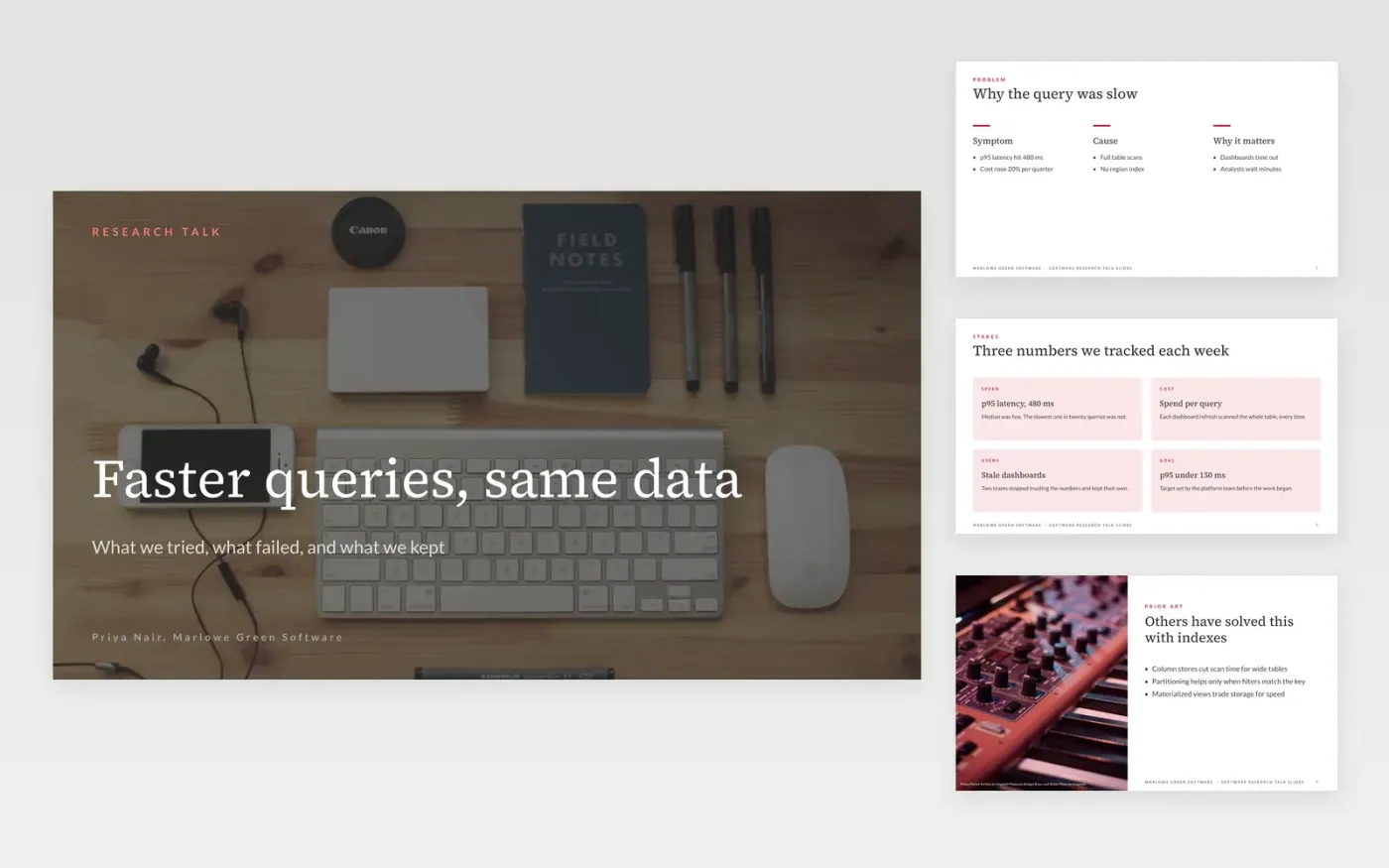
Most technical talks fail because the slides read like the paper and the dead ends never appear. This tech talk slides template gives a presenter a clear order: question, related work, method, results, limitations and future work. Each slide has a small label, a title that states its point and room for one code fragment or one chart, so the argument carries the talk and the audience can follow it from the back of the room.
The sample shows Marlowe Green Software, a fictional team, presenting a query index that cut p95 latency from 480 ms to 140 ms on a replica, together with its limits and the attempts that failed. Replace the title, the hook, the code, the benchmark and the closing links with your own measurements, and note the hardware and dataset beside each result.
Click Make a copy in Google Slides, then confirm on the Google page. The copy is saved to your own Google Drive.
Replace Marlowe Green Software, the sample names and the links with your own.
Cut each code sample to the fragment that fits the screen at 24 pt or larger.
Replace the chart with your own benchmark, and note the hardware and dataset beside it.
Delete the make-it-yours guide slide, then share the deck or present it at your meetup.
Plan for 20 to 30 minutes at roughly one slide per minute, then five minutes for questions. If you run short, cut the related work first and keep the limitations slide.
Yes. Marlowe Green Software, the speaker named on the cover, the email addresses and every benchmark figure are fictional sample data, so replace them with your own measurements.
Yes. An audience learns most from dead ends, so keep at least one on the limitations slide with its numbers. It makes the result more believable and shows what to avoid next time.
More Google Slides templatesMore developer workflows templates
Slides + PowerPoint10 slides
Free
Slides + PowerPoint12 slides
Free
Slides + PowerPoint10 slides
Free
Slides + PowerPoint12 slides
Free
Slides + PowerPoint12 slides
Free
Slides + PowerPoint10 slides
Free
Slides + PowerPoint10 slides
Free
Slides + PowerPoint12 slides
Free
Slides + PowerPoint12 slides
Free
Slides + PowerPoint12 slides
Free










