
Conference Talk Deck
Slides + PowerPoint10 slides
Free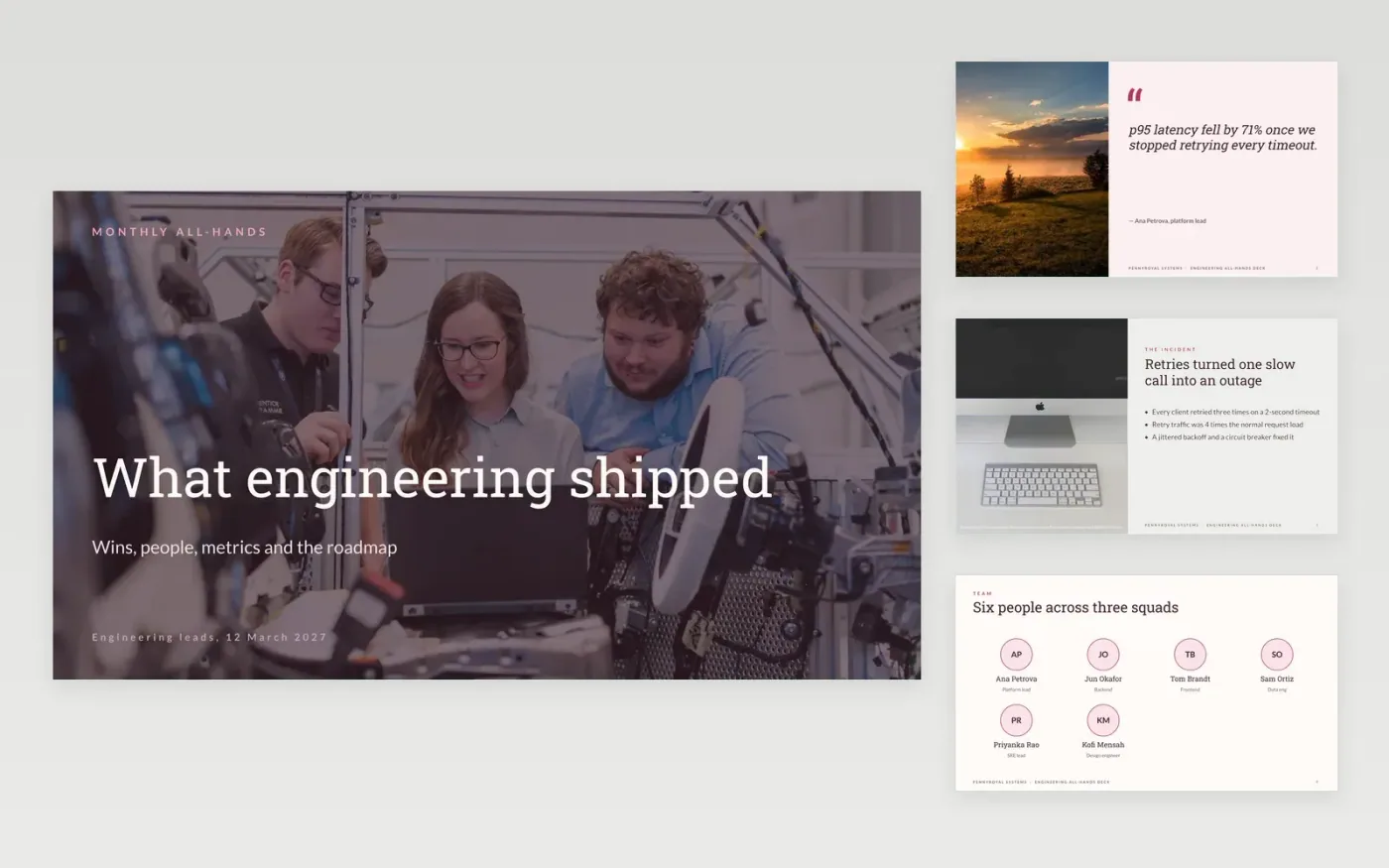
Engineering all-hands meetings tend to drift into status lists that nobody remembers a week later. This template gives the update a clear order: a win told as a short story, the people who made it possible, the metrics that show whether it worked, and the roadmap for the next few months. Each slide carries one idea, so the room can follow the whole month in about twenty minutes.
The sample describes Pennyroyal Systems, a fictional company whose platform team cut p95 latency from 480 ms to 140 ms. Its figures, names, quotes and roadmap are invented sample data, so replace them with your own team's results. Keep the metric labels, and note the environment behind any number before you present it to the room.
Click Make a copy in Google Slides, then confirm on the Google page. The copy is saved to your own Google Drive.
Write the update title and a one-line promise that sums up the month.
Replace the hook and the chart with your own numbers, and note the hardware or environment.
Swap the people, roadmap and scorecard for your team's real work, then trim each slide.
Delete the guide slide, then share the deck in the team channel or present it at the all-hands.
No. Pennyroyal Systems, its people, the latency figures, the cost numbers and the quotes are fictional sample data, shown to illustrate a finished deck.
Aim for twenty to thirty minutes at roughly one slide a minute, then five minutes for questions. Cut slides before you cut the time for answers, because questions are where trust is built.
Yes, but keep a recorded fallback ready, because live systems fail at the worst moment. Show one short demo and link the full recording on the closing slide.
More Google Slides templatesMore developer workflows templates
Slides + PowerPoint10 slides
Free
Slides + PowerPoint12 slides
Free
Slides + PowerPoint10 slides
Free
Slides + PowerPoint12 slides
Free
Slides + PowerPoint10 slides
Free
Slides + PowerPoint10 slides
Free
Slides + PowerPoint12 slides
Free
Slides + PowerPoint12 slides
Free
Slides + PowerPoint12 slides
Free
Slides + PowerPoint12 slides
Free










