Nonprofit Impact Brochure Slides
Slides + PowerPoint10 slides
Free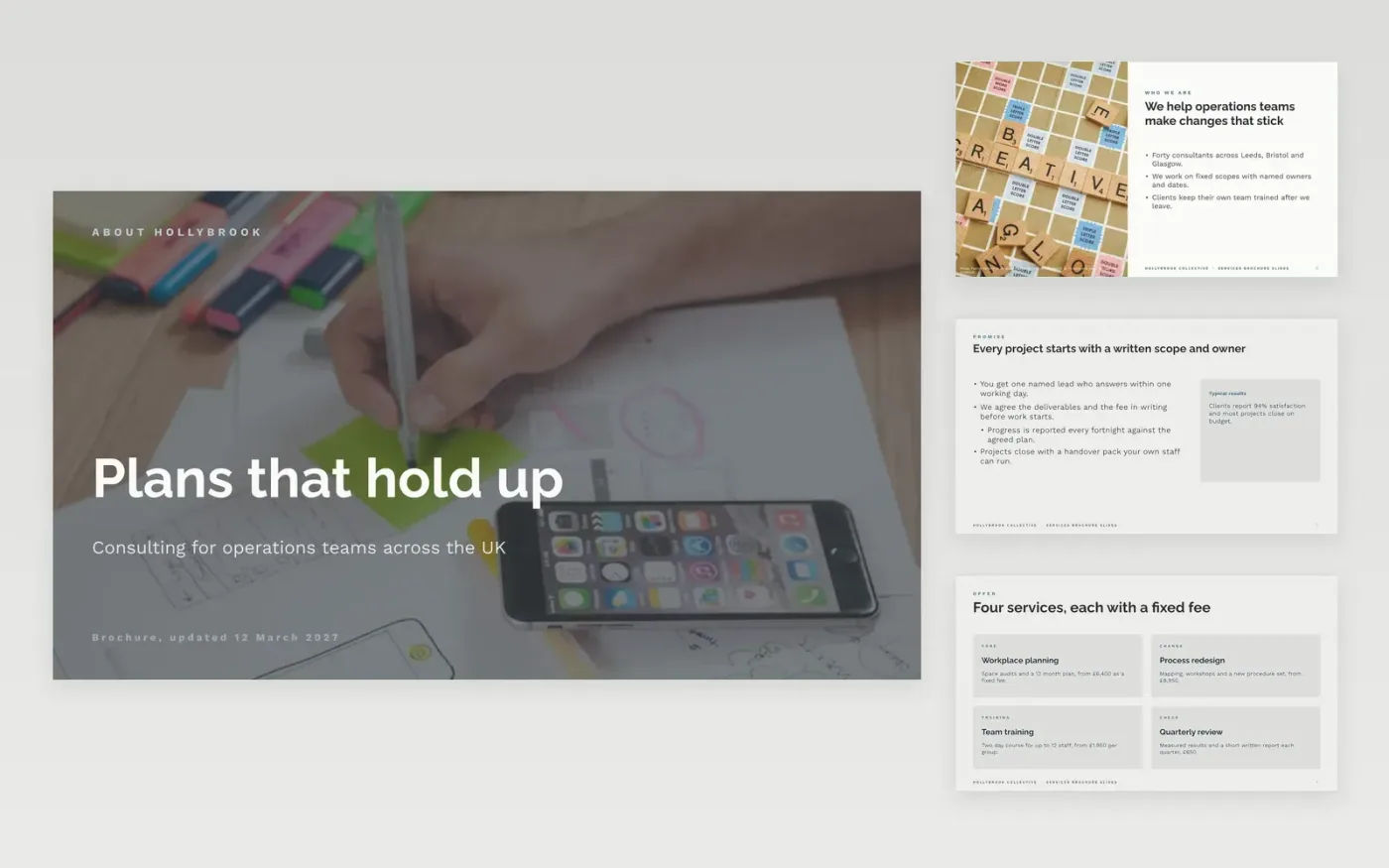
After a first call, prospects forget most of what was said and rarely read a long proposal. This deck gives a consultancy a short brochure that covers who the firm is, the services on offer, how each project runs, the clients it has helped and the prices, ending with one clear way to book. Each slide has one job, so a reader can skim the deck in five minutes or forward it to a colleague as a PDF.
The sample shows Hollybrook Collective, a fictional consultancy with four services priced from £1,950 to £6,400, a 96% satisfaction score and a named lead on every project. Replace the cover headline, service cards and fees with your own offer, then check each price against your current rate card before you export the deck to PDF.
Click Make a copy in Google Slides, then confirm on the Google page. The copy is saved to your own Google Drive.
Replace the cover headline, services and about text with your own details.
Update each price in the cards and packages slides against your current rate card.
Replace the client quotes with named clients who agreed to be quoted.
Delete the guide slide, then share the link or present the deck to your client.
Yes. Choose File, then Download, then PDF document in Google Slides. Check the photos and text on each slide in the PDF before you send it, since small print can shrink on some screens.
Yes. Hollybrook Collective, the people quoted, the client results and every price are fictional sample data. Replace each one with your own details before you send the deck to a prospect.
Showing a starting price helps prospects decide whether to continue, and it stops enquiries that cannot pay. Add the unit and what is included so the figure is never misleading.
Slides + PowerPoint10 slides
Free
Slides + PowerPoint11 slides
Free
Docs + Word5 pages
Free
Docs + Word2 slides
Free
Docs + Word7 pages
Free
Docs + Word2 slides
Free
Docs + Word7 pages
Free
Docs + Word2 slides
Free
Docs + Word7 pages
Free
Docs + Word6 pages
Free
Docs + Word6 pages
Free
Docs + Word7 pages
Free