
Company Brochure
Docs + Word5 pages
Free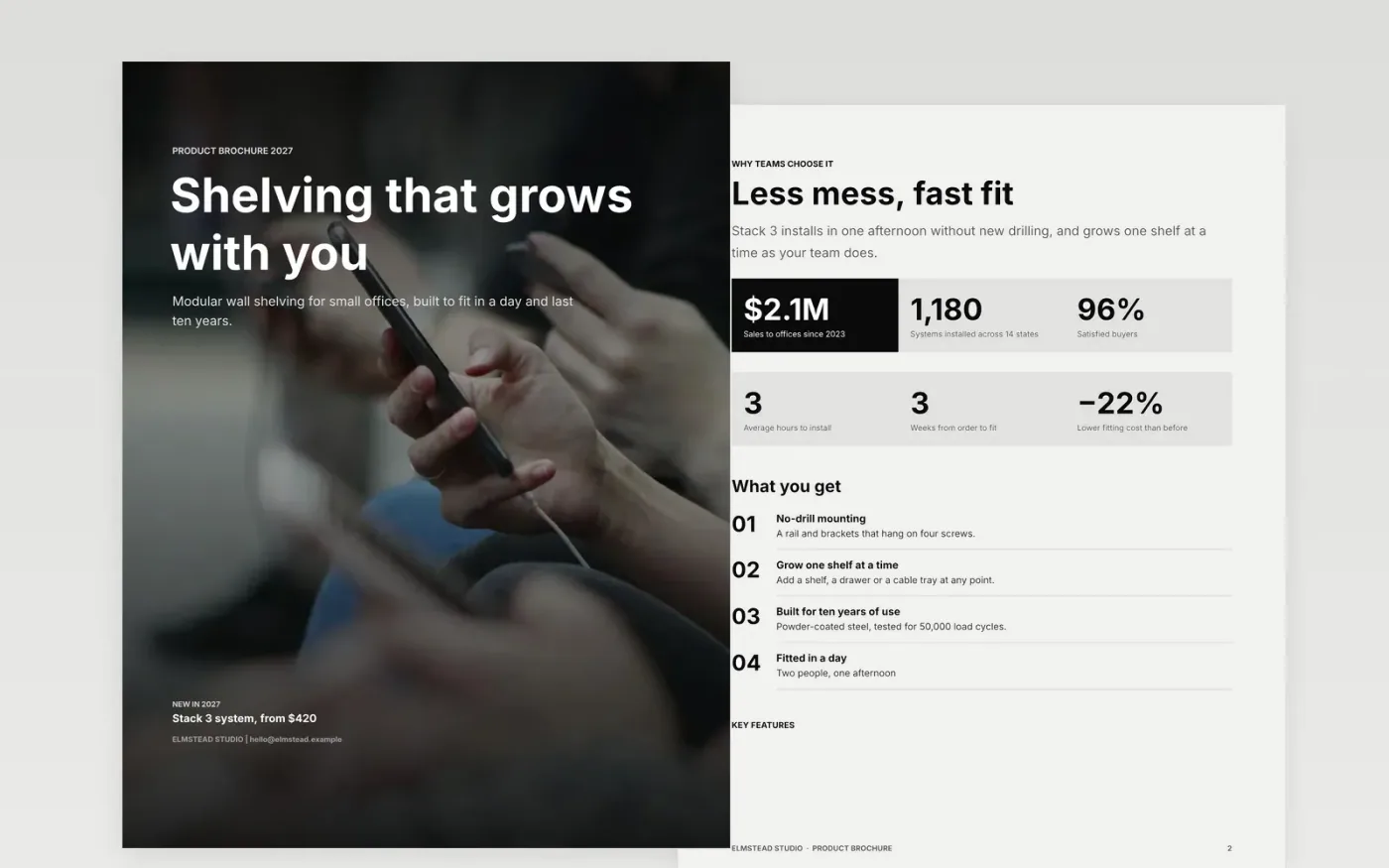
A product brochure has a few minutes to earn a second look, and most readers decide on the benefit, the price and the next step. This company brochure template keeps those in order: a cover, the benefits in plain words, the features that prove them, a specification table, a pricing page and a contact page. Each page can be read on its own, so the brochure can be handed to a buyer or a colleague and still make sense.
The sample is for Elmstead Studio, a fictional US maker of Stack 3 modular shelving for small offices. It shows a starting price of $420 per bay, a $1,950 office package, a 180 kg rail rating and a three-hour fit per bay. Replace the product, specifications, prices and contacts with your own, and check every figure against your test records before the brochure goes to print or into an email.
Click Make a copy in Google Docs, then confirm on the Google page. The copy is saved to your own Google Drive.
Replace the cover headline with the single benefit you want remembered.
Swap the feature list for your top three, each with one proof point.
Enter real prices or starting prices, with what is included in each one.
Delete the guide page, then share the brochure as a link or print it.
No. Elmstead Studio, Stack 3, its prices, specifications and contacts are fictional sample data. Replace them with your own details and test results before you publish the brochure.
The layout works for any product or service. For a school, swap the benefits for curriculum outcomes, the specifications for facilities and class sizes, and the pricing page for fees and what they include.
Check the pricing page at the start of each quarter and whenever a supplier changes costs. Put the date of the prices on the back cover so readers know how current they are.
Docs + Word5 pages
Free
Docs + Word6 pages
Free
Google Sheets
Free
Docs + Word6 pages
Free
Docs + Word7 pages
Free
Docs + Word2 slides
Free
Docs + Word2 slides
Free
Docs + Word2 slides
Free








