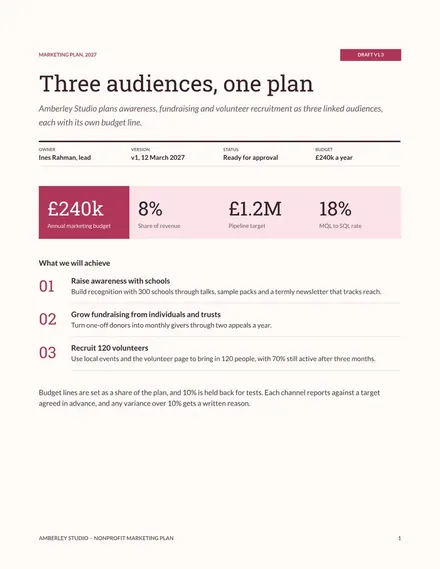
Nonprofit Impact Brochure Slides
Slides + PowerPoint10 slides
Free
A product catalogue has to answer three questions quickly: what is this, what does it cost and how do I order it. This deck gives each product its own slide with a code, a short specification and retail and trade prices, then sets out the ranges, a price list and the steps to order. Buyers can scan it on a phone or print it for a trade counter.
The sample is a fictional studio accessories range from Fallowfield Media, with microphones, stands, leads and starter kits. Codes, prices and trade breaks are invented to show how the layout works. Replace them with your own range, check every price against your current list, and add one clear photo and caption for each product.
Click Make a copy in Google Slides, then confirm on the Google page. The copy is saved to your own Google Drive.
Replace the cover headline and byline with your range name and one clear benefit.
Enter each product's code, specification and prices from your own price list.
Check the trade breaks and the minimum order against your terms before you share it.
Delete the guide slide, then share the deck as a link or send it as a PDF.
No. Fallowfield Media, the people named, the product codes, the prices and the trade breaks are fictional. They show how a finished catalogue can look for a real range.
Yes. Export it as a PDF and print it in landscape. Keep the body text large enough to read at arm's length, since small type is hard to read on a trade counter.
Update the figures on the product and price list slides each time your list changes, then check that the chart and the trade breaks still match. Date the catalogue so buyers know which prices apply.
Slides + PowerPoint10 slides
Free
Slides + PowerPoint12 slides
Free
Docs + Word6 pages
Free
Docs + Word2 slides
Free
Docs + Word7 pages
Free
Docs + Word2 slides
Free
Docs + Word7 pages
Free
Docs + Word2 slides
Free
Docs + Word7 pages
Free
Docs + Word6 pages
Free
Docs + Word7 pages
Free
Docs + Word5 pages
Free