Product Catalogue Slides
Slides + PowerPoint11 slides
Free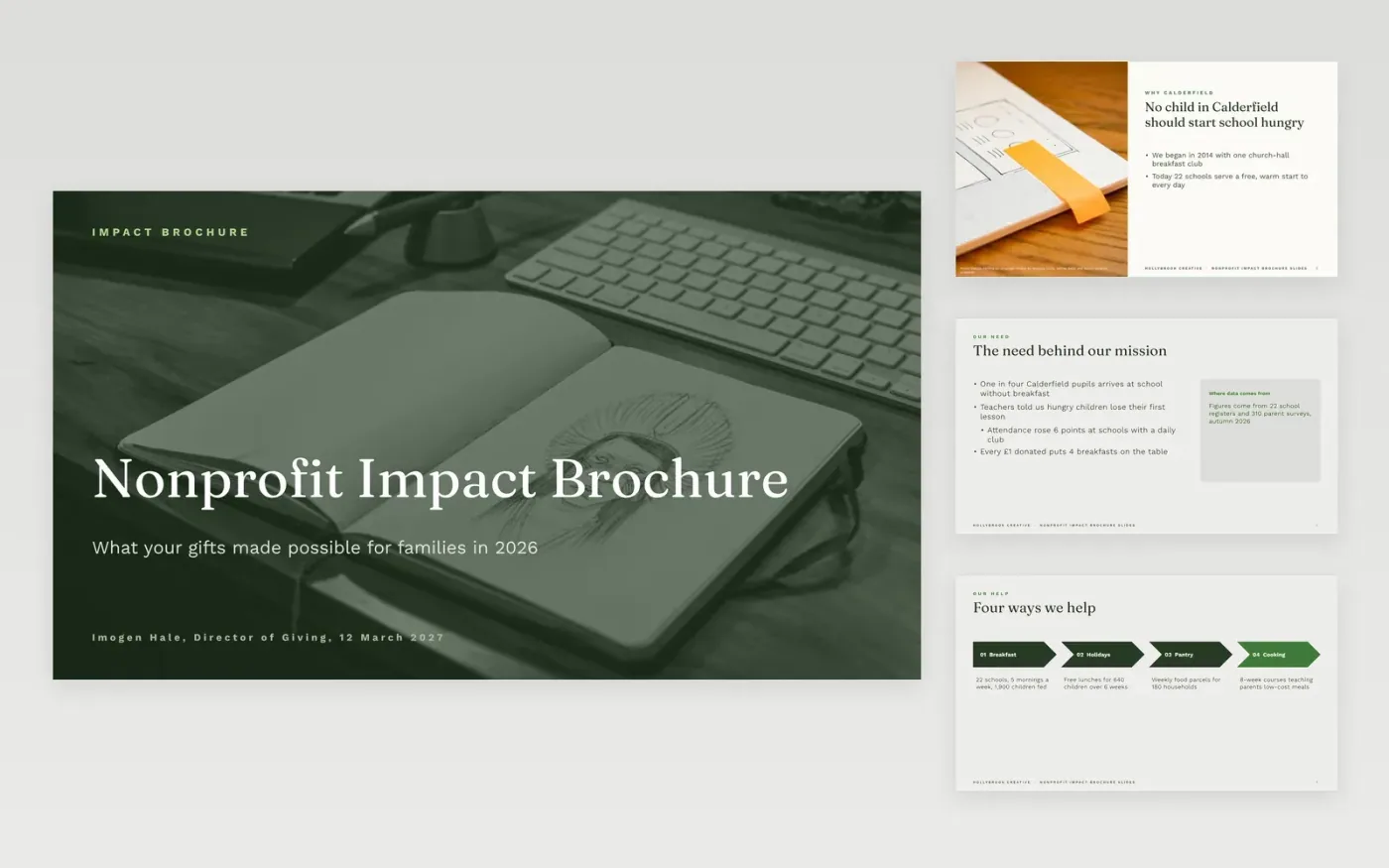
Fundraisers use a short impact deck to show donors what their gifts do, in terms they can picture. This template suits a charity that runs school breakfast clubs. The sample opens on why the work matters, then sets out four ways the charity helps and the reach it has so far, including children fed at breakfast, holiday lunches and weekly food parcels. Each figure sits on a slide with its source, such as school registers and parent surveys, so a donor can trust it. The closing slides look ahead to next year and thank the monthly donors and trusts who keep the work going.
Replace the sample programs, figures and pictures with your own, and cite the source of each number directly beneath it. Use images with clear licenses and credit each photographer, as the sample does. Lead with one human-scale fact before the totals, because donors tend to remember one family more readily than a large figure. Keep the reach and goals slides to a few figures each so the deck stays short.
Click Make a copy in Google Slides, then confirm on the Google page. The copy is saved to your own Google Drive.
Replace the company name and the cover details with your own.
Work through each slide, replacing the sample text and figures.
Swap the photos and delete any sections you do not need.
Include the problem you address, what you do about it, the people you have reached, the results you measured and what you plan to do next. Add a line on how donations are used and who funds the work. Keep it short, with one clear ask at the end. Source every figure to your own records, such as attendance logs, service counts or surveys.
Use measures you actually tracked, and say what they cannot show. Give the period and the source for each number, such as the school year or the survey date. Compare results with a baseline only if you have one. If a result is an early signal rather than proof, say so in plain words. Donors and trusts respect charities that report the limits of their data.
Use one idea per slide, a large number with a short caption, and a photo with a clear license. Keep the same layout on every slide so the deck reads as one piece. Share it as a view-only link or a PDF, since donors rarely need to edit slides. Download the .pptx if a board member wants to present it in PowerPoint.
Slides + PowerPoint11 slides
Free
Slides + PowerPoint12 slides
Free
Docs + Word5 pages
Free
Docs + Word2 slides
Free
Docs + Word7 pages
Free
Docs + Word2 slides
Free
Docs + Word7 pages
Free
Docs + Word2 slides
Free
Docs + Word7 pages
Free
Docs + Word6 pages
Free
Docs + Word6 pages
Free
Docs + Word7 pages
Free