School Prospectus
Docs + Word7 pages
Free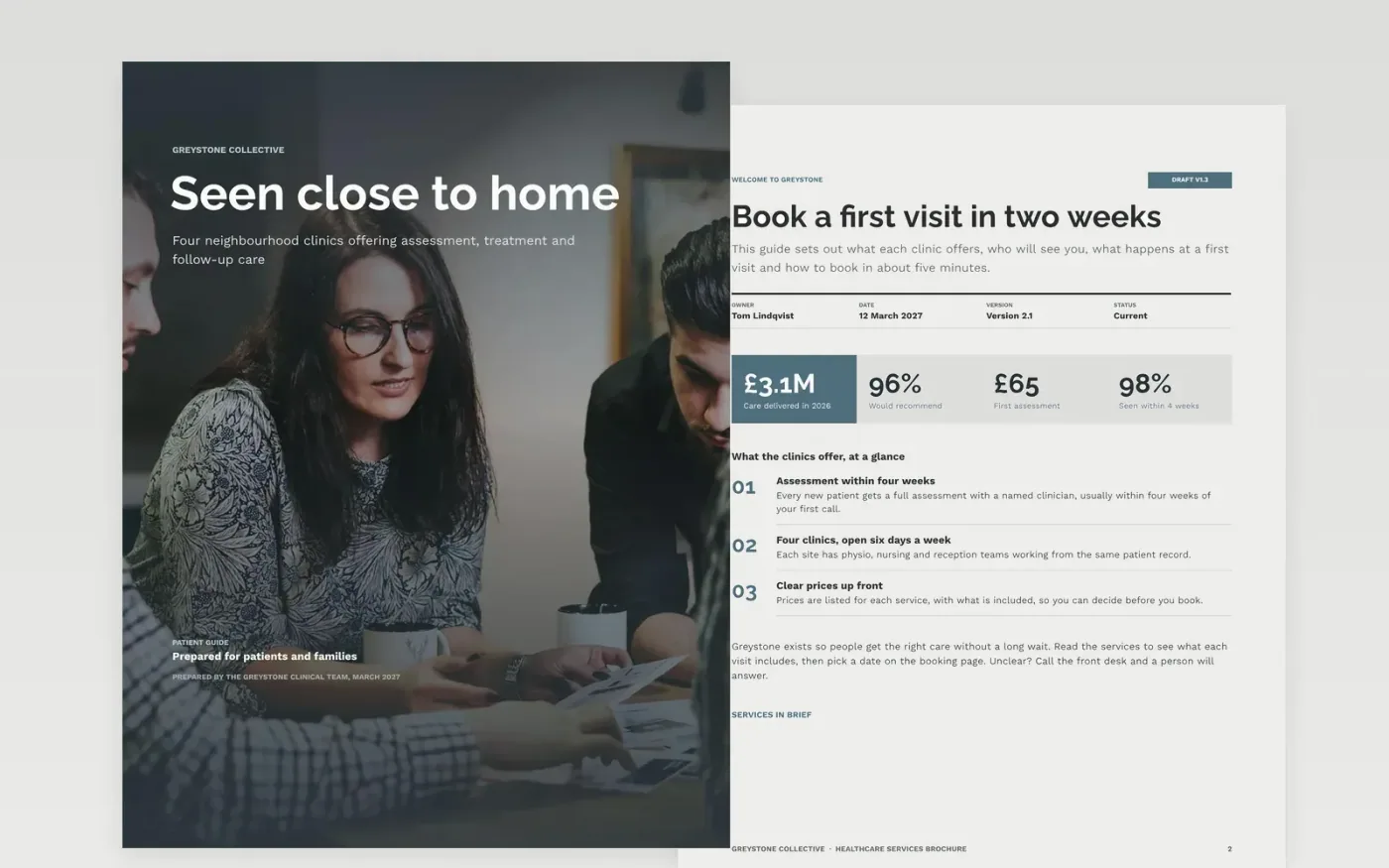
Patients who cannot tell what a clinic offers, who runs it or how to book tend to phone twice or not at all. This Google Docs brochure answers those questions in the order a patient asks them: a welcome with the headline benefit, the services with starting prices, the team, what happens at a first visit and how to book. Each page opens with what the reader gets, and the contact details appear on the cover and again on the booking page.
The sample describes Greystone Collective, a fictional group of four neighbourhood clinics reporting 96% of patients would recommend them, all as sample data. It lists three services with starting prices, three named team members, a first assessment at £65 and a booking window of two to four weeks. Replace the services, prices, team and quotes with your own, and check that the phone number and booking link work before you print or share.
Click Make a copy in Google Docs, then confirm on the Google page. The copy is saved to your own Google Drive.
Replace the four services and their prices with your own, each with one proof point.
Swap the team cards for clinicians who agreed to be listed, with a direct email address.
Put your phone number and booking link on the cover and on the booking page.
Delete the guide page, then share the link or print the brochure at actual size.
No. Greystone Collective, its clinics, the people listed and every price are fictional sample data. Replace them with your own confirmed details before you print or share the brochure.
Keep it short enough to read in five minutes. This sample uses a cover, a welcome page, services, the team, what to expect and booking, so most clinics can cover their core offer without adding more pages.
Check prices and the booking window every quarter, and whenever a fee changes. A brochure with an old price loses trust quickly, so note the version and date on the welcome page.
Docs + Word7 pages
Free
Docs + Word5 pages
Free
Docs + Word6 pages
Free
Docs + Word2 slides
Free
Docs + Word2 slides
Free
Slides + PowerPoint10 slides
Free
Slides + PowerPoint11 slides
Free
Slides + PowerPoint12 slides
Free
Docs + Word7 pages
Free
Docs + Word2 slides
Free
Docs + Word7 pages
Free
Docs + Word6 pages
Free