Market Sizing Report
Docs + Word8 pages
Free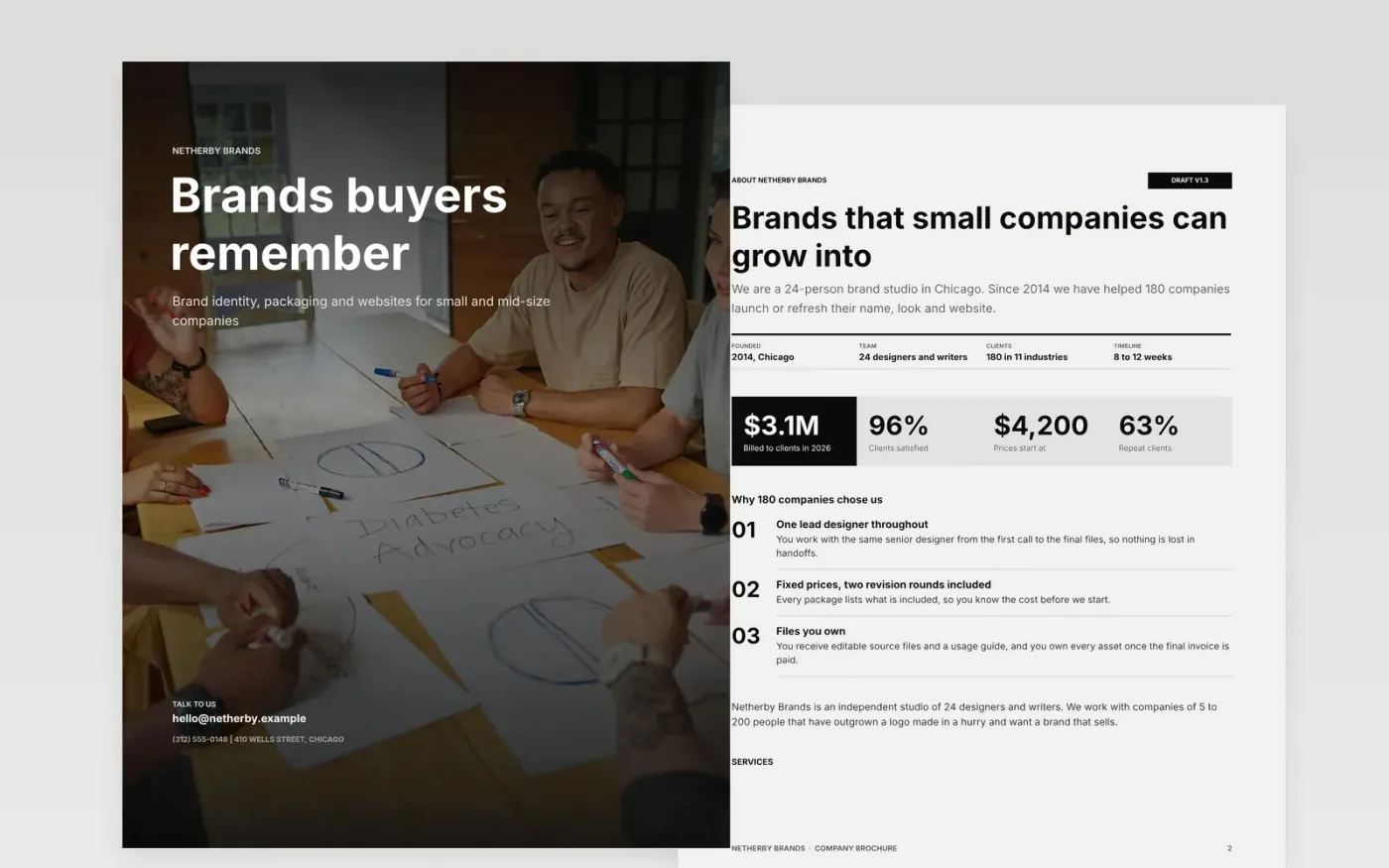
A brochure is read after the first conversation, when a buyer wants to check what you offer, what it costs and whether others were happy. This company brochure template puts that in order: a cover with the one benefit you want remembered, an about page with headline numbers, three services with starting prices, client proof with a survey and two named testimonials, and contact details on the cover.
The sample is a brochure for Netherby Brands, a 24-person brand studio in Chicago with three fixed-price services, 96% client satisfaction and starting prices from $4,200. Replace the cover headline, the services and prices, the numbers and the testimonials with your own, and print it or export it as a PDF.
Click Make a copy in Google Docs, then confirm on the Google page. The copy is saved to your own Google Drive.
Replace the cover headline with the one benefit you want remembered, and update the contact details on the cover.
Swap in your top three services with real starting prices and what is included in each.
Replace the survey and testimonials with real figures and clients who agreed to be quoted.
Delete the Make it yours guide page, then print the brochure or download it as a PDF.
Yes. Make a copy in Google Docs and edit it for your own company. You only need a Google account, and you can download it as a PDF to print.
No. Netherby Brands, its people, clients, prices and survey results are fictional and exist only to show what a good brochure looks like.
Three to five, each with a price or starting price and one proof point. A short list is easier to read and easier for buyers to remember.
Docs + Word8 pages
Free
Docs + Word7 pages
Free
Docs + Word7 pages
Free
Docs + Word6 pages
Free
Docs + Word6 pages
Free
Docs + Word7 pages
Free
Docs + Word2 slides
Free
Docs + Word2 slides
Free
Docs + Word2 slides
Free










