
Company Brochure
Docs + Word5 pages
Free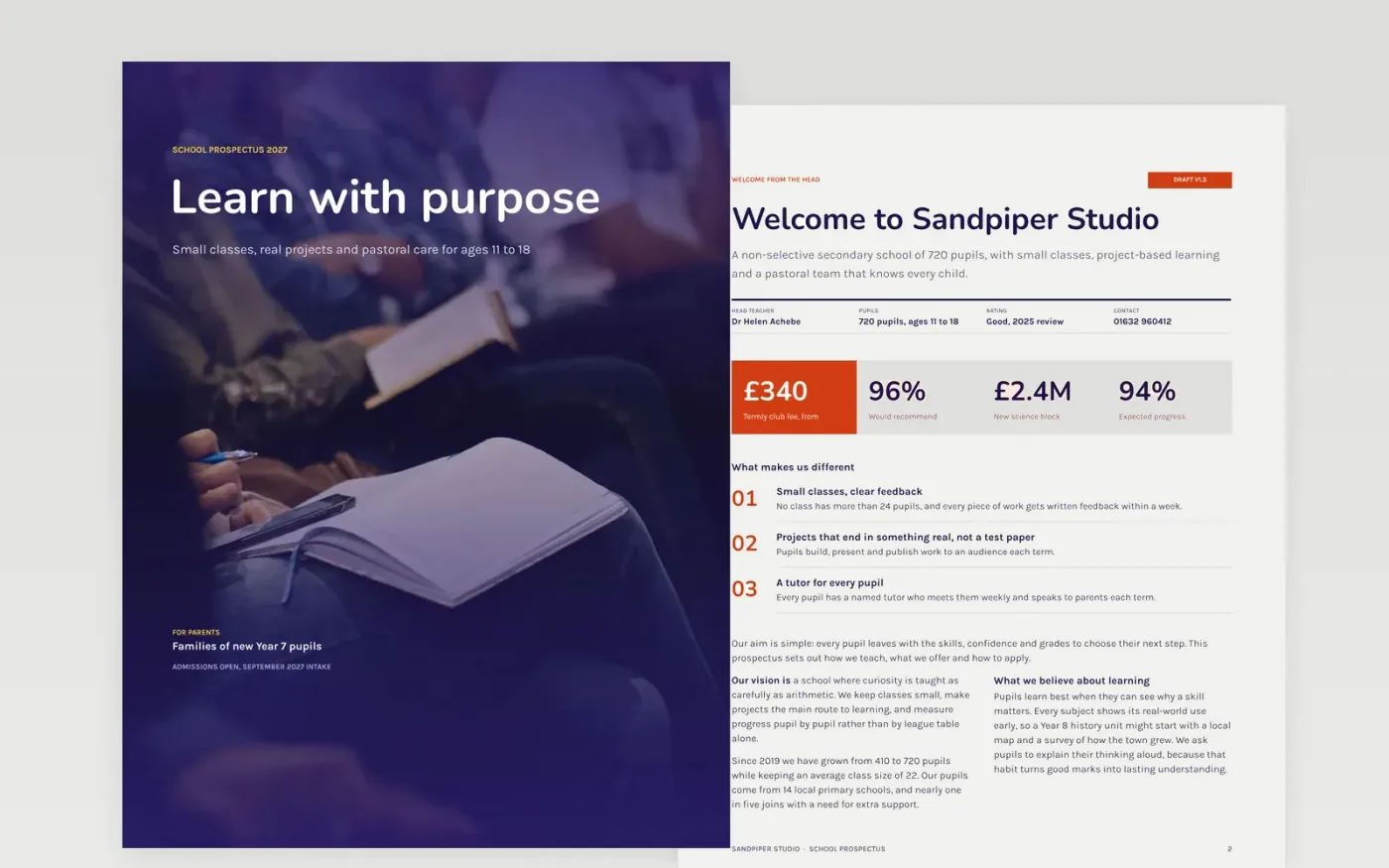
Parents comparing schools want to know what is taught, how their child will be looked after and how to apply, and they want it in a form they can read in one sitting. This school prospectus template is a brochure built in that order: a welcome, the vision, the curriculum, the facilities, pastoral care and admissions. Each page opens with a headline that states its point, so a busy reader can skim it and still get the answer.
The sample describes Sandpiper Studio, a fictional secondary school, with its head teacher, pupil numbers, fees and a Year 9 plan, so you can see how a finished brochure reads. Replace the school details, prices and quotes with your own facts, and check every date against your admissions calendar. Keep the phone number and booking link on both the back page and the inside page.
Click Make a copy in Google Docs, then confirm on the Google page. The copy is saved to your own Google Drive.
Replace the school details, names and prices with your own, and check every date against your calendar.
Swap the sample Year 9 plan for your own term, and make sure each checklist item has a named owner.
Put your phone, email and booking link on the back page and on the inside page before you print.
Delete the guide page, then share the prospectus as a PDF or present it from Google Docs.
No. Sandpiper Studio, its head teacher, staff, pupil numbers, fees, phone number and quotes are fictional sample data. Replace all of them with your own verified details before you publish.
Eight pages is enough for most families. Keep each page to one clear message, put fees and dates where parents look first, and give the admissions steps on the final page.
Yes. Replace the school sections with your courses, keep the prices with what is included, and use the pastoral care page for learner support and assessment rules.
Docs + Word5 pages
Free
Docs + Word6 pages
Free
Docs + Word6 pages
Free
Docs + Word6 pages
Free
Docs + Word2 slides
Free
Docs + Word2 slides
Free
Docs + Word2 slides
Free









