
Market Research Report
Docs + Word6 pages
Free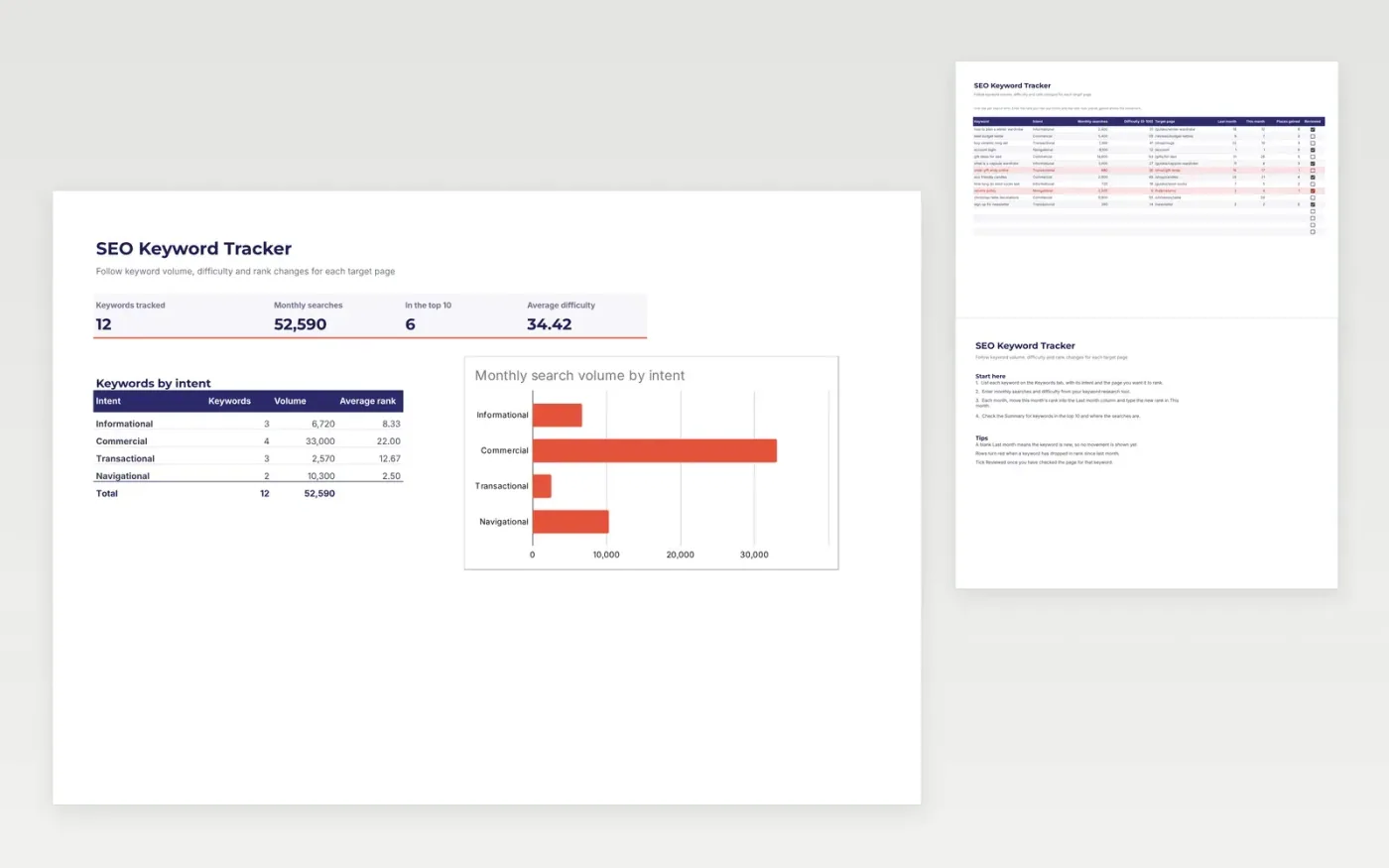
A keyword tracker for SEO specialists, content writers and site owners. The Keywords tab lists each search term with its intent, monthly searches, difficulty, the page you are aiming at, and its ranking last month and this month. The Summary tab counts keywords and searches by intent, shows average rank and charts search volume so you can see where the effort should go.
The template comes with sample keywords. Make a copy, then replace the rows with your own. Places gained and the summary update as you change the ranks, and rows where a ranking has dropped turn red.
Click Make a copy in Google Sheets, then confirm on the Google page. The copy is saved to your own Google Drive.
Start on the Keywords tab: replace the sample rows with your own.
Keep the formula columns as they are; they fill in as you type.
Read the How to use tab for tips. For Excel, download the .xlsx file instead.
Yes. Download the template and make a copy for your own use at no cost.
Yes. Download the .xlsx file from this page and open it in Microsoft Excel. The tabs, formulas, dropdowns and charts all work there.
You type them in. Take the ranks from your rank tracking tool or search console each month, enter them in the two rank columns, and the template works out the change.
Docs + Word6 pages
Free
Google Sheets
Free
n8n
Free
Docs + Word7 pages
Free
Docs + Word7 pages
Free
Docs + Word8 pages
Free








