SEO Strategy
Docs + Word8 pages
Free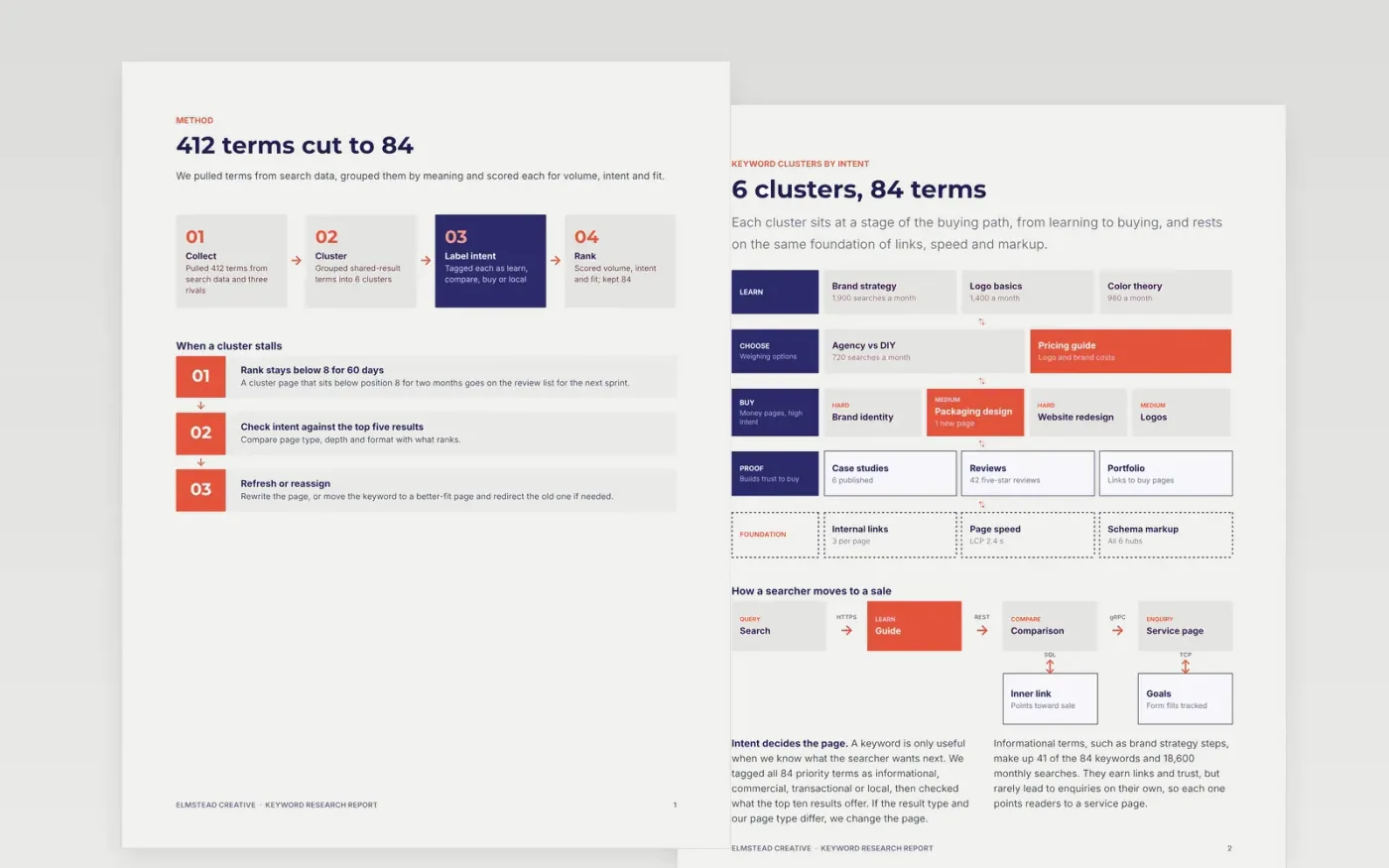
Keyword lists with volumes but no intent or target page leave writers guessing. This template organizes research into a method, six clusters, intent labels, a keyword-to-page map and a short priority scorecard, so a content team knows what to write, rewrite or merge next.
The sample follows a fictional design studio, Elmstead Creative, that narrowed 412 terms to 84 priority keywords in 6 clusters and forecasts 34% more non-brand clicks. Replace the keywords, volumes, target pages, owners and dates with your own research.
Click Make a copy in Google Docs, then confirm on the Google page. The copy is saved to your own Google Drive.
Replace the method steps and cluster diagram with your own keyword sources and topic groups.
Paste your keywords into the page-mapping table with volume, intent label, target page and action.
Update the scorecard targets, the forecast and the initiative owners and dates for your quarter.
Delete the Make it yours guide page, then share the report with your team.
The sample keeps 84 priority terms in 6 clusters. Most teams do well with 40 to 120 terms in 5 to 10 clusters, each mapped to one page.
Yes. Type the monthly volumes from any keyword tool into the table and the forecast page. The sample numbers are only there to show the format.
No. Elmstead Creative, its team and every figure are fictional sample data. Replace them with your own research before sharing the report.
Docs + Word8 pages
Free
Docs + Word6 pages
Free
Google Sheets
Free
Docs + Word7 pages
Free
Sheets + Excel3 slides
Free








