
Annual Report
Docs + Word6 pages
FeaturedFree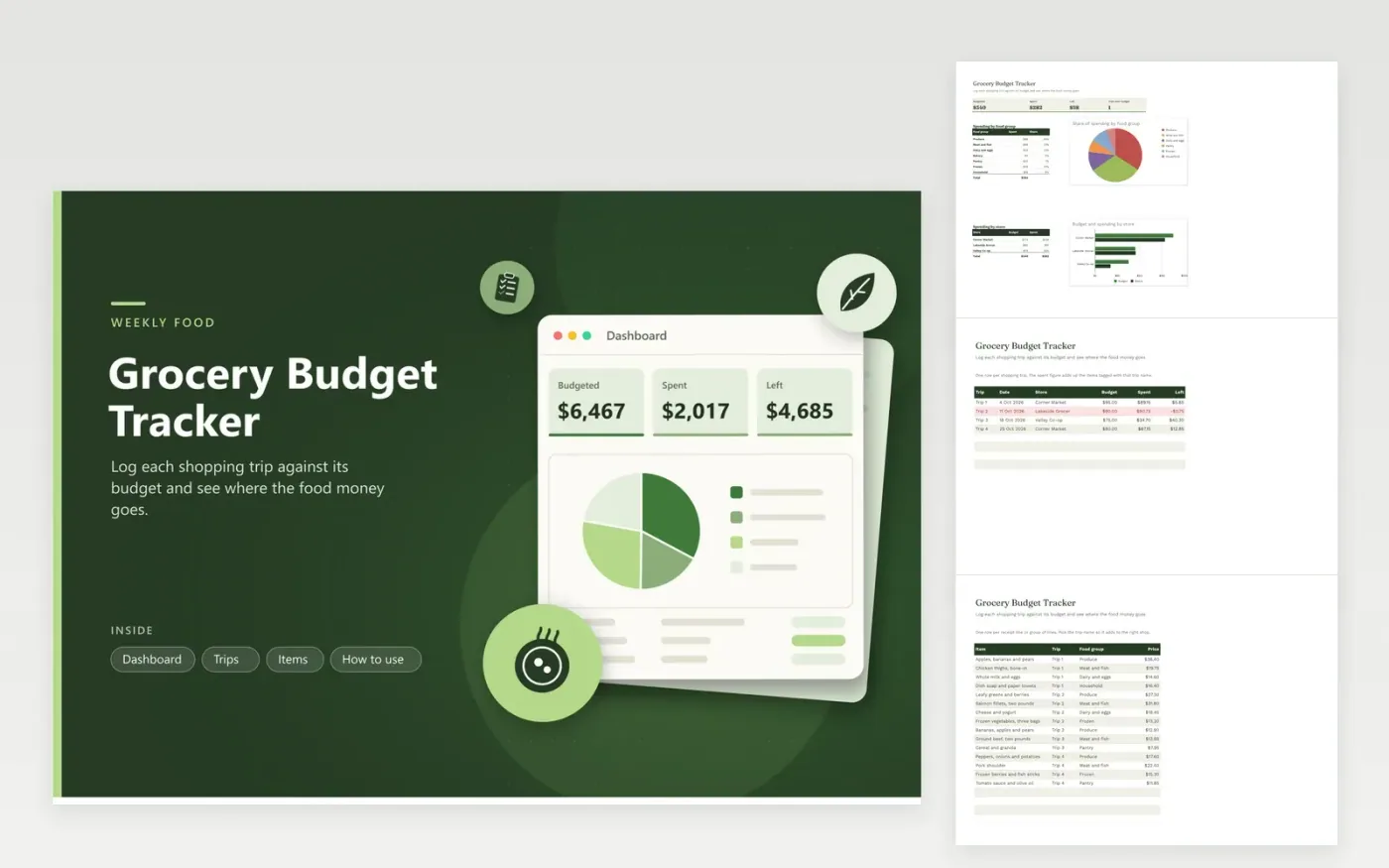
The Grocery Budget Tracker is for households keeping weekly food shopping on track. The Trips tab records each visit with its date, store and budget, and its spent figure adds up automatically from the Items tab. The Items tab lists each purchase line with its food group, such as produce, meat and fish, dairy and eggs, or frozen. The Dashboard reports the total budget, spending, what is left and the share of spending in each group.
Log items on the Items tab when you unpack, while the receipt is still to hand, and pick the trip name from the list so the totals line up. Group small lines, such as a bag of produce, into a single row to keep the list short. Set each trip budget from your own typical shop, then review the red rows on the Trips tab to see which trips ran over and why.
Click Make a copy in Google Sheets, then confirm on the Google page. The copy is saved to your own Google Drive.
Start on the Trips tab: replace the sample rows with your own.
Keep the formula columns as they are; they fill in as you type.
Read the How to use tab for tips. For Excel, download the .xlsx file instead.
Add a row on the Trips tab with a trip name, the date, the store and the budget. Then add that trip's items on the Items tab and pick the same trip name from the list. The spent and left figures for the new trip calculate on their own.
The spent figure adds up every item with the same trip name. A name spelled differently, or one missing from the list, will not be counted. Pick names from the dropdown rather than typing them.
Yes. Give each trip a month label, such as November, and enter every shop from that month. The Dashboard then compares the month's spending with the combined budget. You can also keep the weekly rows and total them by store.
Docs + Word6 pages
FeaturedFree
Excel
FeaturedFree
Sheets + Excel5 tabs
Free
Sheets + Excel6 tabs
Free
Sheets + Excel6 tabs
Free
Sheets + Excel6 tabs
Free
Sheets + Excel5 tabs
Free
Sheets + Excel6 tabs
Free
Sheets + Excel6 tabs
Free
Sheets + Excel6 tabs
Free
Sheets + Excel7 tabs
Free
Sheets + Excel7 tabs
Free
Sheets + Excel6 tabs
Free
Sheets + Excel6 tabs
Free
Sheets + Excel5 tabs
Free








