
Annual Report
Docs + Word6 pages
FeaturedFree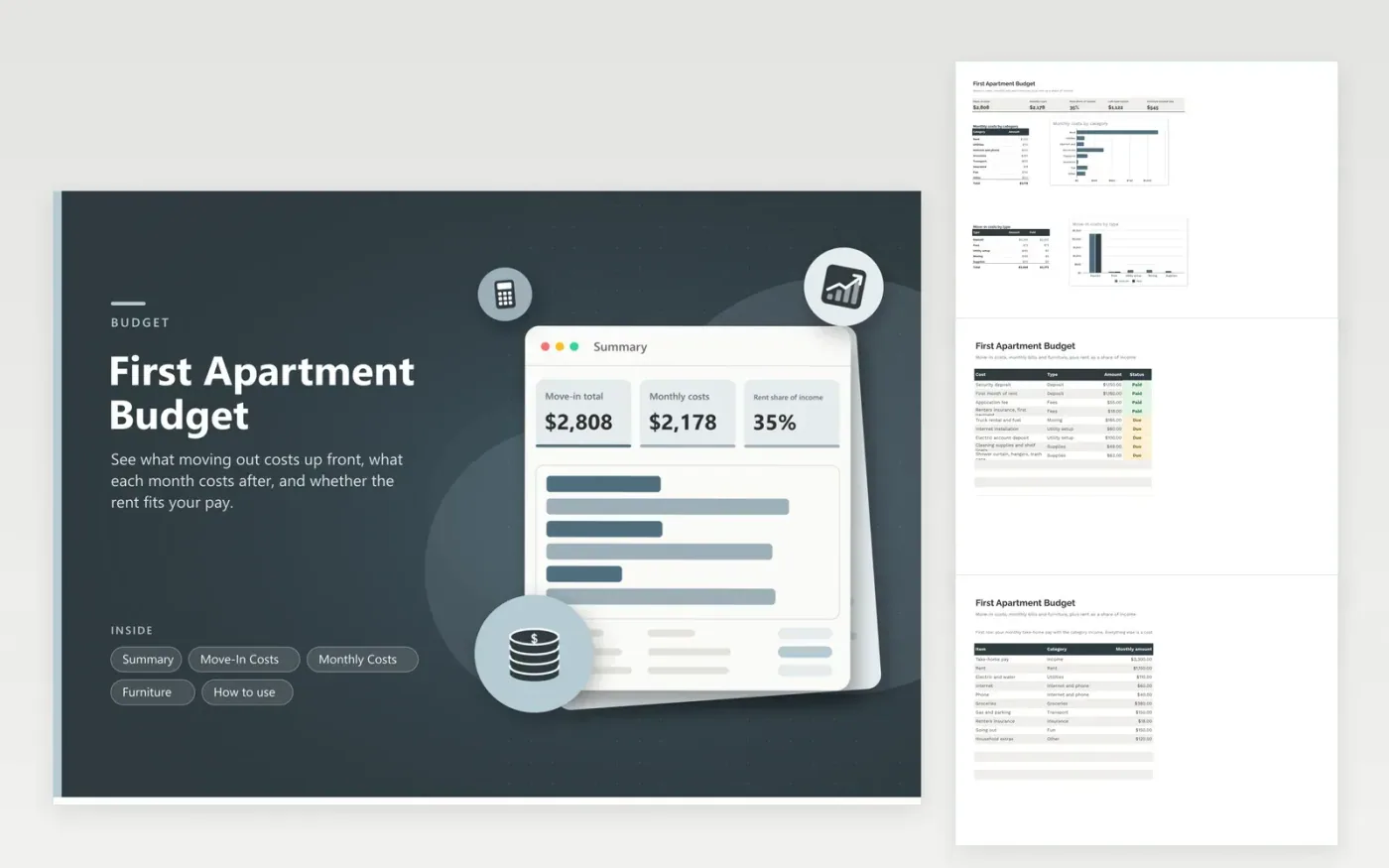
Moving out for the first time means paying a lot before the first normal month begins: deposit, first rent, a truck, an internet installer and a bare kitchen. This budget separates those one-time costs from the monthly ones so neither hides the other. Each move-in line has a type and a Paid or Due flag, and the Summary shows how much is covered and how much is still ahead.
The Monthly Costs tab starts with take-home pay and lists rent, utilities, food and the rest. The Summary then shows the rent share of income and the cash left each month. The Furniture tab ranks items as Need now, Soon or Later so a mattress comes before a lamp. Sample rows describe a one-bedroom rental; swap them for the numbers in your lease.
Click Make a copy in Google Sheets, then confirm on the Google page. The copy is saved to your own Google Drive.
Start on the Move-In Costs tab: replace the sample rows with your own.
Keep the formula columns as they are; they fill in as you type.
Read the How to use tab for tips. For Excel, download the .xlsx file instead.
Add the deposit, first month of rent, fees, moving costs and utility setup from your own lease and quotes. The Move-in total on the Summary does the adding.
Rent divided by take-home pay, both from the Monthly Costs tab. Pick your own comfort limit; this sheet only shows the number.
It can be. Mark essentials as Need now and the Summary totals them, while Soon and Later items wait for later paychecks.
Docs + Word6 pages
FeaturedFree
Excel
FeaturedFree
Sheets + Excel5 tabs
Free
Sheets + Excel6 tabs
Free
Sheets + Excel6 tabs
Free
Sheets + Excel6 tabs
Free
Sheets + Excel5 tabs
Free
Sheets + Excel6 tabs
Free
Sheets + Excel6 tabs
Free
Sheets + Excel6 tabs
Free
Sheets + Excel7 tabs
Free
Sheets + Excel7 tabs
Free
Sheets + Excel6 tabs
Free
Sheets + Excel5 tabs
Free
Sheets + Excel6 tabs
Free








