
Annual Report
Docs + Word6 pages
FeaturedFree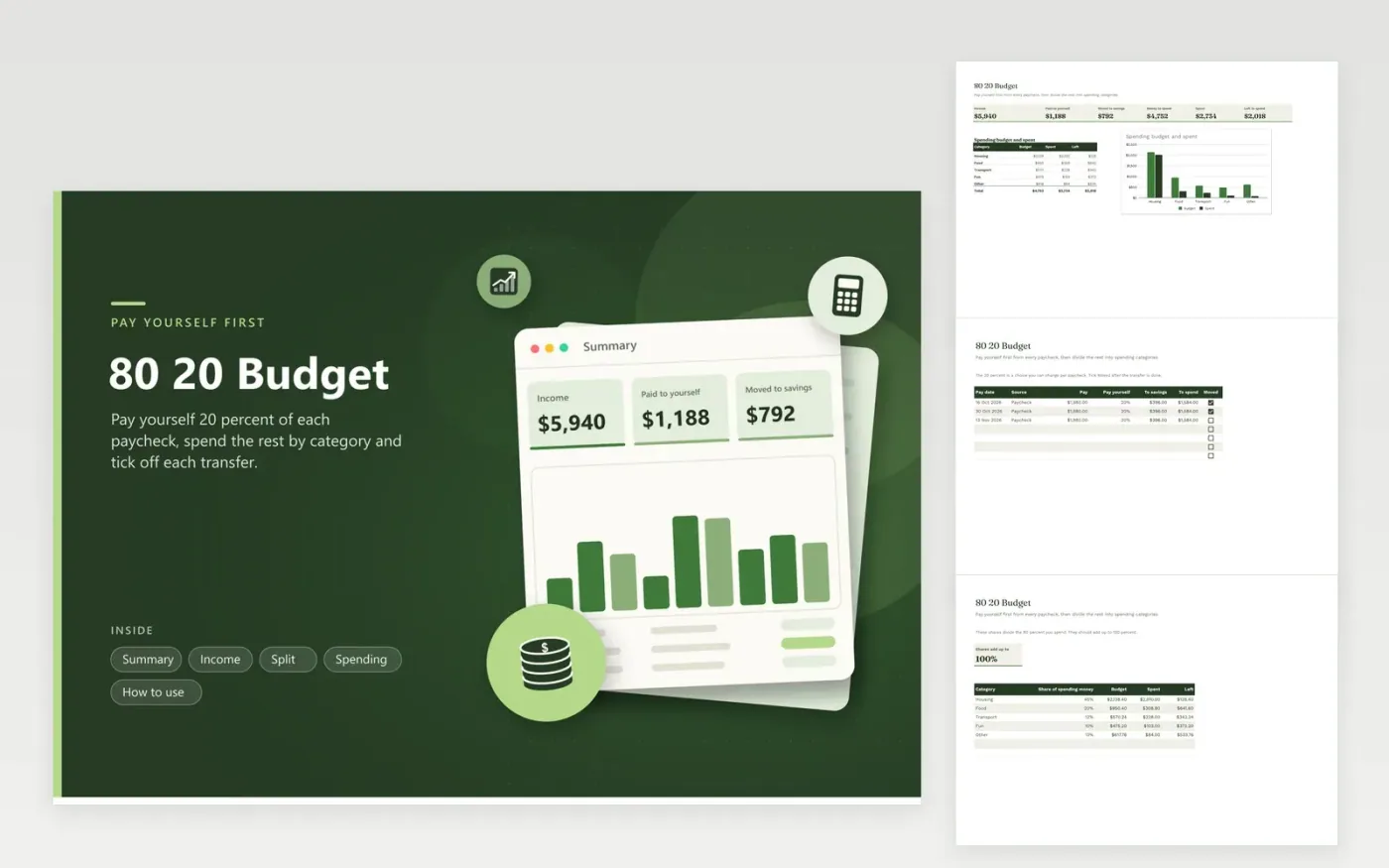
The 80 20 budget is built on one habit: pay yourself first. Each paycheck gets its own row with the pay, the share you keep and two formulas that show the amount to move to savings and the amount left to spend. A Moved checkbox lets you tick off the transfer as soon as it happens, and the Summary separates what you have paid yourself from what is still planned.
The spending side is just as light. The Split tab divides the remaining eighty percent across a few categories, and each category shows a budget, what you spent and what is left. Sample rows follow three biweekly paychecks of $1,980 and a month of ordinary costs. Change the rate on any row if one paycheck calls for a different share.
Click Make a copy in Google Sheets, then confirm on the Google page. The copy is saved to your own Google Drive.
Start on the Income tab: replace the sample rows with your own.
Keep the formula columns as they are; they fill in as you type.
Read the How to use tab for tips. For Excel, download the .xlsx file instead.
You save twenty percent of each paycheck and spend the other eighty. It is simpler than tracking every category and puts saving first.
Yes. The Pay yourself column is an input on every row, so change it for one paycheck or for all of them.
Tick it after the transfer clears. The Summary counts only ticked rows under Moved to savings.
Docs + Word6 pages
FeaturedFree
Excel
FeaturedFree
Sheets + Excel5 tabs
Free
Sheets + Excel6 tabs
Free
Sheets + Excel6 tabs
Free
Sheets + Excel5 tabs
Free
Sheets + Excel6 tabs
Free
Sheets + Excel6 tabs
Free
Sheets + Excel6 tabs
Free
Sheets + Excel7 tabs
Free
Sheets + Excel7 tabs
Free
Sheets + Excel6 tabs
Free
Sheets + Excel6 tabs
Free
Sheets + Excel5 tabs
Free
Sheets + Excel6 tabs
Free








