
Annual Report
Docs + Word6 pages
FeaturedFree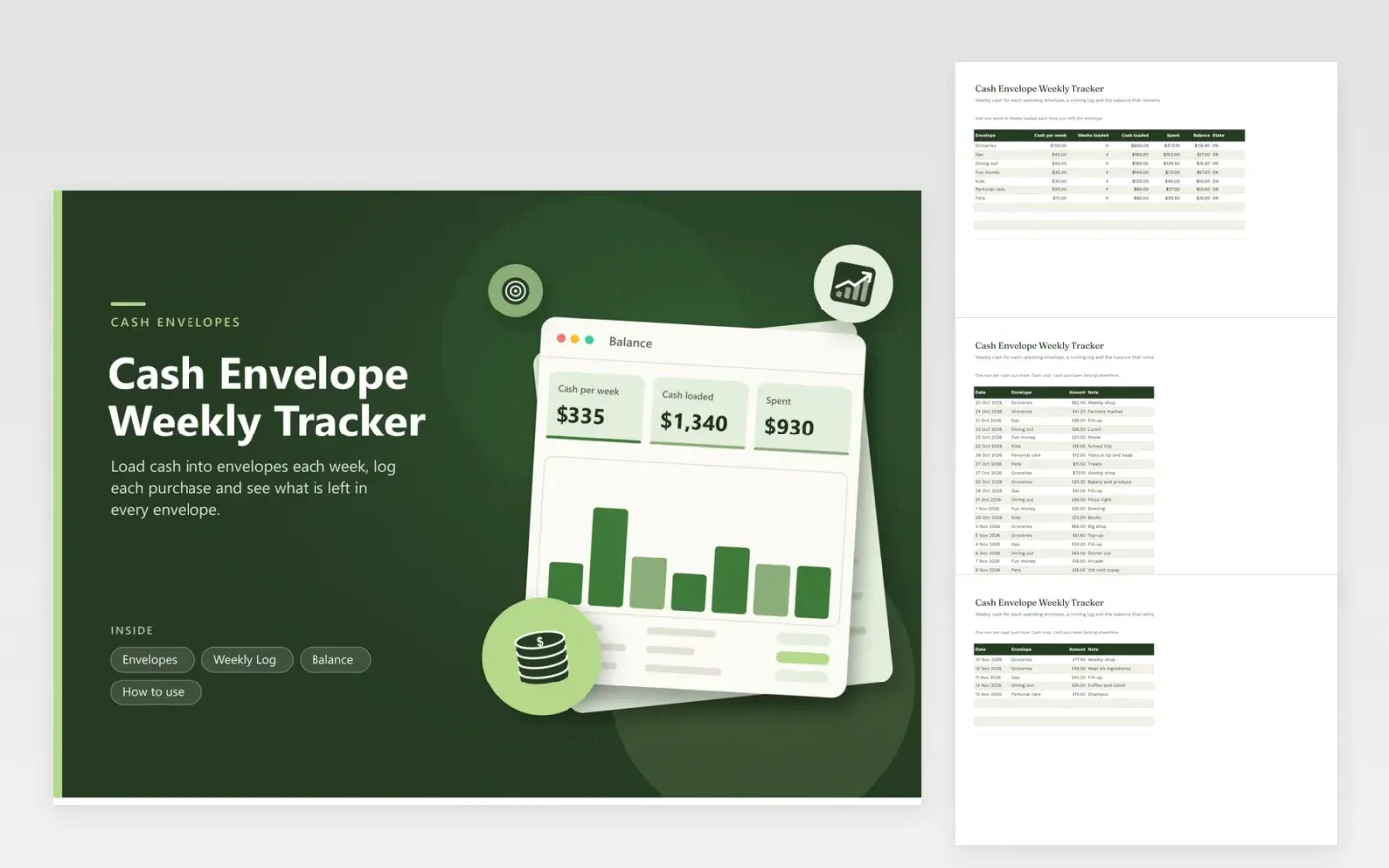
The cash envelope method puts a limit on each category by holding the money physically. This sheet mirrors the envelopes so you can see the numbers. The Envelopes tab lists each envelope with the cash you load each week and the number of weeks loaded. It adds up the cash loaded, subtracts what you have spent and shows the balance and a state of OK, Almost empty or Overspent.
Each purchase goes on the Weekly Log with a date, envelope, amount and note. The Balance tab shows the cash loaded, spent and left for every envelope with a column chart, and the percent of each envelope used. Sample envelopes cover groceries, gas, dining out, fun money, kids, personal care and pets. Change the names and weekly amounts to fit your own plan.
Click Make a copy in Google Sheets, then confirm on the Google page. The copy is saved to your own Google Drive.
Start on the Envelopes tab: replace the sample rows with your own.
Keep the formula columns as they are; they fill in as you type.
Read the How to use tab for tips. For Excel, download the .xlsx file instead.
You assign a category to each envelope, put cash in every week and pay only from that envelope. When it is empty, spending in that category stops until the next refill.
Add one to Weeks loaded for each envelope when you add a new week of cash. The cash loaded figure updates.
You can, but log only cash purchases here so the balance matches the cash in your envelopes.
Docs + Word6 pages
FeaturedFree
Excel
FeaturedFree
Sheets + Excel5 tabs
Free
Sheets + Excel6 tabs
Free
Sheets + Excel6 tabs
Free
Sheets + Excel6 tabs
Free
Sheets + Excel5 tabs
Free
Sheets + Excel6 tabs
Free
Sheets + Excel6 tabs
Free
Sheets + Excel7 tabs
Free
Sheets + Excel7 tabs
Free
Sheets + Excel6 tabs
Free
Sheets + Excel6 tabs
Free
Sheets + Excel5 tabs
Free
Sheets + Excel6 tabs
Free








