
Annual Report
Docs + Word6 pages
FeaturedFree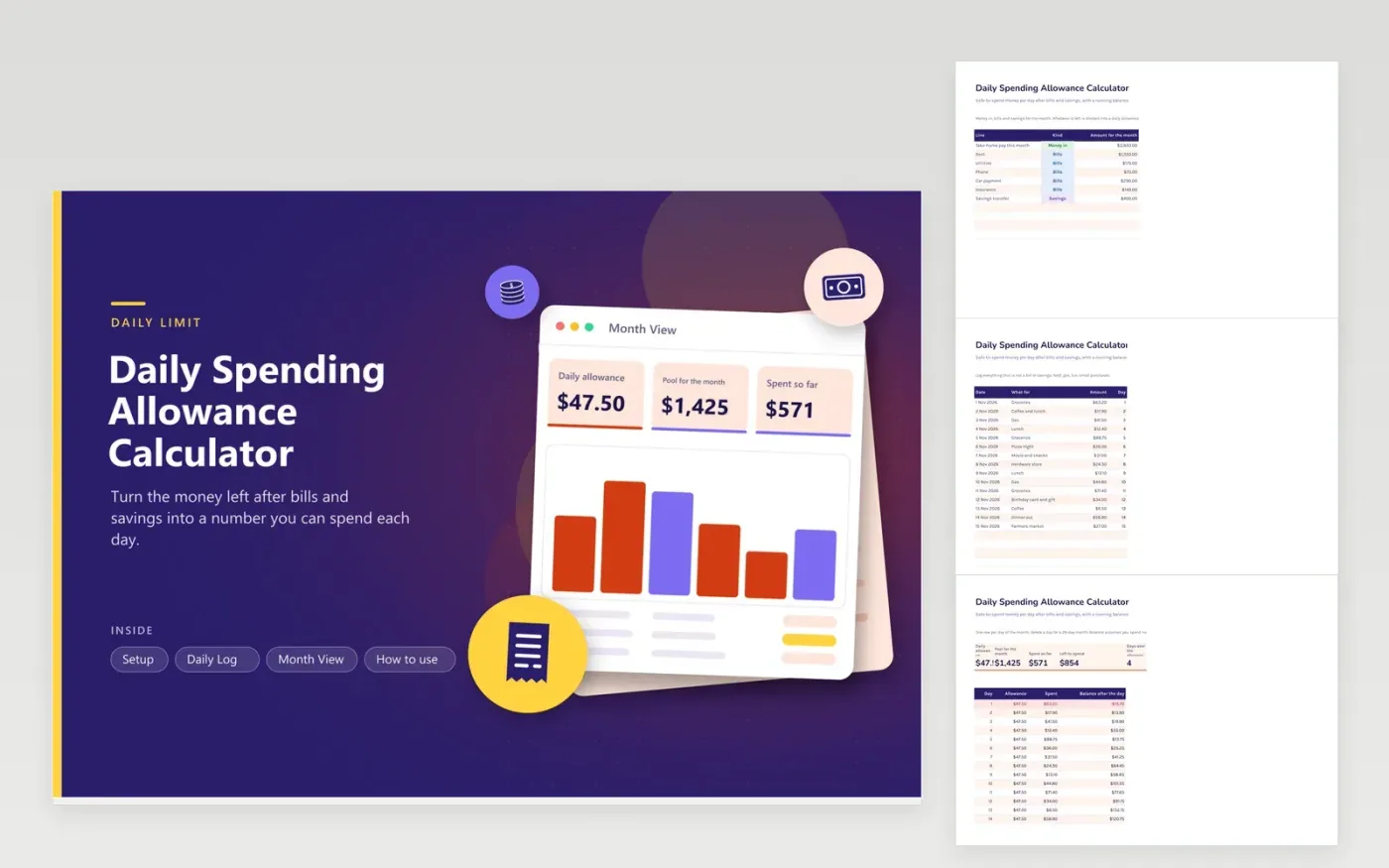
Overspending tends to start around mid-month, when the paycheck feels distant and the total feels large. This calculator turns the month into a daily number. You list money in, bills and the savings you will move, and the sheet divides what remains by the days in the month. That figure is what you can spend today without borrowing from the end of the month.
Purchases go on the Daily Log tab, one per row, each with a date. The Month View tab then lists every day with its allowance, what you spent and a running balance, and highlights days where the balance goes negative. KPIs show the daily allowance, the pool for the month and how many days ran over. Sample rows follow a $3,850 month with 15 days logged.
Click Make a copy in Google Sheets, then confirm on the Google page. The copy is saved to your own Google Drive.
Start on the Setup tab: replace the sample rows with your own.
Keep the formula columns as they are; they fill in as you type.
Read the How to use tab for tips. For Excel, download the .xlsx file instead.
Subtract bills and savings from take-home pay and divide the remainder by how many days the month has. This sheet does the division for you.
The allowance earned through that day minus everything logged through that day. A positive balance means you are under the allowance.
Add a row with 31 in the Month View table. The allowance divides by the count of day rows, so it adjusts automatically.
Docs + Word6 pages
FeaturedFree
Excel
FeaturedFree
Sheets + Excel5 tabs
Free
Sheets + Excel6 tabs
Free
Sheets + Excel6 tabs
Free
Sheets + Excel6 tabs
Free
Sheets + Excel5 tabs
Free
Sheets + Excel6 tabs
Free
Sheets + Excel6 tabs
Free
Sheets + Excel6 tabs
Free
Sheets + Excel7 tabs
Free
Sheets + Excel6 tabs
Free
Sheets + Excel6 tabs
Free
Sheets + Excel5 tabs
Free
Sheets + Excel6 tabs
Free








