
Annual Report
Docs + Word6 pages
FeaturedFree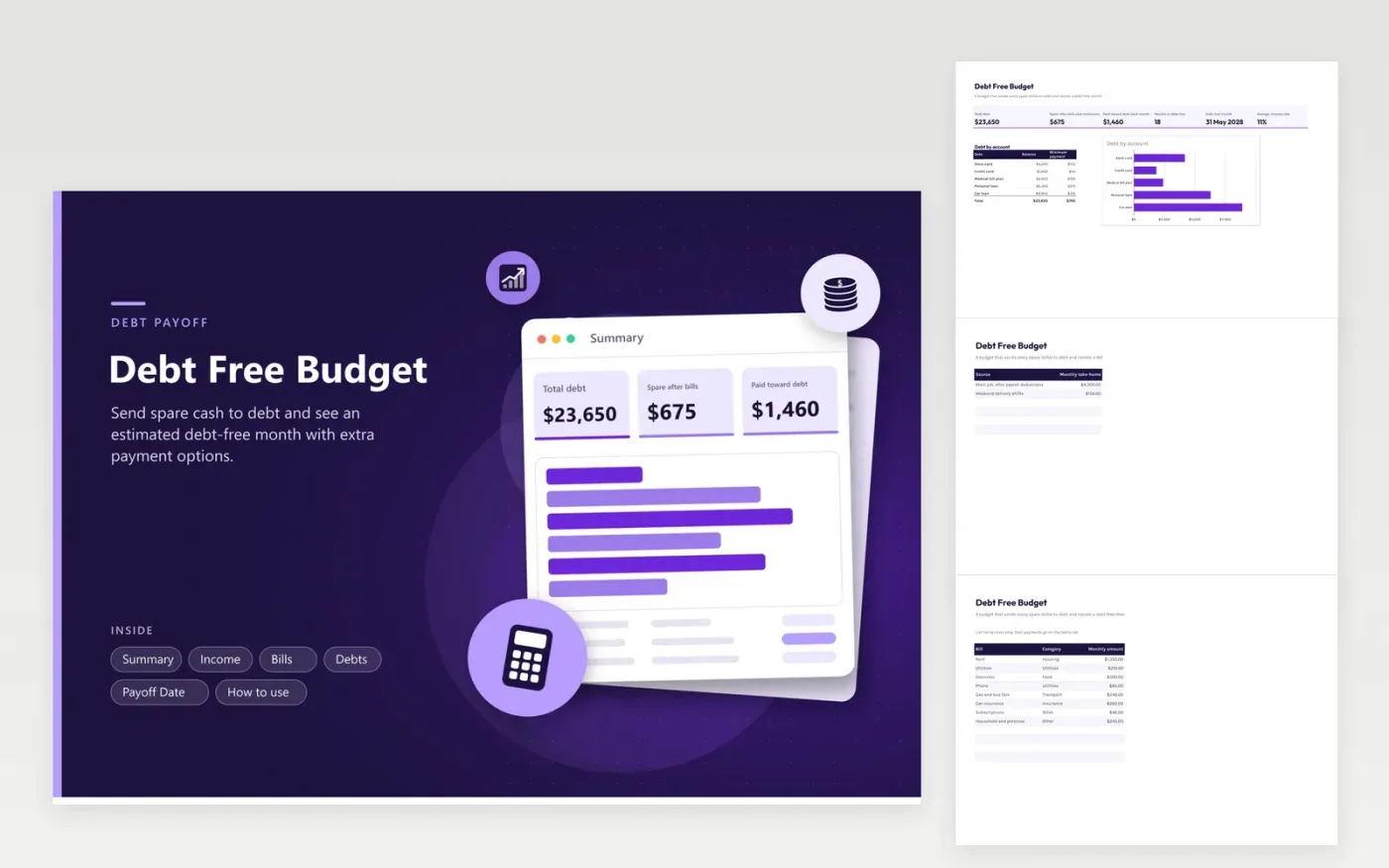
Paying off debt is mostly arithmetic: income, minus living costs, minus minimums, leaves a number you can throw at the balances. This sheet does that subtraction for you. The Summary shows total debt, the spare amount each month and how much goes to debt in total, including the minimums, then names an estimated debt-free month.
The Payoff Date tab compares four plans side by side: spare cash only, and with $100, $250 or $500 more each month. Each row shows total payment, months to go and the month you finish. The Debts tab also shows how long each account would last at its minimum alone. Sample rows include cards, a medical plan and two loans; replace them with your own statements.
Click Make a copy in Google Sheets, then confirm on the Google page. The copy is saved to your own Google Drive.
Start on the Income tab: replace the sample rows with your own.
Keep the formula columns as they are; they fill in as you type.
Read the How to use tab for tips. For Excel, download the .xlsx file instead.
Pay for living costs and minimums first, then put every spare dollar on debt. This sheet shows how much that spare amount is each month and when the debts end.
It treats all debts as one balance at a balance-weighted rate and divides it by your monthly payment. The real date depends on payoff order and rates.
Yes. Bills hold living costs only. Put credit cards and loans on the Debts tab so their minimums are not counted twice.
Docs + Word6 pages
FeaturedFree
Excel
FeaturedFree
Sheets + Excel5 tabs
Free
Sheets + Excel6 tabs
Free
Sheets + Excel6 tabs
Free
Sheets + Excel6 tabs
Free
Sheets + Excel5 tabs
Free
Sheets + Excel6 tabs
Free
Sheets + Excel6 tabs
Free
Sheets + Excel6 tabs
Free
Sheets + Excel7 tabs
Free
Sheets + Excel6 tabs
Free
Sheets + Excel6 tabs
Free
Sheets + Excel5 tabs
Free
Sheets + Excel6 tabs
Free








