Network Topology Diagram
Slides + PowerPoint5 slides
Free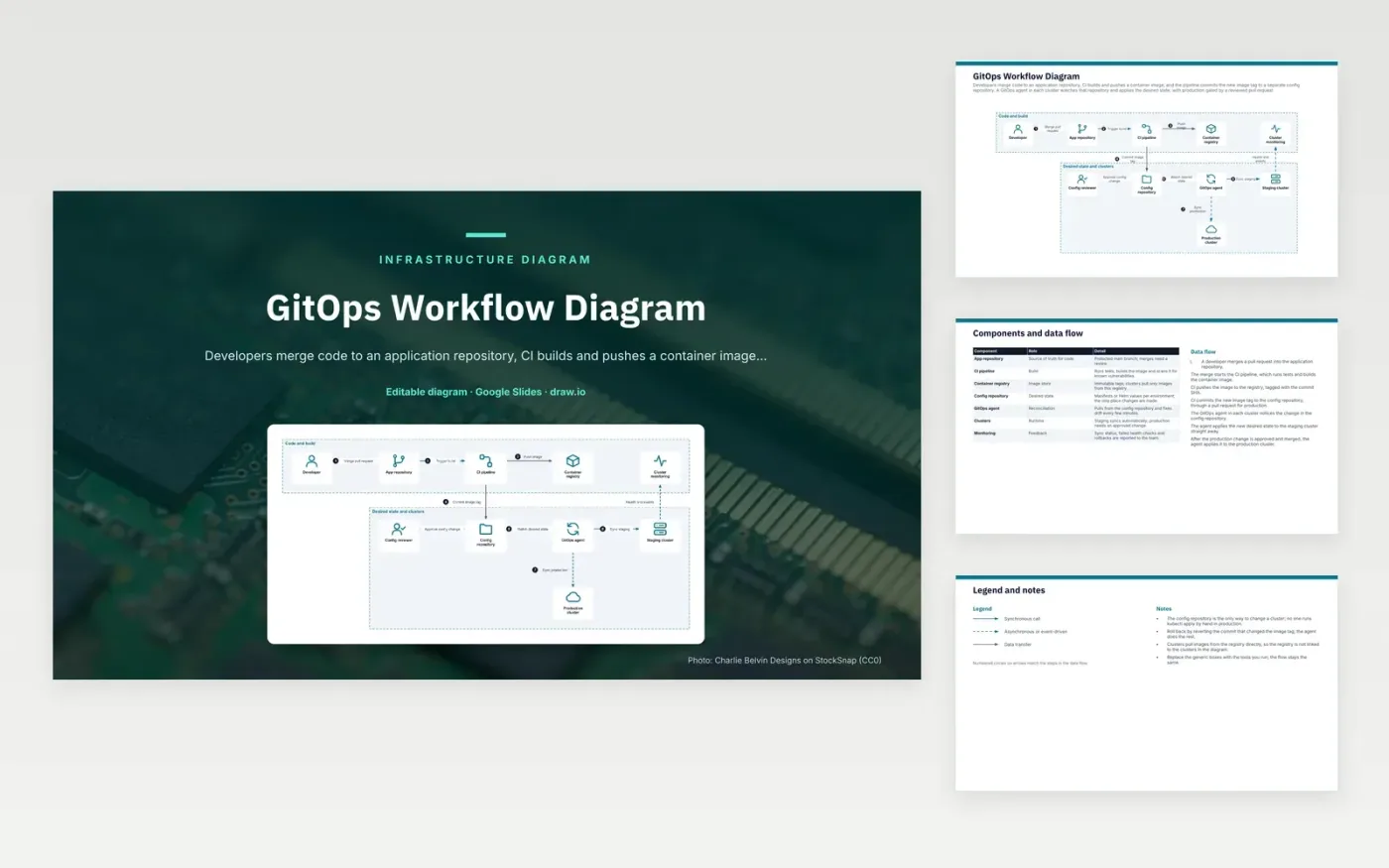
A developer merges a pull request into the application repository, which starts the CI pipeline. CI runs tests, builds the container image and scans it, then pushes the image to the registry tagged with the commit SHA. CI then commits the new image tag to the config repository, using a pull request for production. The GitOps agent in each cluster sees the change and applies it to staging at once. After the production change is approved and merged, the same agent applies it to the production cluster.
Making Git the only route to change keeps the clusters auditable. Nobody runs kubectl apply by hand in production, and every change has an author and a review. Rollback becomes a revert of the commit that changed the image tag, and the agent does the rest. Teams wanting more gates can add a promotion stage between staging and production, or require signed images before the agent pulls them.
Click Make a copy in Google Slides, then confirm on the Google page. The copy is saved to your own Google Drive.
Rename Developer, App repository, CI pipeline and the other boxes inside Code and build to your own components, and delete the ones your system does not have.
Rewrite the 7-step data flow and the 7-row components table so they match the arrows you keep.
For the draw.io version, download gitops-workflow-diagram.drawio and open it at app.diagrams.net.
In a push model, the CI system connects to the cluster and applies the changes. In a pull model, an agent inside the cluster watches a Git repository and applies what it finds. The pull model needs no cluster credentials outside the cluster, so access stays narrower.
Keeping manifests apart from source code means a config change does not need a code build, and a code change does not silently alter production. It also gives the operations team its own review history for deployments.
The agent compares the live cluster with the desired state in Git at a regular interval. If someone changes a resource by hand, the agent reverts it to match Git. Manual fixes therefore last only until the next sync.
More Google Slides templatesMore developer workflows templates
Slides + PowerPoint5 slides
Free
Slides + PowerPoint5 slides
Free
Slides + PowerPoint5 slides
Free
Slides + PowerPoint5 slides
Free
Slides + PowerPoint5 slides
Free
Slides + PowerPoint5 slides
Free
Slides + PowerPoint5 slides
Free
Slides + PowerPoint5 slides
Free










