
Annual Report
Docs + Word6 pages
FeaturedFree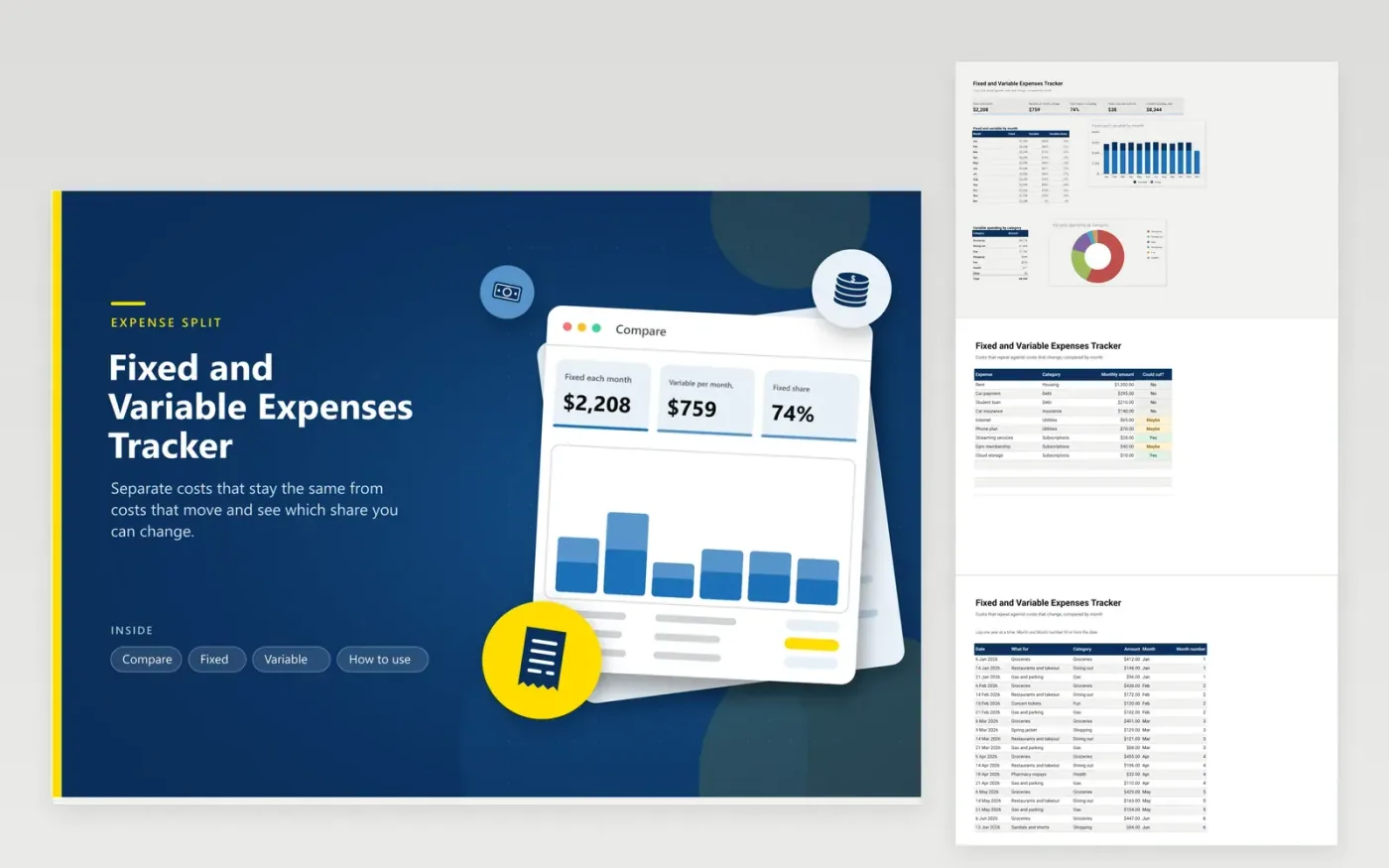
Trimming a budget starts with knowing which costs can move. Rent and a loan payment stay the same every month, while groceries and gas rise and fall. This tracker keeps them apart. The Fixed tab lists recurring costs with a yes, maybe or no for whether you could cut them, and the Variable tab logs each purchase with a date and a category.
The Compare tab stacks fixed and variable spending by month in one chart, shows the variable share for each month and the fixed share overall. It also totals the fixed costs marked as cuttable. Sample data runs from January to November for a household with a car payment and a student loan; replace it with your own. Log one calendar year at a time.
Click Make a copy in Google Sheets, then confirm on the Google page. The copy is saved to your own Google Drive.
Start on the Fixed tab: replace the sample rows with your own.
Keep the formula columns as they are; they fill in as you type.
Read the How to use tab for tips. For Excel, download the .xlsx file instead.
Fixed expenses stay the same each month, such as rent and loan payments. Variable expenses change in size, such as groceries, gas and dining out.
Mark each fixed cost Yes, Maybe or No in the Could cut column. The Compare tab totals the Yes rows so you see the saving.
It groups by month name, so keep one calendar year per file. Duplicate the file for each new year.
Docs + Word6 pages
FeaturedFree
Excel
FeaturedFree
Sheets + Excel5 tabs
Free
Sheets + Excel6 tabs
Free
Sheets + Excel5 tabs
Free
Sheets + Excel6 tabs
Free
Sheets + Excel5 tabs
Free
Sheets + Excel5 tabs
Free
Sheets + Excel4 tabs
Free
Sheets + Excel5 tabs
Free
Sheets + Excel5 tabs
Free
Sheets + Excel5 tabs
Free
Sheets + Excel5 tabs
Free
Sheets + Excel4 tabs
Free
Sheets + Excel4 tabs
Free








