Annual Report
Docs + Word6 pages
FeaturedFree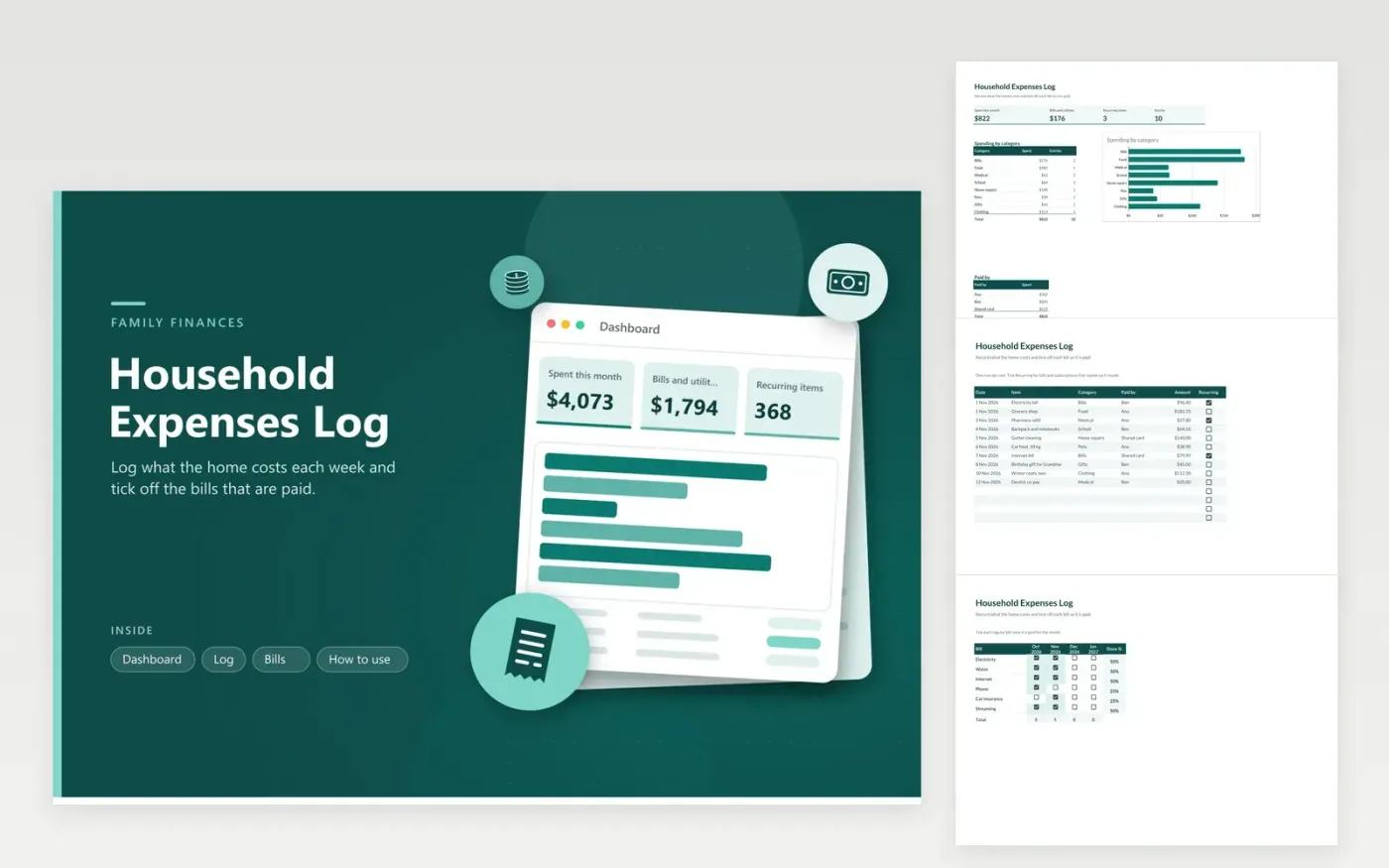
The Household Expenses Log suits a family or shared home that wants a single place to record daily spending. The Log tab records each item with its date, category, who paid, the amount and whether it recurs. The Dashboard totals the spending, counts the recurring items then splits the total by category and by payer.
The Bills tab is a grid of regular payments with a column for each month. Tick a box once a bill is paid, and the percent at the end of the row shows how many months so far are covered. Pick categories and payers from the lists so the dashboard can count them, and rename the grid's columns when the year rolls over.
Click Make a copy in Google Sheets, then confirm on the Google page. The copy is saved to your own Google Drive.
Start on the Log tab: replace the sample rows with your own.
Keep the formula columns as they are; they fill in as you type.
Read the How to use tab for tips. For Excel, download the .xlsx file instead.
Tick its box in the month column on the Bills tab. The percent at the end of the row shows how many months are ticked so far, and the column total counts how many bills are paid that month. Untick a box if a payment has to be made again.
Yes. Tick the Recurring box on the Log row. The dashboard counts those rows, which tells you how many fixed costs you carry. Each month, copy the row and change its date.
Click the column heading and type the new month name, such as Feb 2027. The grid does not depend on the dates in the Log, so you can rename a month at any time without breaking a total.
Docs + Word6 pages
FeaturedFree
Excel
FeaturedFree
Sheets + Excel9 tabs
Free
Sheets + Excel5 tabs
Free
Sheets + Excel5 tabs
Free
Sheets + Excel4 tabs
Free
Sheets + Excel5 tabs
Free
Sheets + Excel5 tabs
Free
Sheets + Excel5 tabs
Free
Sheets + Excel4 tabs
Free
Sheets + Excel4 tabs
Free
Sheets + Excel5 tabs
Free
Sheets + Excel3 tabs
Free
Sheets + Excel3 tabs
Free
Sheets + Excel3 tabs
Free