Annual Report
Docs + Word6 pages
FeaturedFree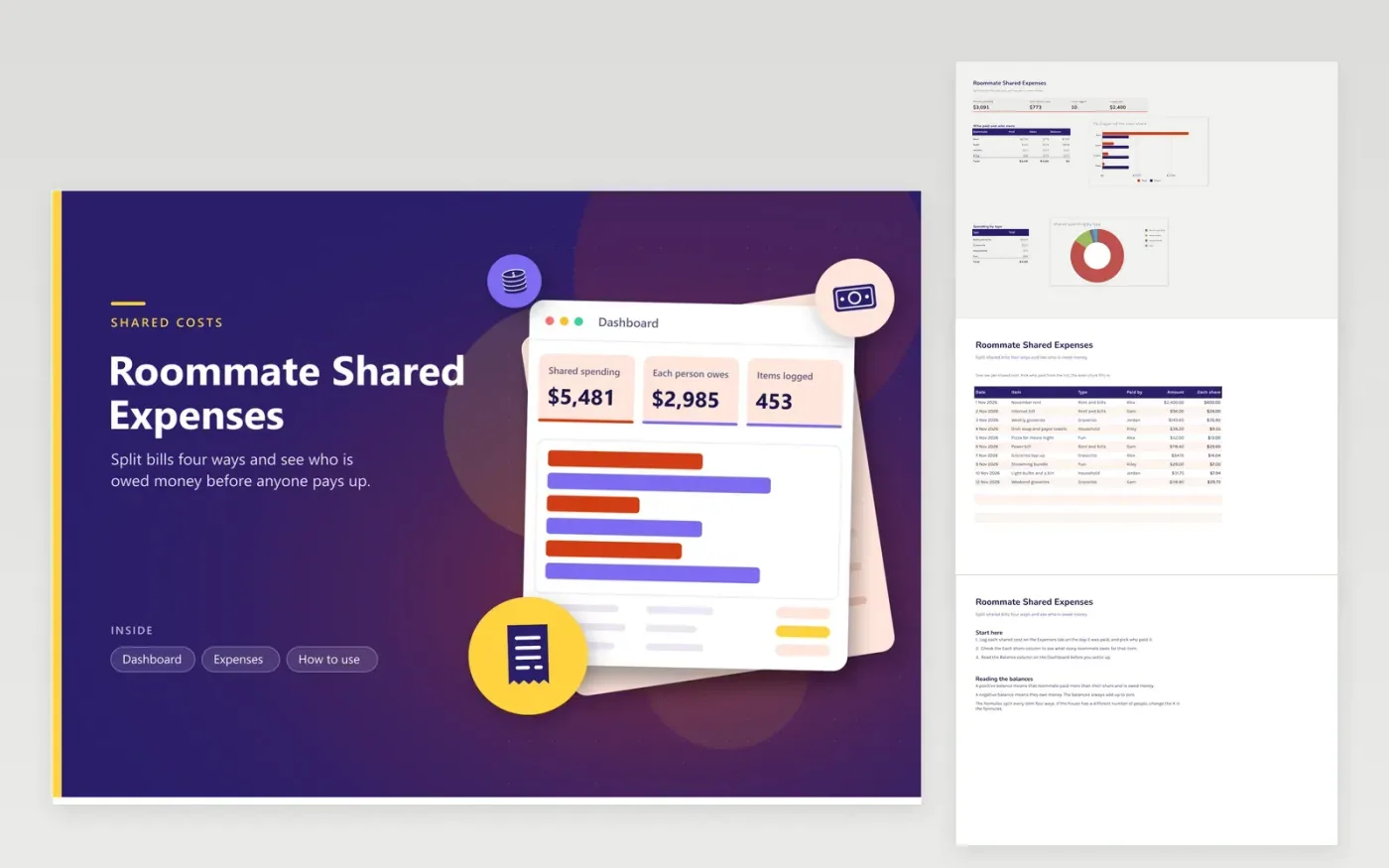
This sheet is for roommates who share rent, bills and groceries. The Expenses tab shows every shared cost along with its date, item, type, the person who paid and the amount. Each row also shows an even share of the cost. The Dashboard shows the total shared spending, what each person owes and a balance for every roommate.
Four roommates are assumed. If your household is a different size, change the 4 in the Each share column and in the Dashboard formulas, and make sure every name appears in the paid by list. A positive balance means that person paid more than their share and should be paid back; a negative one means they owe money. Settle up when the month closes.
Click Make a copy in Google Sheets, then confirm on the Google page. The copy is saved to your own Google Drive.
Start on the Expenses tab: replace the sample rows with your own.
Keep the formula columns as they are; they fill in as you type.
Read the How to use tab for tips. For Excel, download the .xlsx file instead.
The template splits every item evenly. For a cost only some roommates share, log the part each person owes as its own row, paid by the person who covered it, and note the reason in the Item column.
A negative balance means that roommate has paid less than their share and owes the others that amount. A positive balance means they are owed money. The balances add up to zero, so the totals always reconcile.
Yes, but the formulas use four. Change each division by four to five in the Each share column and in the Dashboard formulas, then include the fifth person in the paid by list and in the breakdown.
Docs + Word6 pages
FeaturedFree
Excel
FeaturedFree
Sheets + Excel9 tabs
Free
Sheets + Excel5 tabs
Free
Sheets + Excel5 tabs
Free
Sheets + Excel4 tabs
Free
Sheets + Excel5 tabs
Free
Sheets + Excel5 tabs
Free
Sheets + Excel5 tabs
Free
Sheets + Excel5 tabs
Free
Sheets + Excel4 tabs
Free
Sheets + Excel5 tabs
Free
Sheets + Excel3 tabs
Free
Sheets + Excel3 tabs
Free
Sheets + Excel3 tabs
Free