Annual Report
Docs + Word6 pages
FeaturedFree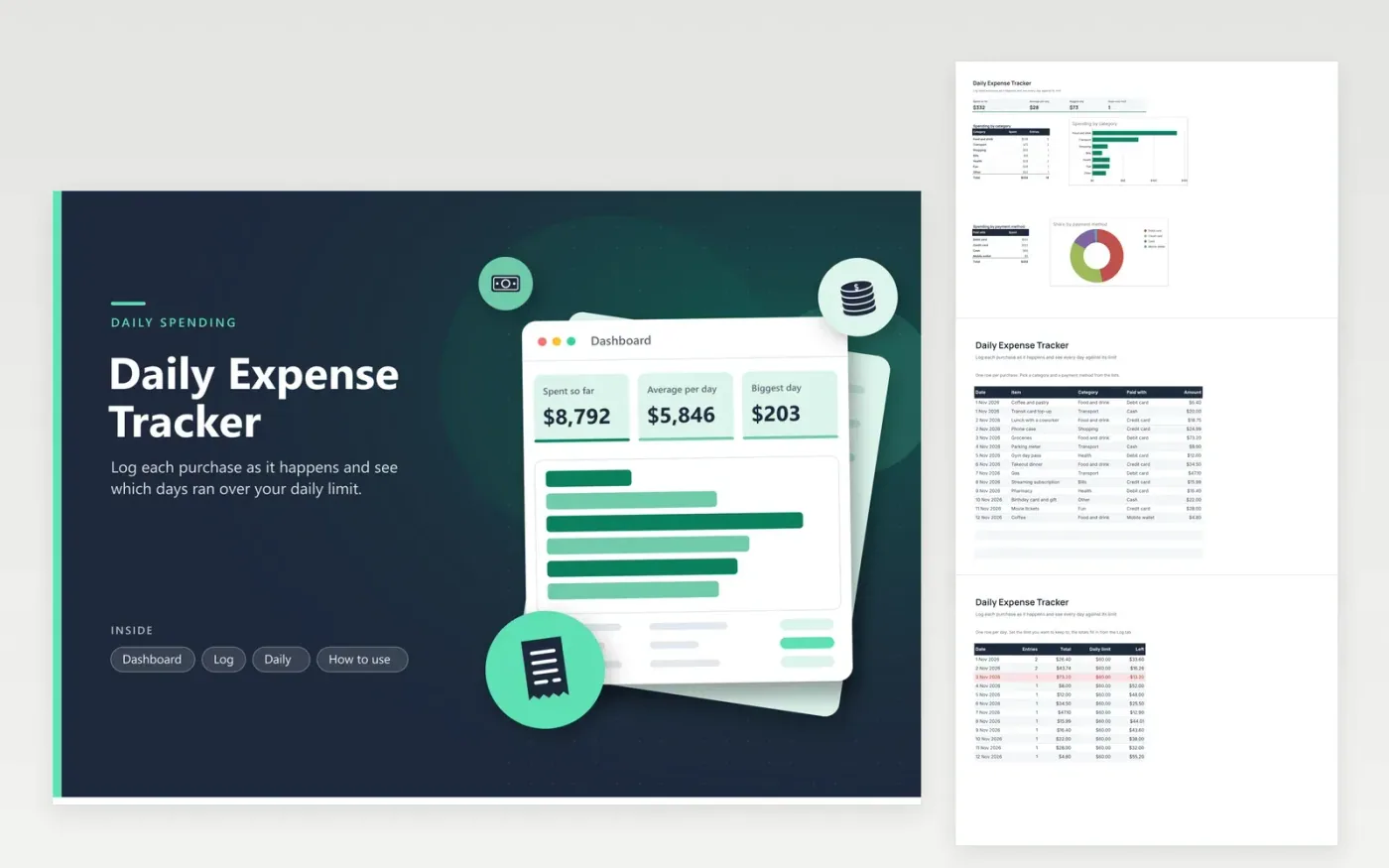
This tracker suits anyone who wants to see spending day by day rather than month by month. Every purchase on the Log tab gets a date, item, category, payment method and amount. The Daily tab adds up every date, counts the entries and shows how far each day sits under its limit. The Dashboard shows total spending, the average per day and a bar chart of categories, with a doughnut chart of payment methods.
The sample file covers the first twelve days of November, so the totals and charts already have figures to show. Set your own daily limit on each row of the Daily tab, then replace the sample purchases. A day turns red when it goes over, which makes it easy to spot a run of takeout dinners or a costly week. Add rows at the bottom of the Log tab and extend the Daily tab for each new date.
Click Make a copy in Google Sheets, then confirm on the Google page. The copy is saved to your own Google Drive.
Start on the Log tab: replace the sample rows with your own.
Keep the formula columns as they are; they fill in as you type.
Read the How to use tab for tips. For Excel, download the .xlsx file instead.
Type the figure into the Daily limit column on the Daily tab. Each row has its own limit, so a weekend can allow more than a weekday. The Left column subtracts the day's total from that limit, and the row turns red when the total is higher.
Yes. Add the dates to the bottom of the Daily tab and copy the Entries, Total and Left formulas down to match. The Dashboard totals use every row, so the averages and biggest day update as the year goes on.
Check that the date is a real date rather than text, and that the amount is a number. The Daily totals only count rows whose date matches a row on the Daily tab exactly, so a date typed as text will be left out.
Docs + Word6 pages
FeaturedFree
Excel
FeaturedFree
Sheets + Excel9 tabs
Free
Sheets + Excel5 tabs
Free
Sheets + Excel4 tabs
Free
Sheets + Excel5 tabs
Free
Sheets + Excel5 tabs
Free
Sheets + Excel5 tabs
Free
Sheets + Excel5 tabs
Free
Sheets + Excel4 tabs
Free
Sheets + Excel4 tabs
Free
Sheets + Excel5 tabs
Free
Sheets + Excel3 tabs
Free
Sheets + Excel3 tabs
Free
Sheets + Excel3 tabs
Free