Annual Report
Docs + Word6 pages
FeaturedFree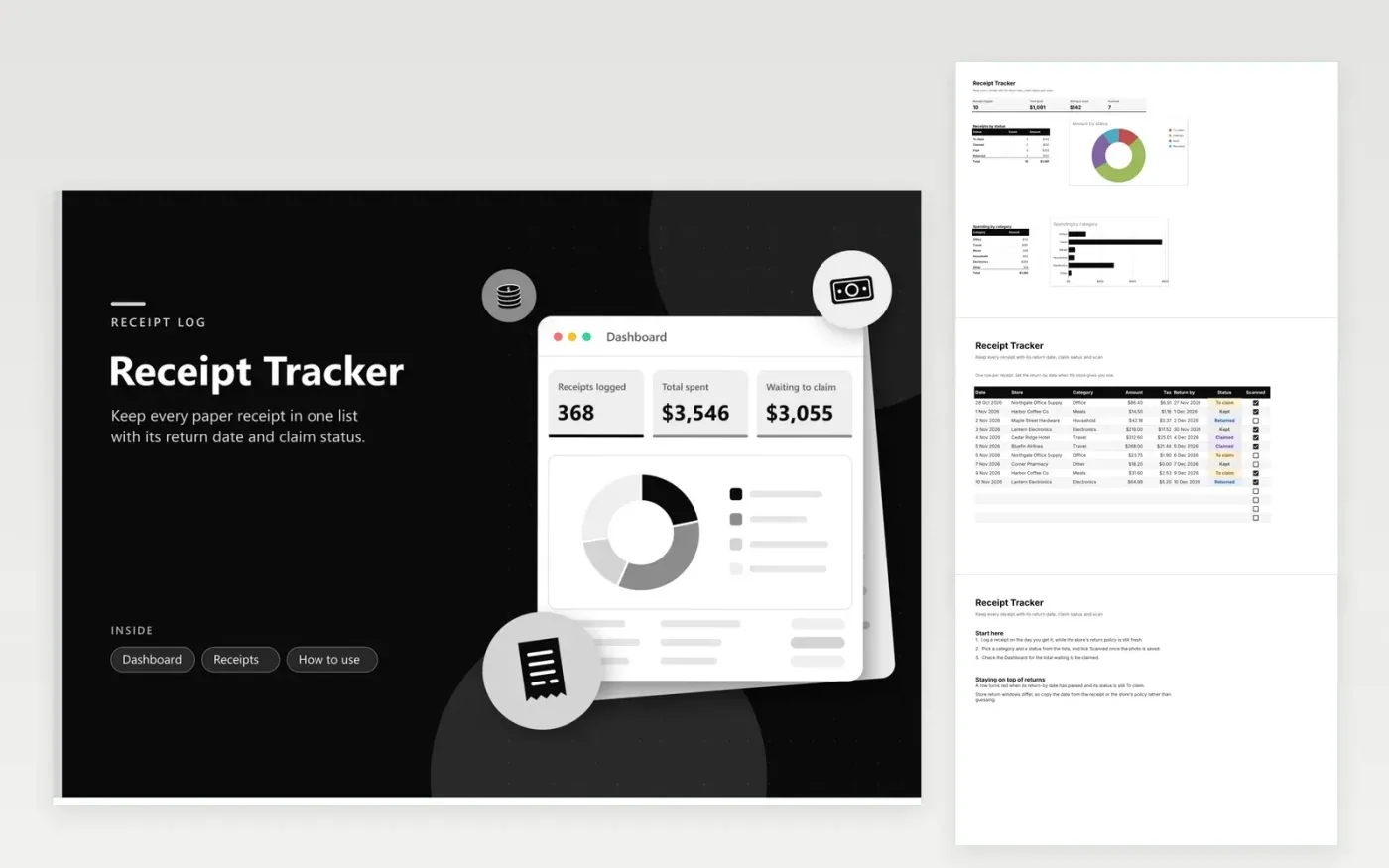
The Receipt Tracker suits freelancers, small business owners and anyone who keeps paper slips for returns or claims. The Receipts tab records the date, store, category, amount, tax, return-by date, claim status and whether a scan is saved. The Dashboard counts receipts, adds up spending, shows the value waiting to be claimed and breaks the total down by status and by category.
Start by logging a receipt the day you get it, while the store's return policy is fresh in mind. Tick Scanned once the photo is stored in a folder you can find. Rows with a return date that has passed and a status of To claim turn red, so you can act before the window closes. Delete the sample entries but leave the empty rows ready for your next batch of receipts.
Click Make a copy in Google Sheets, then confirm on the Google page. The copy is saved to your own Google Drive.
Start on the Receipts tab: replace the sample rows with your own.
Keep the formula columns as they are; they fill in as you type.
Read the How to use tab for tips. For Excel, download the .xlsx file instead.
Photograph each one as soon as you log it and save the picture in a folder named by month. Tick the Scanned box when the copy is safe. The Scanned count on the Dashboard shows how many are still missing a copy.
Type the last day of the store's return window into the Return by column. Rows whose date has passed while still marked To claim turn red. Check the store's own policy, since windows differ by store and by item.
Yes. Use the Category column to mark each project, or add a trip name to the Store column. The category breakdown on the Dashboard then shows each group's total, and you can filter the list for one project at a time.
Docs + Word6 pages
FeaturedFree
Excel
FeaturedFree
Sheets + Excel9 tabs
Free
Sheets + Excel5 tabs
Free
Sheets + Excel5 tabs
Free
Sheets + Excel4 tabs
Free
Sheets + Excel5 tabs
Free
Sheets + Excel5 tabs
Free
Sheets + Excel5 tabs
Free
Sheets + Excel5 tabs
Free
Sheets + Excel4 tabs
Free
Sheets + Excel5 tabs
Free
Sheets + Excel3 tabs
Free
Sheets + Excel3 tabs
Free
Sheets + Excel3 tabs
Free