Annual Report
Docs + Word6 pages
FeaturedFree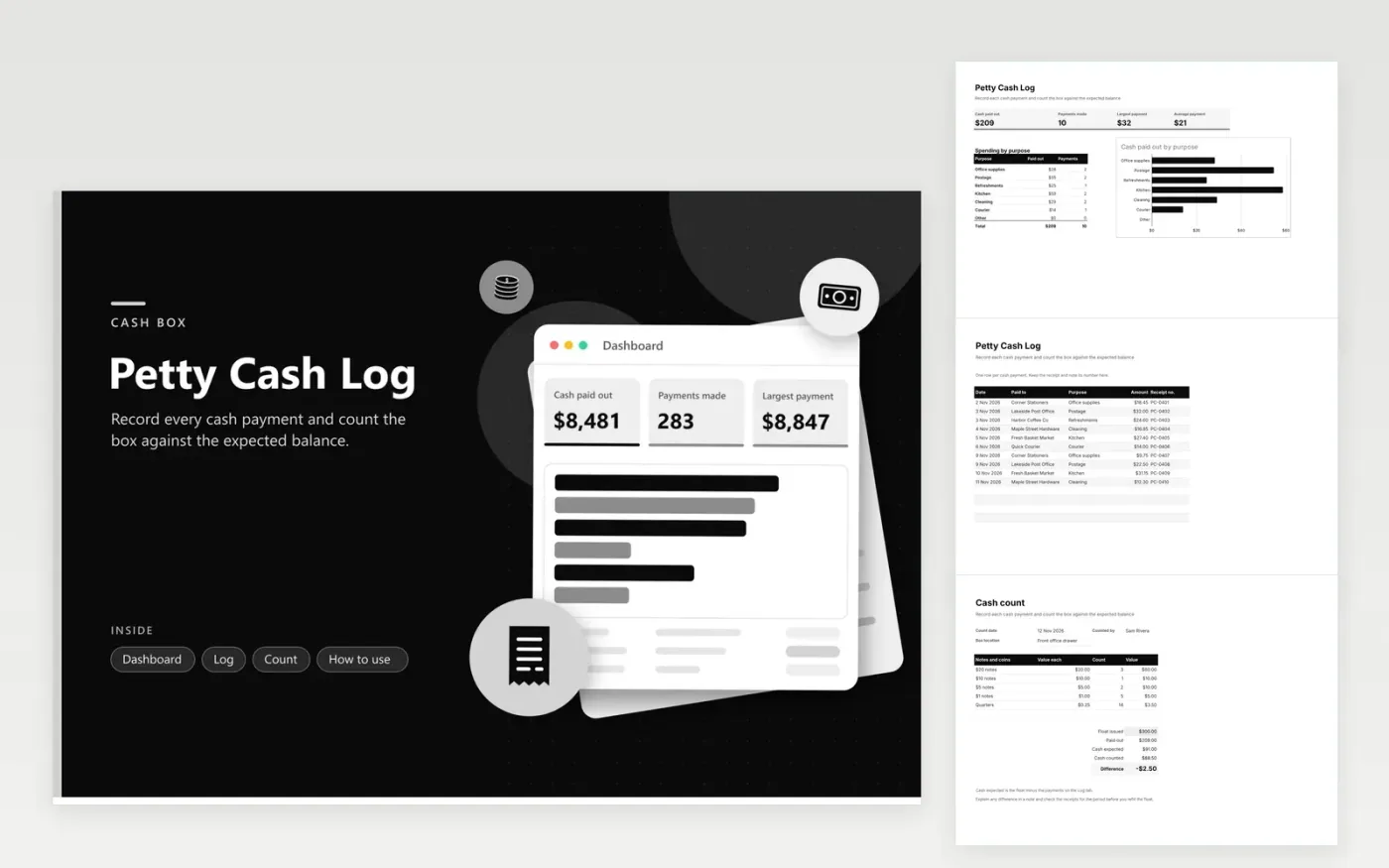
The Petty Cash Log suits an office, shop or club that keeps a small cash float for everyday costs. The Log tab lists each payment with its date, who was paid, its purpose, the amount and the receipt number. The Dashboard gives total payouts, how many payments were made and how large they were and a chart of spending by purpose.
Fill in the Count tab every Friday or whenever the float is topped up. Enter the float you issued and count the notes and coins into the table, and the sheet works out the expected cash and the difference. A small gap is common, so note it and check the receipts before you top up the float. Keep the box locked and the count sheet with the log.
Click Make a copy in Google Sheets, then confirm on the Google page. The copy is saved to your own Google Drive.
Start on the Log tab: replace the sample rows with your own.
Keep the formula columns as they are; they fill in as you type.
Read the How to use tab for tips. For Excel, download the .xlsx file instead.
Look at the difference first. Check the receipts from the same period, then recount the box with another person present. Write the reason in the Count tab before you put the float back in the box.
Enter the payment in the log and write a note in the Receipt column, such as No receipt, and add who signed it off. The Dashboard still counts the payment, so the spending total stays complete.
Yes. Edit the options in the Purpose column on the Log tab through the data validation menu, and rename the matching rows in the breakdown on the Dashboard. The two lists must use the same names, or the totals will miss those payments.
Docs + Word6 pages
FeaturedFree
Excel
FeaturedFree
Sheets + Excel9 tabs
Free
Sheets + Excel5 tabs
Free
Sheets + Excel5 tabs
Free
Sheets + Excel4 tabs
Free
Sheets + Excel5 tabs
Free
Sheets + Excel5 tabs
Free
Sheets + Excel5 tabs
Free
Sheets + Excel4 tabs
Free
Sheets + Excel4 tabs
Free
Sheets + Excel5 tabs
Free
Sheets + Excel3 tabs
Free
Sheets + Excel3 tabs
Free
Sheets + Excel3 tabs
Free