
Market Research Report
Docs + Word6 pages
Free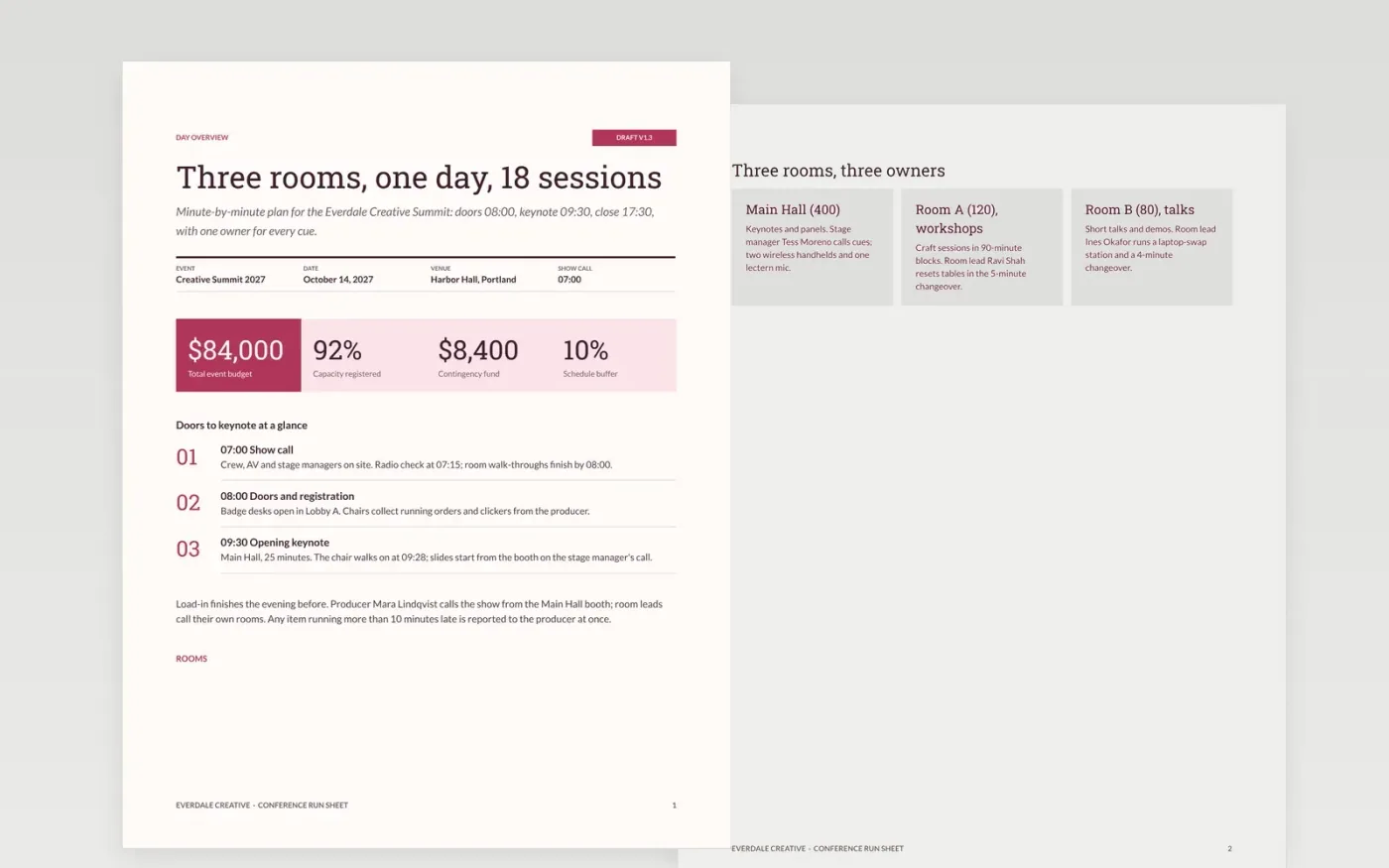
A multi-track conference fails in the gaps: a chair who never got the running order, a room that resets late, an AV cue nobody owns. This run of show template gives organizers one minute-by-minute document for the whole day, organized by day overview, room cards, track running orders, chair deadlines and changeover clocks.
The sample follows the Everdale Creative Summit on October 14, 2027: three rooms, 18 sessions, doors at 08:00, a 10% schedule buffer and changeovers of 5 minutes or less. Replace the event name, date and venue first, then paste in your own session timings, assign one owner to every cue and add mobile numbers for venue, AV, security and first aid.
Click Make a copy in Google Docs, then confirm on the Google page. The copy is saved to your own Google Drive.
Set the event name, date, venue and show-call time on the first page, then replace the room cards with your own rooms, capacities and room leads.
Rewrite the running order with your real timings, keep durations visible and give every cue exactly one named owner.
Update the chair calendar and changeover grids, then add mobile numbers for venue, AV, security and first aid.
Delete the Make it yours page, lock the run sheet 30 days out, then share it with your crew.
Yes. Keep the title block, running order and owners, and delete the room and changeover pages if you only have one stage. Add your own polls, Q&A and cue lines.
No. Everdale Creative, every person, phone number and figure are fictional sample data. Replace them with your own event details before you share the document.
Lock a version 30 days out, give each cue one owner, and keep a 10% buffer so a late item moves the schedule without cutting a session.
Docs + Word6 pages
Free
Docs + Word12 pages
Free
Slides + PowerPoint18 slides
Free
Slides + PowerPoint12 slides
Free
Docs + Word6 pages
Free
Slides + PowerPoint12 slides
Free
Docs + Word7 pages
Free









