
Event Run of Show Slides
Slides + PowerPoint12 slides
Free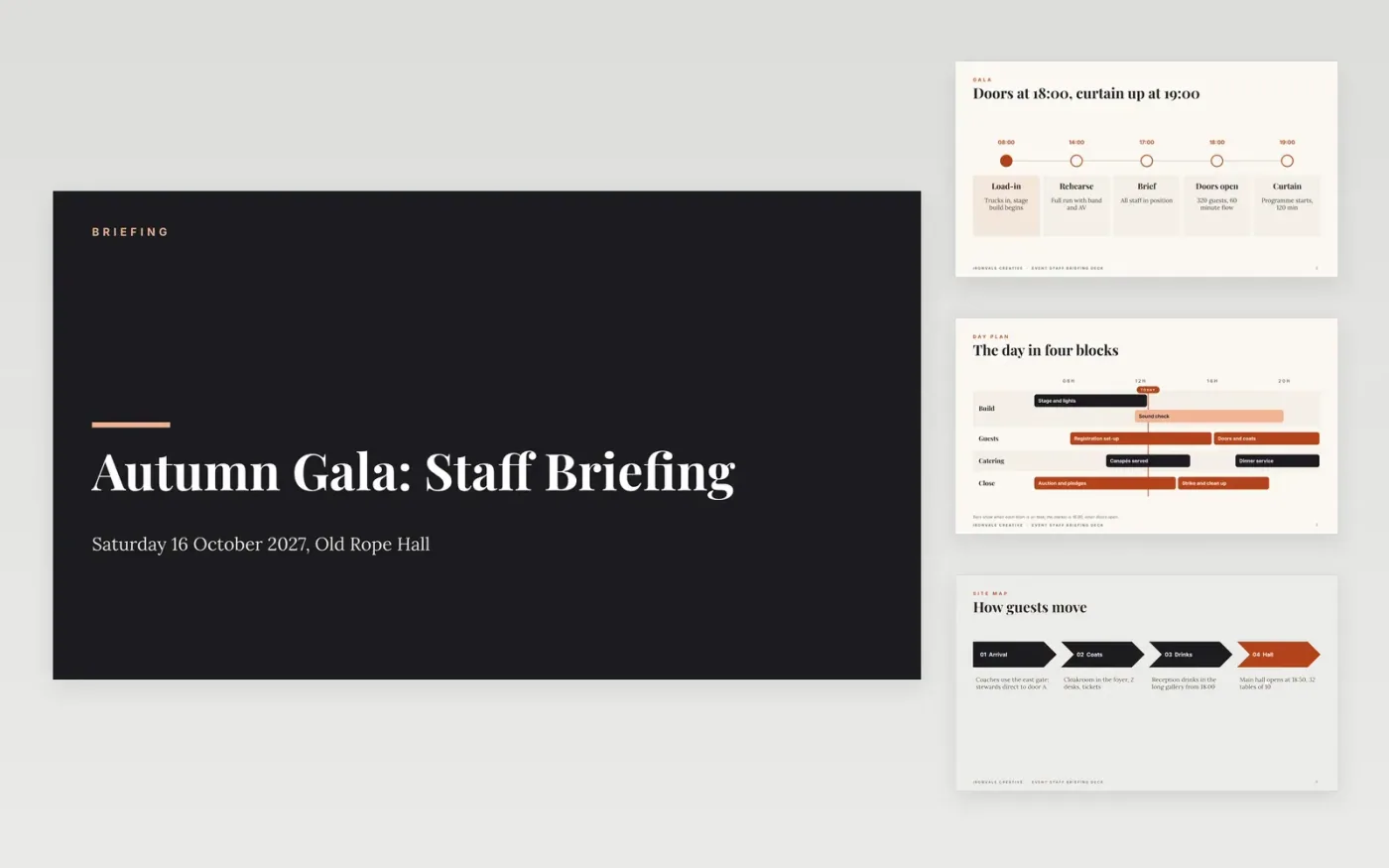
Staff and volunteers arrive on the day with different pieces of the plan, and the producer ends up repeating it on the radio. This deck gives one briefing for everyone: the day in sequence, the guest route through the site, who owns each post, the running order with its cues, what to do in an emergency, and who to call.
The sample follows Ironvale Creative, a fictional agency running a 320-guest autumn gala on 16 October 2027, with doors at 18:00 and curtain up at 19:00. It shows six leads, a staffing table, five cues and four emergency actions. Replace the event, times, names and radio channels with your own.
Click Make a copy in Google Slides, then confirm on the Google page. The copy is saved to your own Google Drive.
Set the event name, date, venue and the times for load-in, briefing, doors and curtain up.
Replace the zones, leads, posts and staff numbers, giving every post one named lead.
Rewrite the cues and the four emergency actions for your highest-risk moments, with the decision-maker named.
Delete the guide slide, then present the deck at the briefing or share it with staff.
Yes, at least the cues that affect them. Staff who know what happens next can fill gaps themselves. Keep the full technical script for the crew and producer.
No. Ironvale Creative, the named people, the email address, the phone number and every time and figure are fictional sample content. Replace them with your own.
Yes. Change the site map to your rooms or platform, the roles to your team, and the cues to your sessions. The emergency slide works for any live event.
Slides + PowerPoint12 slides
Free
Docs + Word6 pages
Free
Docs + Word6 pages
Free
Docs + Word7 pages
Free
Docs + Word7 pages
Free









