Annual Marketing Plan
Docs + Word12 pages
Free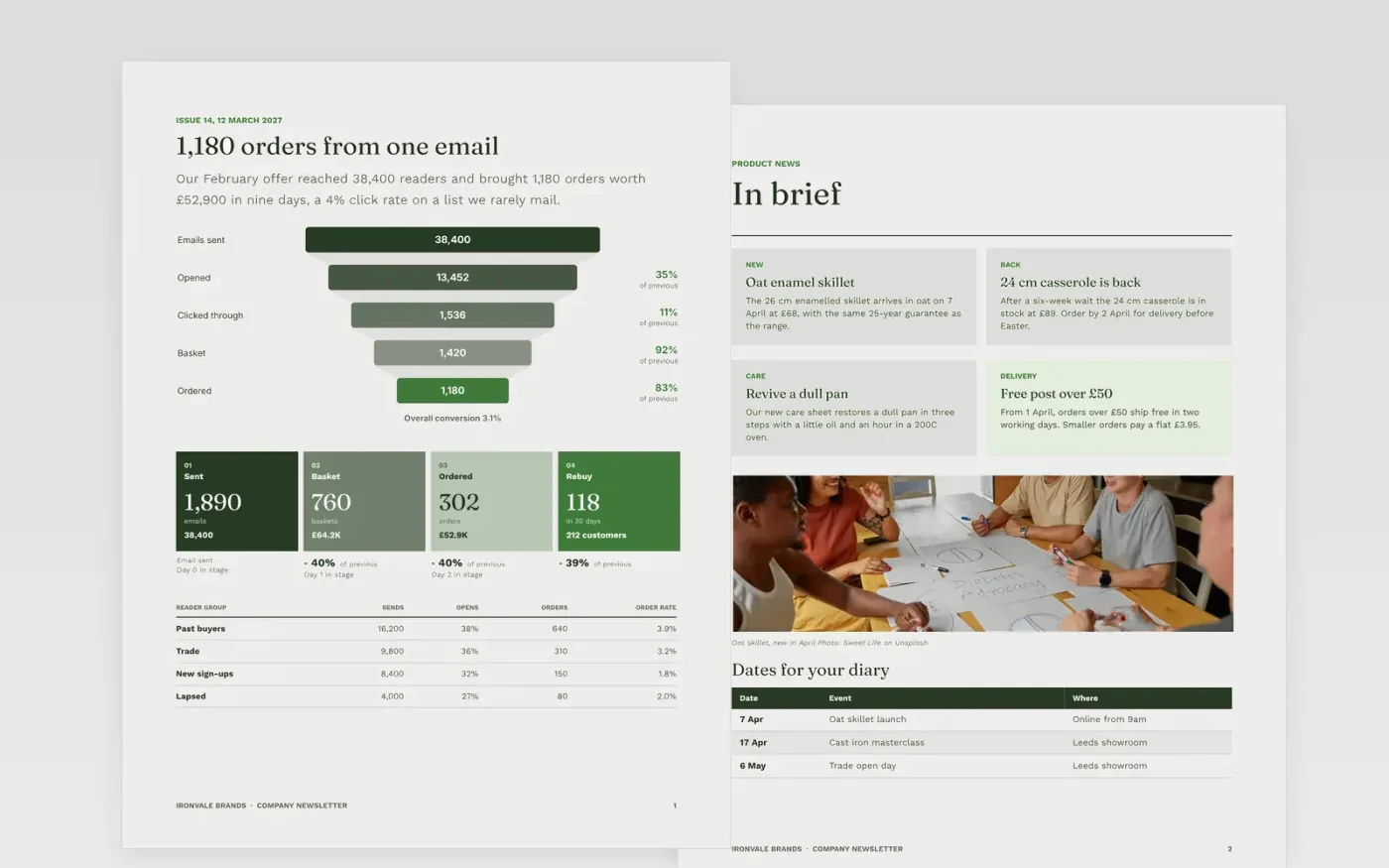
Most company newsletters open with a message from the boss and bury the one thing readers should do. This template starts with a story the reader cares about, backs it with numbers, then moves through product news, a customer voice, an event running order and a dated diary. Each section has one job, so a reader can scan the page in two minutes and know what to do next.
The sample is issue 14 from Ironvale Brands, a fictional UK maker of cast-iron cookware: an email offer that brought 1,180 orders, four briefs, a bakery's quote and a Leeds masterclass. Replace the masthead, issue number and date, write your lead story first, cut briefs that matter to fewer than one reader in five, then load the next six weeks of real dates.
Click Make a copy in Google Docs, then confirm on the Google page. The copy is saved to your own Google Drive.
Replace the masthead name, issue number and date, then write your lead story and replace the funnel figures with your own send results.
Keep only the briefs that will matter to at least one in five readers, and update the dates table with your next six weeks of events.
Swap the customer quote for a real one with the speaker's permission, and replace the contacts with your own team and addresses.
Choose one call to action and delete the others, then delete the guide page and share or present.
Aim for 400 to 1,200 words: one lead story and four to six briefs. Send on the same day and time each period so readers learn to expect it.
Customer lists usually open at 22 to 35% and click at 2 to 6%. The sample shows 35% opens and 4% clicks, so use your own numbers rather than copying them.
No. Ironvale Brands, its people, email addresses, phone numbers and every figure are fictional sample content. Replace them with your own details before you send.
Docs + Word12 pages
Free
Docs + Word6 pages
Free
Google Sheets
Free
Docs + Word7 pages
Free
Docs + Word7 pages
Free
Docs + Word7 pages
Free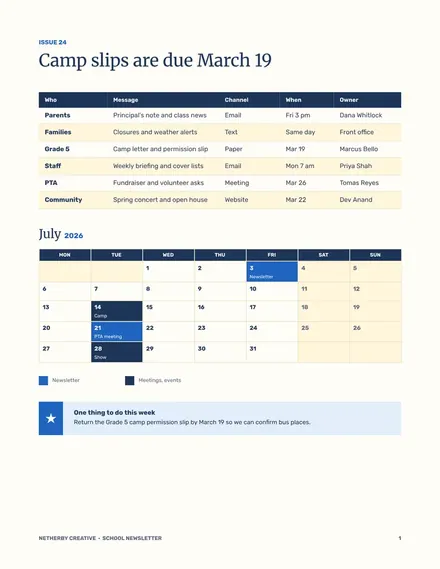
Docs + Word5 pages
Free








