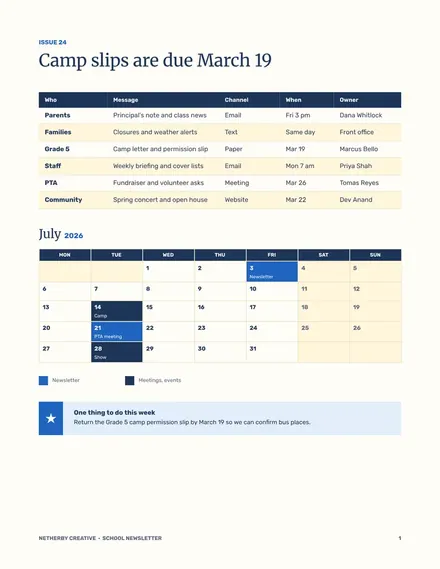
School Newsletter
Docs + Word5 pages
Free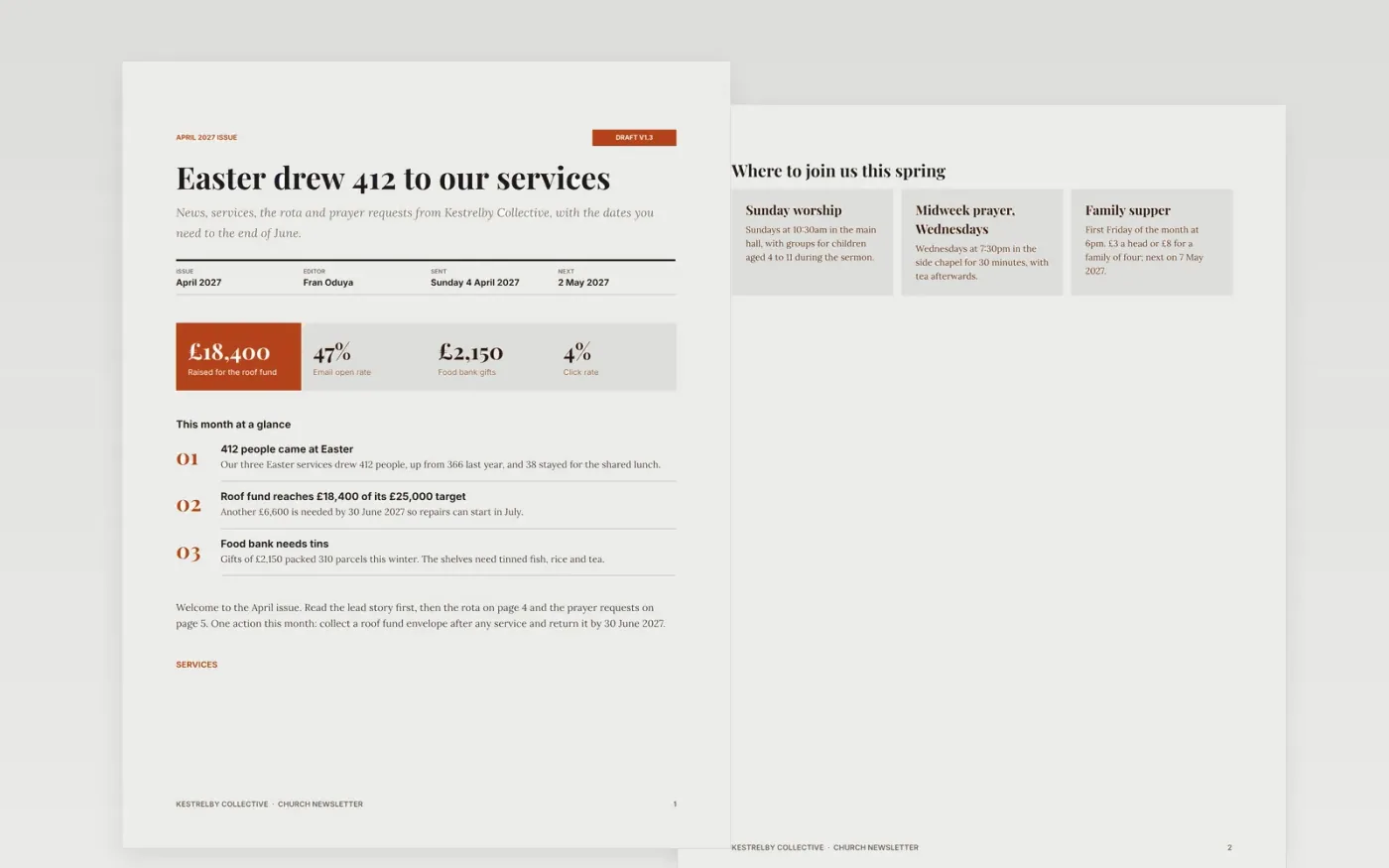
A church newsletter works when members can find the service times, the rota and the one action for the month without reading every line. This template puts a lead story, headline numbers, service cards, contacts, a volunteer rota, a prayer request decision and a diary in a fixed order.
The sample is an April issue from a fictional congregation, Kestrelby Collective, with 412 people at Easter, a roof fund at £18,400 of £25,000 and a 47% email open rate. Replace the news, dates, names and figures, and keep the call to action to one line.
Click Make a copy in Google Docs, then confirm on the Google page. The copy is saved to your own Google Drive.
Replace the masthead, issue month, editor and send date, then rewrite the lead story and the four headline figures.
Update the service times, contacts and rota, and set one call to action for the month.
Add your own dates to the diary and the prayer request page, and check that every item has an owner and a deadline.
Delete the guide page, then send the newsletter or print it for the porch.
No. Kestrelby Collective, its people, services, funds and figures are fictional and exist only to show how a finished church newsletter reads.
Aim for 400 to 1,200 words: one lead story, four to six short items and a diary. Most members scan it for two minutes, so put dates and the action first.
Record the email open rate and click rate each issue. For churches and clubs, 35% to 55% opens and 2% to 6% clicks are typical. Send on the same day each month.
Docs + Word5 pages
Free
Docs + Word6 pages
Free
Docs + Word7 pages
Free










