
Company Magazine
Docs + Word7 pages
FeaturedFree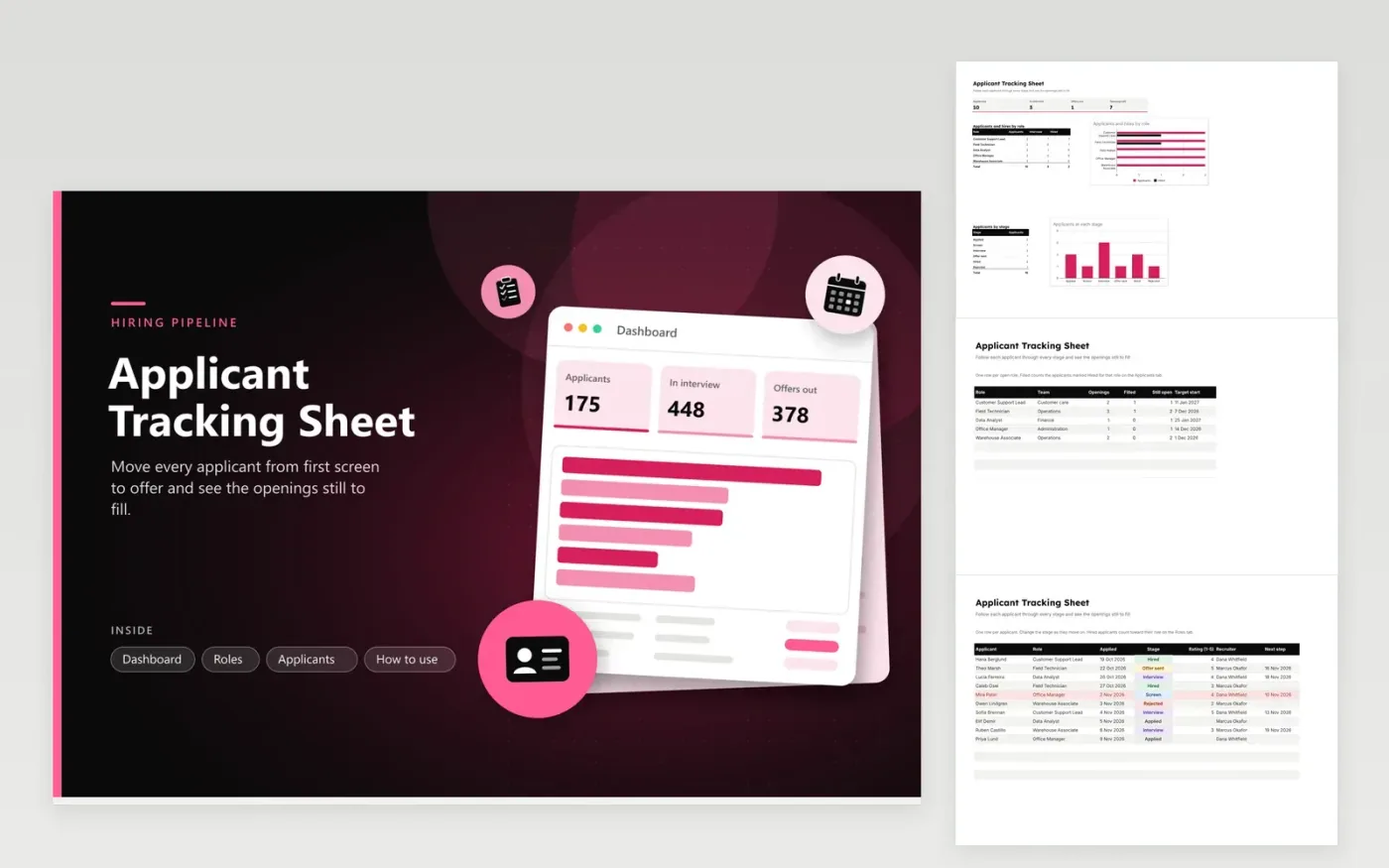
Recruiters and hiring managers use the Applicant Tracking Sheet to follow each candidate from the first look at a resume to the final offer. The Roles tab lists every open position with its openings, the number filled so far and a target start date. The Applicants tab records each candidate on a separate line, with their role, the date they applied, a pipeline stage that runs from Applied through Hired or Rejected, a rating out of five, the recruiter and the next step date. The Dashboard counts applicants by role and by stage and shows the openings left.
Begin by entering each open role on the Roles tab with its number of openings. Add applicants as they arrive and pick the matching role in the Role column so each count lands in the right place. Move people along as they progress, and fill in the next step date so anything running late turns red. Use the same rating scale for every applicant so the comparison within a role stays fair.
Click Make a copy in Google Sheets, then confirm on the Google page. The copy is saved to your own Google Drive.
Start on the Roles tab: replace the sample rows with your own.
Keep the formula columns as they are; they fill in as you type.
Read the How to use tab for tips. For Excel, download the .xlsx file instead.
Keep the file in a folder that only the hiring team can open. In Google Sheets, share it with named people rather than anyone with the link. Every sample name is invented, so swap in real applicants and clear the demo rows first.
Yes. Add the stage to the list of options for the Stage column, and give the new stage its own line in the Applicants by stage table on the Dashboard so the chart picks it up.
Pick the meaning before you start and write it down for the panel. A common scale reads 5 as a strong match, 3 as meeting the core requirements and 1 as not a fit. If every reviewer reads each number the same way, ratings line up across candidates.
Docs + Word7 pages
FeaturedFree
Docs + Word21 pages
FeaturedFree
Slides + PowerPoint16 slides
FeaturedFree
Sheets + Excel5 tabs
Free
Docs + Word7 pages
Free
Slides + PowerPoint11 slides
Free
Slides + PowerPoint10 slides
Free
Docs + Word8 pages
Free
Docs + Word7 pages
Free
Slides + PowerPoint12 slides
Free
Docs + Word7 pages
Free
Sheets + Excel3 tabs
Free
Docs + Word8 pages
Free








