Employer Branding Deck
Slides + PowerPoint12 slides
Free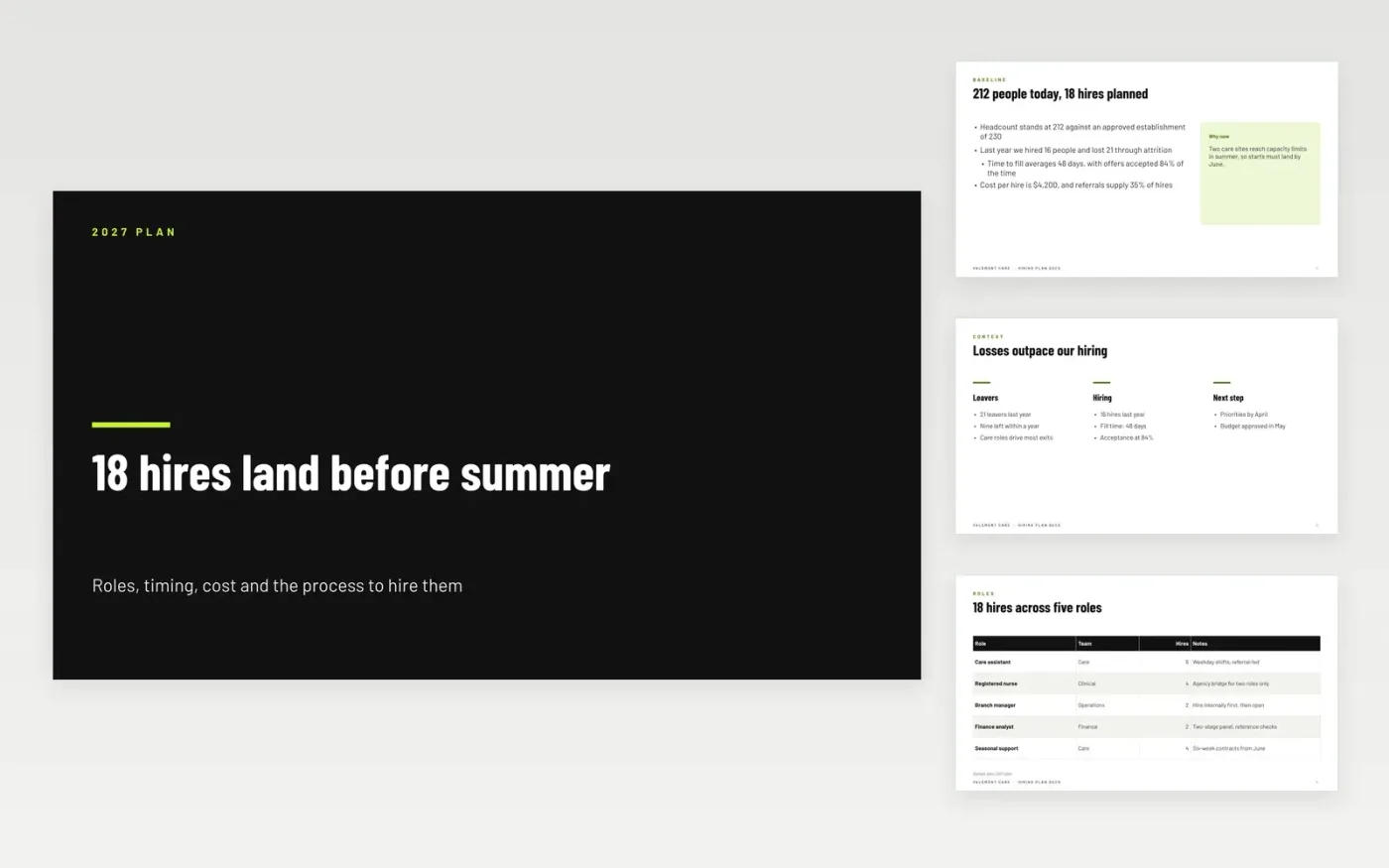
A headcount approval means little until someone says which roles are hired, when they start, through which channels and what each hire costs. This Google Slides deck turns that approval into a plan. It sets out where the organization stands, the roles needed and their priority, the timing around notice periods and seasonal peaks, the budget, and the stages each hire goes through. Each slide ends with the question the CFO will ask, so the plan can be agreed in one meeting.
The sample from Valemont Care plans 18 hires for 2027 at $4,200 each, a budget of $75,600, and starts landing before the summer peak. Sourcing is 35 percent referrals and 15 percent agency. All people, roles and figures are sample data. Replace the approved headcount, cost per hire and sourcing mix with your last twelve months of actuals, and adjust the timing for your own notice periods.
Click Make a copy in Google Slides, then confirm on the Google page. The copy is saved to your own Google Drive.
Replace the roles and hire counts with the headcount your leaders have approved.
Update the cost per hire and sourcing mix with your last twelve months of actual figures.
Move the start dates for notice periods and holiday seasons before you share the plan.
Delete the guide slide, then share the deck with leaders or present it at budget review.
No. Valemont Care, its people, the roles and every figure in this deck are fictional sample data. Replace them with approved headcount and your own cost records before the plan goes to leaders.
A hire approved in May may not start until August if notice is three months. Counting back from the start date you need, through offer, checks and notice, shows whether a role can land before the peak or needs an earlier offer.
Time to fill, offer acceptance and quality of hire are a good start, with first-year attrition as the check on quality. Report speed alongside quality, so the team does not hit its dates by hiring the wrong people.
Slides + PowerPoint12 slides
Free
Slides + PowerPoint10 slides
Free
Docs + Word7 pages
Free
Sheets + Excel5 tabs
Free
Sheets + Excel5 tabs
Free
Docs + Word7 pages
Free
Docs + Word8 pages
Free
Docs + Word7 pages
Free
Sheets + Excel3 tabs
Free
Docs + Word8 pages
Free










