
Recruitment Plan
Docs + Word8 pages
Free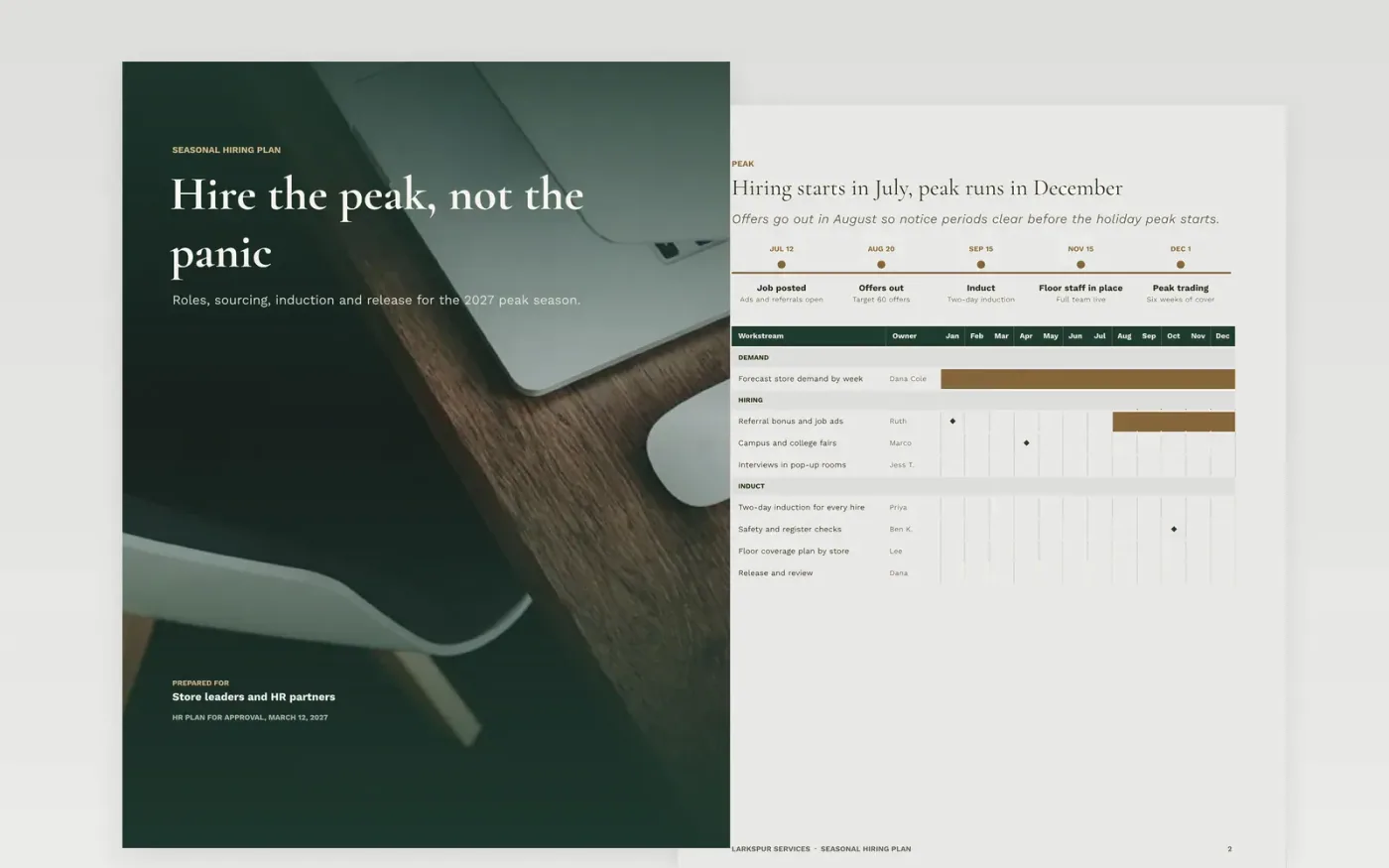
Peak seasons go wrong when headcount is approved in one meeting and the hires arrive late, after notice periods and the first rush have already passed. This Google Docs seasonal hiring plan turns that approval into a schedule: peak dates on a timeline and month Gantt, a roles page with a RACI for who decides, a sourcing mix with costs, an induction timeline and a release page for the end of the season. Each part names an owner and a date, so the plan can be checked week by week.
The sample is written for Larkspur Services, a fictional company, and shows a plan for 90 seasonal hires across stores, with offers in August and release on January 9. Replace the dates, sourcing mix, costs and names with your last year's actuals, adjust the timeline for your own notice periods, and keep the release steps so every seasonal worker knows their end date in writing.
Click Make a copy in Google Docs, then confirm on the Google page. The copy is saved to your own Google Drive.
Enter the approved headcount with role, store, cost and target start date on the peak dates page.
Replace the sourcing mix and cost per hire with your last twelve months of actuals.
Adjust the timeline for notice periods and holiday closures, then set the stages and panel for each role family.
Delete the guide page, then share the plan with finance and hiring managers before offers go out.
No. Larkspur Services, every person named, every email address ending in .example, and every headcount, cost and date in the sample are fictional and included only to show structure and tone.
Count back from the peak start date by each role's notice period, plus two weeks for the offer and background checks. Put that latest offer date in the timeline, because any offer made after it will probably land late.
Choose three each month, such as time to fill, offer acceptance and first-year retention, and include a quality-of-hire measure as well as speed. Review agency use whenever agency fees pass 20% of salary.
Docs + Word8 pages
Free
Docs + Word7 pages
Free
Docs + Word8 pages
Free
Sheets + Excel5 tabs
Free
Sheets + Excel5 tabs
Free
Docs + Word7 pages
Free
Slides + PowerPoint11 slides
Free
Slides + PowerPoint10 slides
Free
Slides + PowerPoint12 slides
Free
Sheets + Excel3 tabs
Free










