
Access Card Request Letter
Docs + Word2 pages
Free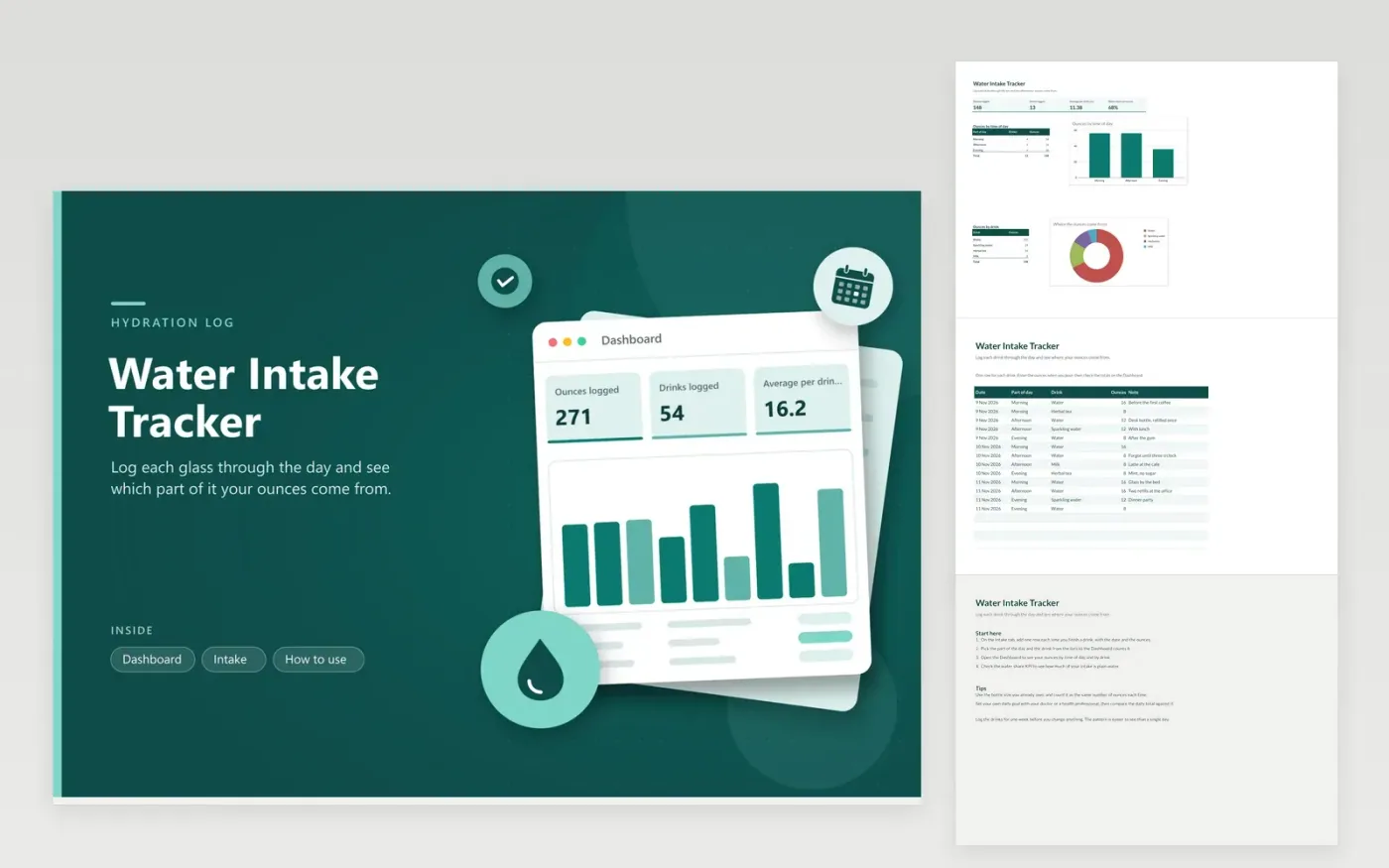
This log works for anyone curious about how much they drink across an ordinary day. The Intake tab keeps one row per drink, with the date, the part of the day (morning, afternoon or evening), the drink type and the ounces. The Dashboard totals your ounces, counts your drinks, averages the size of each one and shows the share that is plain water. Two charts show ounces by time of day and by drink.
The sample rows cover three days, so the charts already show a pattern. Overwrite them with your own drinks as you go, and measure every container the same way so the totals stay comparable. Formulas and charts update when you add a row, so there is nothing to recalculate by hand.
Click Make a copy in Google Sheets, then confirm on the Google page. The copy is saved to your own Google Drive.
Start on the Intake tab: replace the sample rows with your own.
Keep the formula columns as they are; they fill in as you type.
Read the How to use tab for tips. For Excel, download the .xlsx file instead.
Fill the bottle once with a measuring cup and note how many ounces it holds. Use that figure for every refill so the totals stay consistent. If you measure in milliliters, divide by 29.6 to get ounces before you enter the number.
No. The template only adds up what you log. Daily needs vary with body size, activity, climate and health, so ask a doctor or dietitian for a target that suits you, then compare your totals against it.
The dashboard totals cover every row, so a shared file mixes everyone's intake together. Give each person a separate file if they want their own dashboard and charts.
More Google Sheets templatesMore business operations templates
Docs + Word2 pages
Free
Docs + Word2 pages
Free
Docs + Word2 pages
Free
Sheets + Excel4 tabs
Free
Sheets + Excel5 tabs
Free
Sheets + Excel5 tabs
Free
Sheets + Excel4 tabs
Free
Sheets + Excel4 tabs
Free
Sheets + Excel5 tabs
Free
Sheets + Excel4 tabs
Free
Sheets + Excel4 tabs
Free
Sheets + Excel5 tabs
Free
Sheets + Excel5 tabs
Free
Sheets + Excel5 tabs
Free
Sheets + Excel5 tabs
Free










