
Access Card Request Letter
Docs + Word2 pages
Free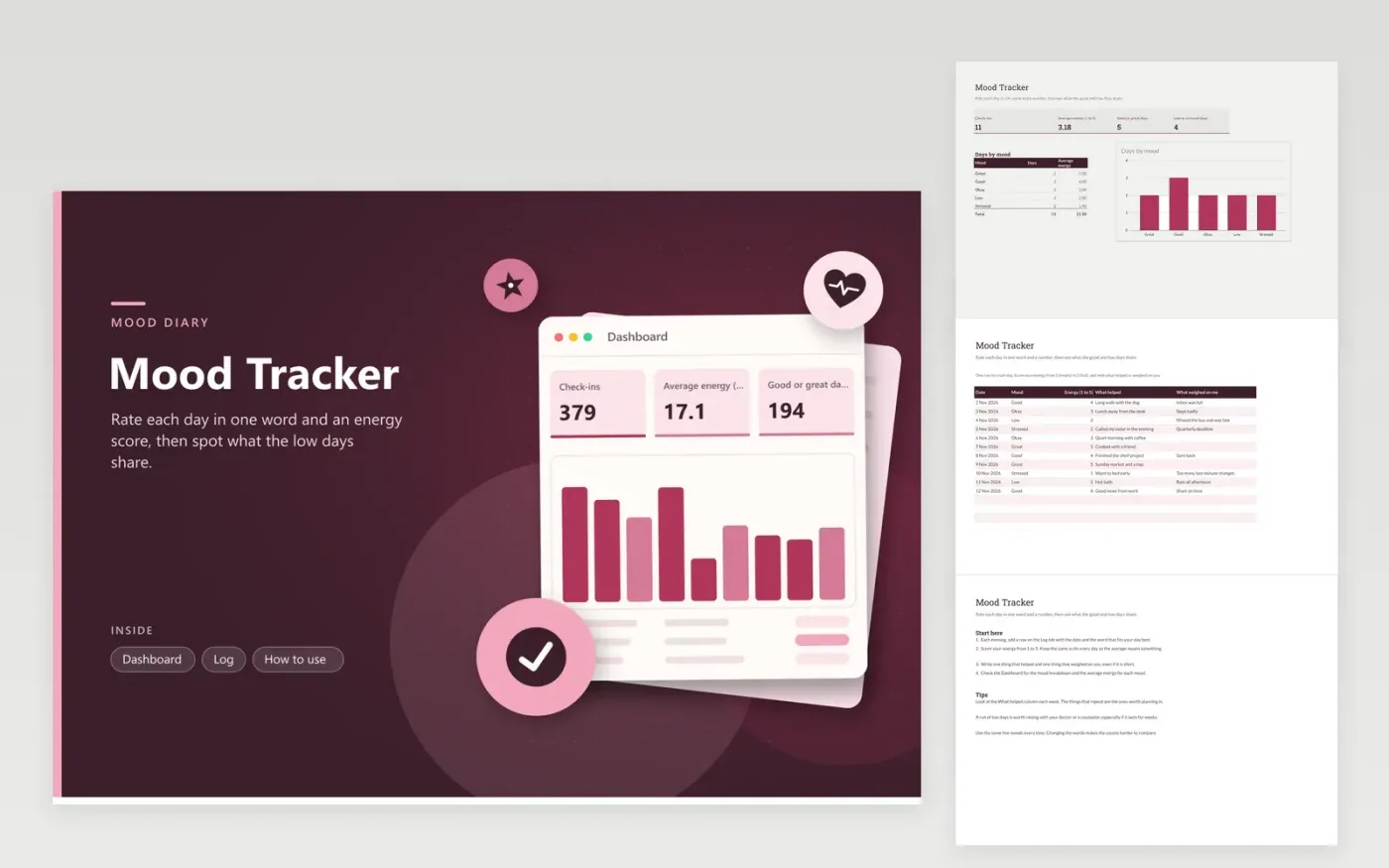
This mood diary is for anyone who wants to notice patterns in how their days feel. The Log tab holds a single row for each day, with a mood from a list of five, an energy score on a scale of 1 to 5, and two text columns for what helped and what weighed on you. The Dashboard counts check-ins, averages energy, totals good or great days and low or stressed days, and charts the days in each mood with their average energy.
The sample log covers eleven days, enough to show how the averages move. Keep the same five moods and the same energy scale for every entry, since changing them makes the counts harder to compare. Read the What helped column once a week and mark the entries that repeat, because those are the habits worth planning for.
Click Make a copy in Google Sheets, then confirm on the Google page. The copy is saved to your own Google Drive.
Start on the Log tab: replace the sample rows with your own.
Keep the formula columns as they are; they fill in as you type.
Read the How to use tab for tips. For Excel, download the .xlsx file instead.
No. It is a personal log that shows patterns in your days. If low or stressed days last for weeks, or you feel unsafe, contact a doctor, counselor or crisis line in your area straight away.
Score energy from 1 to 5, where 1 is empty and 5 is full. Choose a fixed moment to score, say bedtime, and stick with it so entries compare fairly. The average energy on the Dashboard is only as steady as the scores behind it.
You can add words to the drop-down, but the Dashboard table only counts the five moods it lists. A new mood needs its own row there as well, or its days are left out of the chart.
More Google Sheets templatesMore business operations templates
Docs + Word2 pages
Free
Docs + Word2 pages
Free
Docs + Word2 pages
Free
Sheets + Excel4 tabs
Free
Sheets + Excel5 tabs
Free
Sheets + Excel5 tabs
Free
Sheets + Excel4 tabs
Free
Sheets + Excel5 tabs
Free
Sheets + Excel4 tabs
Free
Sheets + Excel4 tabs
Free
Sheets + Excel5 tabs
Free
Sheets + Excel5 tabs
Free
Sheets + Excel5 tabs
Free
Sheets + Excel5 tabs
Free
Sheets + Excel4 tabs
Free










