
Access Card Request Letter
Docs + Word2 pages
Free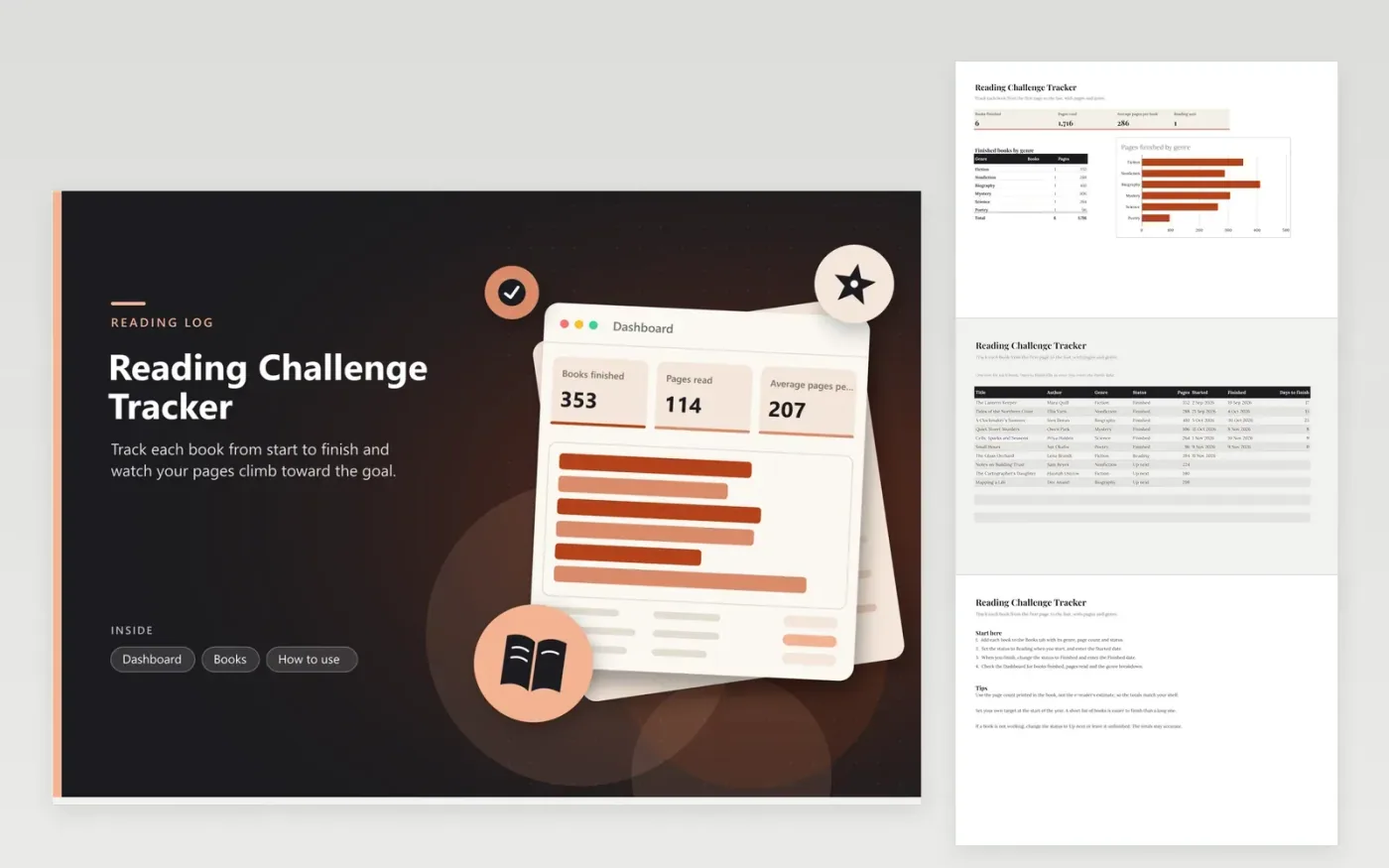
Readers who aim for a set number of books or pages by December will like this tracker. The Books tab holds one row for each title, with author, genre, a status of Finished, Reading or Up next, the page count, the start and finish dates and a Days to finish column that fills in once you enter a finish date. The Dashboard shows books finished, pages read, average pages per book and books in progress, plus a bar chart of pages finished by genre.
Use the page count printed in the edition on your shelf, and enter the start date when you open the book rather than when you buy it, so the days-to-finish figure is accurate. Keep the Up next list short, since a long list tends to stall. If a title stops working for you, move it back to Up next, or leave it on Reading and change it later.
Click Make a copy in Google Sheets, then confirm on the Google page. The copy is saved to your own Google Drive.
Start on the Books tab: replace the sample rows with your own.
Keep the formula columns as they are; they fill in as you type.
Read the How to use tab for tips. For Excel, download the .xlsx file instead.
E-readers show a location or a percentage instead of a page count. Use the page count from the book's product or publisher page, or from the printed edition, and enter that figure once. Use the same source for every title so the totals are comparable.
Yes, but the pages column needs a number, so use the print page count when you can find it. Add a note such as (audio) to the title, so you can tell the formats apart in the list.
It stays out of the Books finished and Pages read totals, which only count rows marked Finished. A book left on Reading does count toward the Reading now figure, so change its status when you stop, and it drops out of that figure too.
More Google Sheets templatesMore business operations templates
Docs + Word2 pages
Free
Docs + Word2 pages
Free
Docs + Word2 pages
Free
Sheets + Excel4 tabs
Free
Sheets + Excel5 tabs
Free
Sheets + Excel5 tabs
Free
Sheets + Excel4 tabs
Free
Sheets + Excel4 tabs
Free
Sheets + Excel5 tabs
Free
Sheets + Excel4 tabs
Free
Sheets + Excel5 tabs
Free
Sheets + Excel5 tabs
Free
Sheets + Excel5 tabs
Free
Sheets + Excel5 tabs
Free
Sheets + Excel4 tabs
Free










