
Access Card Request Letter
Docs + Word2 pages
Free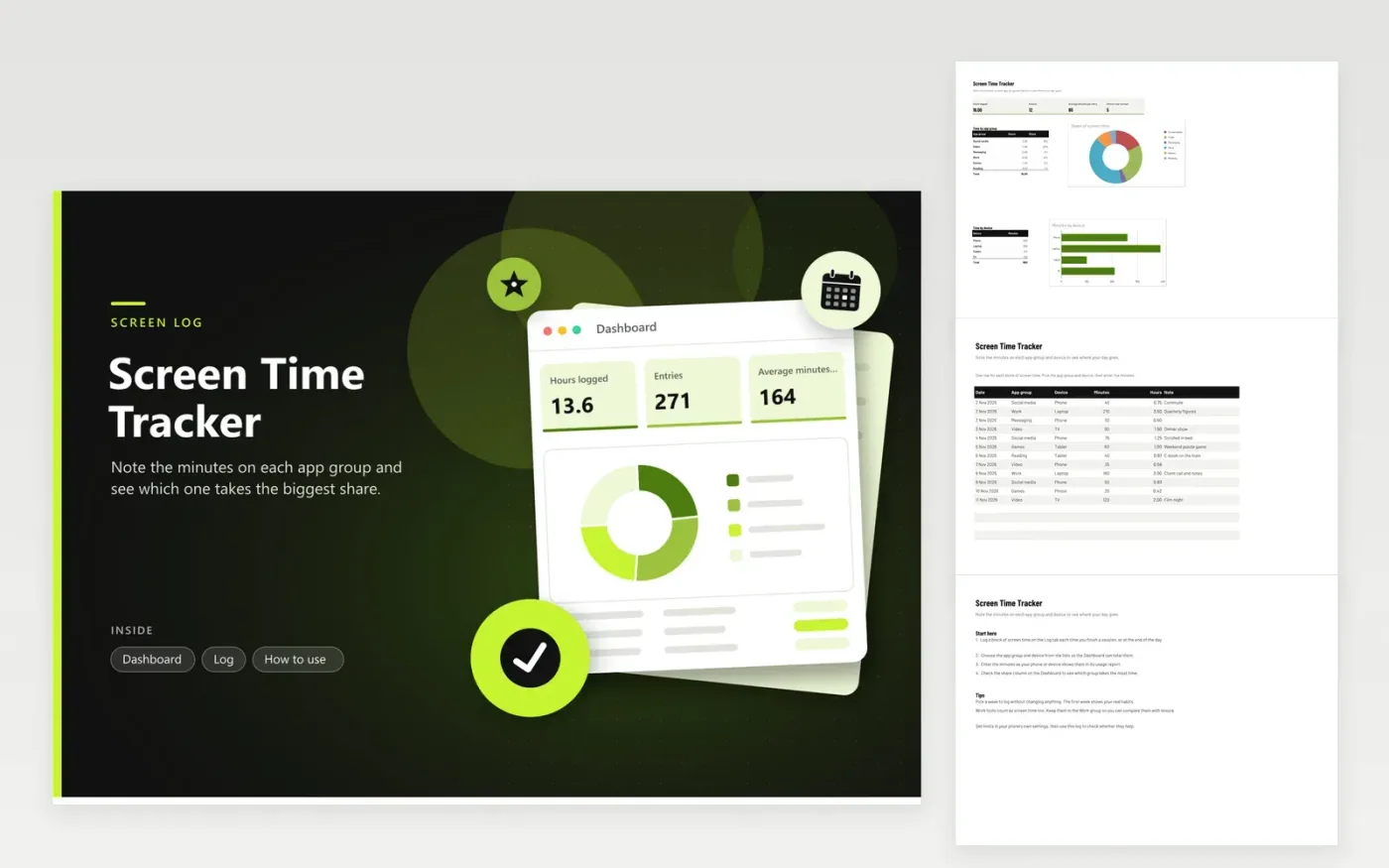
This screen time log helps you see which kinds of apps take up your day. The Log tab takes one row per block of use, with the date, an app group (social media, video, messaging, work, games or reading), the device and the minutes. The Dashboard totals your hours, counts entries and entries over an hour, shows each group's share of time in a doughnut chart and charts minutes by device.
Copy the minutes from your phone's usage report or your computer's activity screen rather than estimating them. Keep work tools in the Work group so the leisure groups show what you actually choose to do. Log one week before you set any targets, so the first figures show your normal habits instead of an ideal week.
Click Make a copy in Google Sheets, then confirm on the Google page. The copy is saved to your own Google Drive.
Start on the Log tab: replace the sample rows with your own.
Keep the formula columns as they are; they fill in as you type.
Read the How to use tab for tips. For Excel, download the .xlsx file instead.
iPhones show daily use under Screen Time, and Android phones show it under Digital Wellbeing. Windows and Mac computers also list app time in their activity settings. Group the apps yourself, then enter the total minutes for each group.
The average is per entry, not per day. A day can have several entries, and one long work block pulls the number up. Divide the total hours by the number of days you logged to get a daily figure.
Each row is meant to be one block, so a single weekly row would hide the pattern. Log each day's total for each group instead. You can still add up a week by sorting or filtering the Date column.
More Google Sheets templatesMore business operations templates
Docs + Word2 pages
Free
Docs + Word2 pages
Free
Docs + Word2 pages
Free
Sheets + Excel4 tabs
Free
Sheets + Excel5 tabs
Free
Sheets + Excel5 tabs
Free
Sheets + Excel4 tabs
Free
Sheets + Excel4 tabs
Free
Sheets + Excel5 tabs
Free
Sheets + Excel4 tabs
Free
Sheets + Excel5 tabs
Free
Sheets + Excel5 tabs
Free
Sheets + Excel5 tabs
Free
Sheets + Excel5 tabs
Free
Sheets + Excel4 tabs
Free










