
Access Card Request Letter
Docs + Word2 pages
Free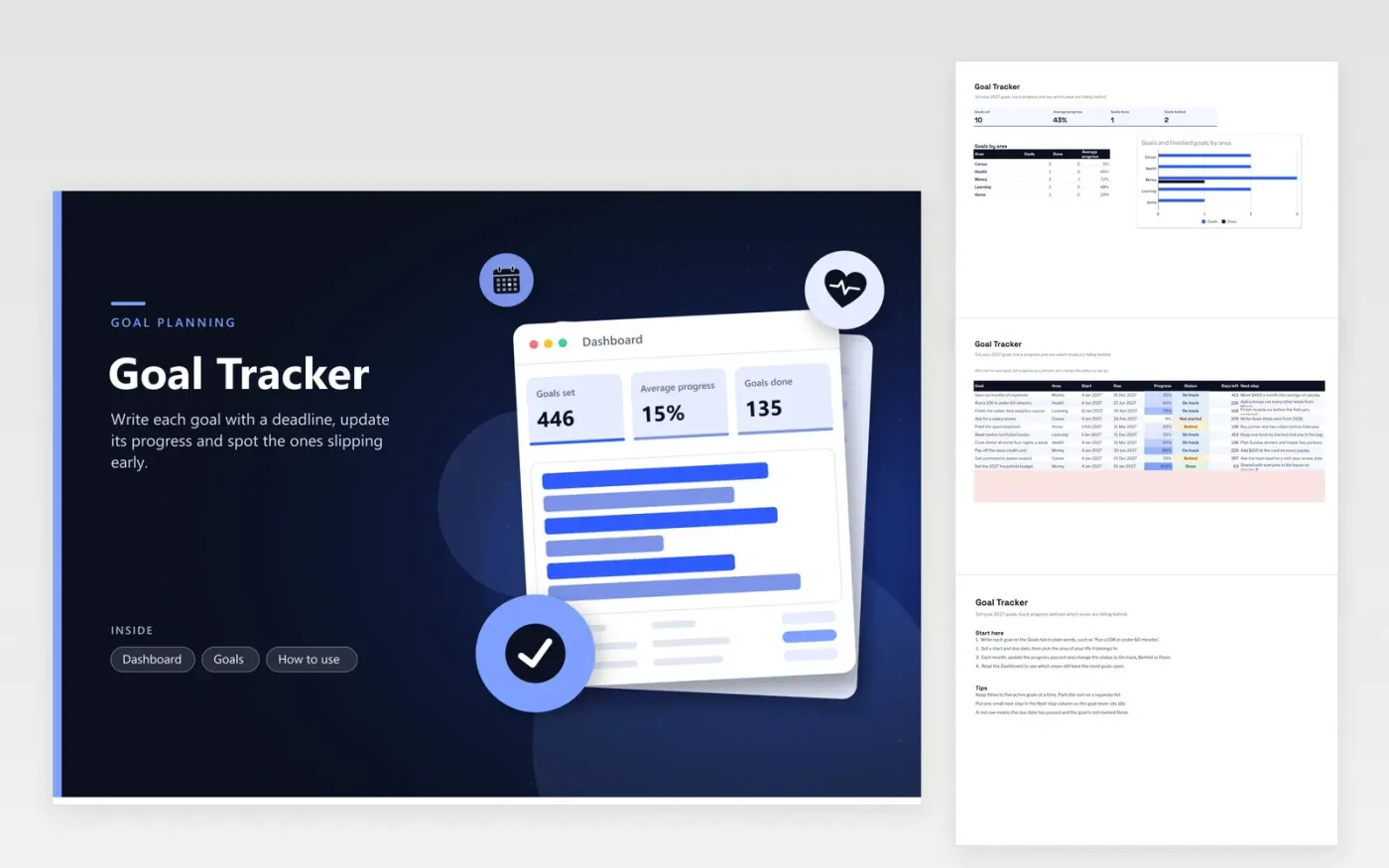
This goal tracker suits anyone planning a year of targets across money, health, career, learning and home. The Goals tab holds a row for every goal, with its area, start and due dates, progress percent, status and next step. Days left is worked out from the due date, and a row turns red once the date passes without the goal marked Done. The Dashboard counts your goals, averages progress and charts goals by area.
Begin with three to five active goals, and give each one a small next step so nothing sits idle through January. Update progress monthly, not every day. When a status turns Behind, move the deadline or split the goal into smaller pieces rather than dropping it. Replace the sample goals with your own on the Goals tab, and keep the Dashboard open as a monthly review page.
Click Make a copy in Google Sheets, then confirm on the Google page. The copy is saved to your own Google Drive.
Start on the Goals tab: replace the sample rows with your own.
Keep the formula columns as they are; they fill in as you type.
Read the How to use tab for tips. For Excel, download the .xlsx file instead.
Type the progress as a percent in the Progress column, anywhere between 0% and 100%. The Dashboard averages it across all goals and by area. Change the status to On track, Behind or Done in the same edit, so the counts stay accurate.
Yes. Add a column for the owner of each goal and filter by name when you review. A short area list keeps the chart readable. A shared copy works well for a household or a small team that reviews goals together.
Replace the dates on the Goals tab with dates in the new year. Days left uses TODAY(), so it always counts down from the current date. Clear the sample goals and start a fresh list for the new year.
More Google Sheets templatesMore business operations templates
Docs + Word2 pages
Free
Docs + Word2 pages
Free
Docs + Word2 pages
Free
Sheets + Excel5 tabs
Free
Sheets + Excel5 tabs
Free
Sheets + Excel4 tabs
Free
Sheets + Excel4 tabs
Free
Sheets + Excel5 tabs
Free
Sheets + Excel4 tabs
Free
Sheets + Excel4 tabs
Free
Sheets + Excel5 tabs
Free
Sheets + Excel5 tabs
Free
Sheets + Excel5 tabs
Free
Sheets + Excel5 tabs
Free
Sheets + Excel4 tabs
Free










