
Access Card Request Letter
Docs + Word2 pages
Free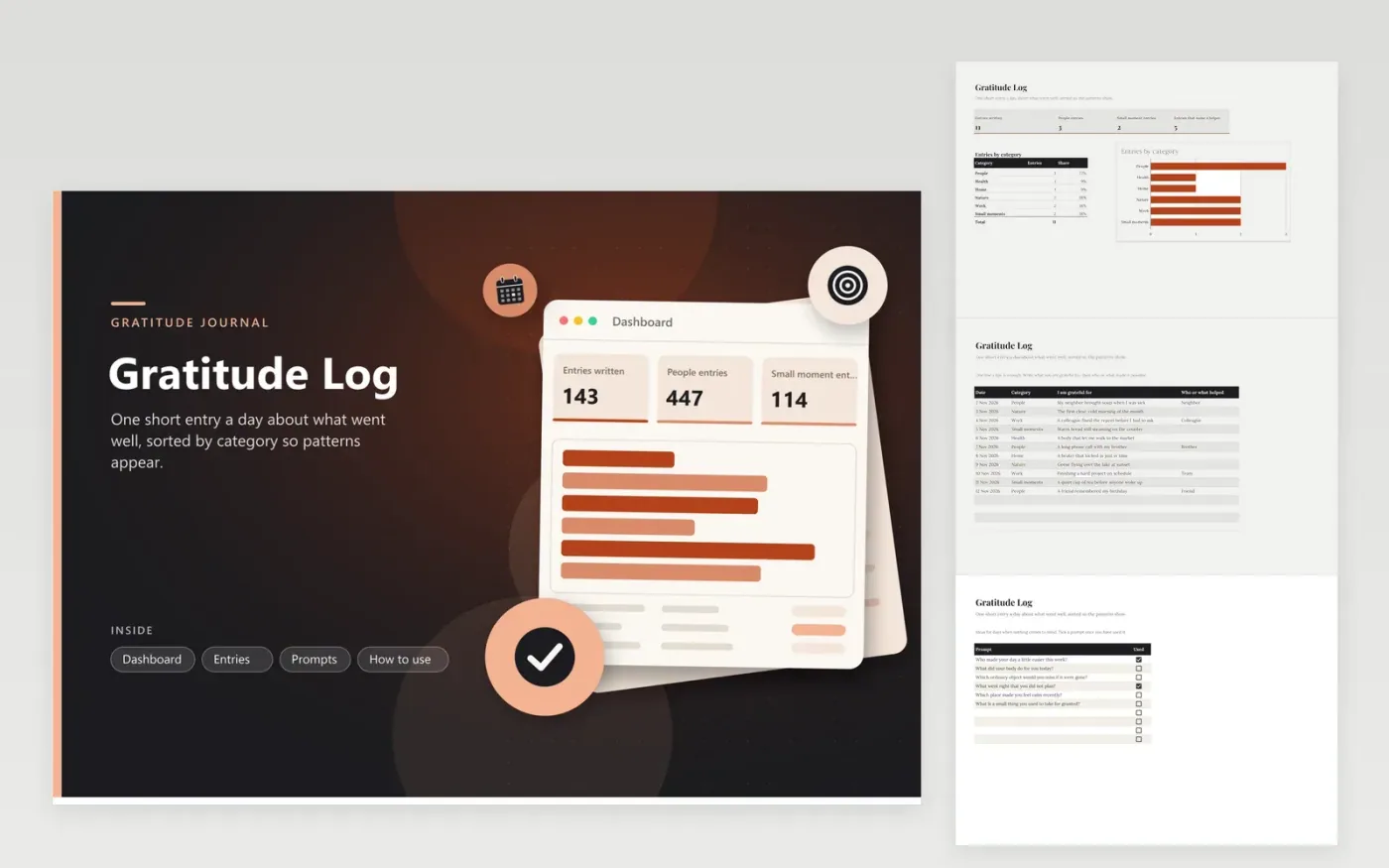
This journal suits anyone who wants a few minutes of gratitude each day and a clear record of it. The Entries tab has a separate row for every day, with the date, a category (People, Health, Home, Nature, Work or Small moments), the entry itself and a column for who or what helped. The Dashboard counts entries, people entries and small moment entries, and charts the entries in each category with their share of the total. The Prompts tab lists six questions for quiet days.
Keep each entry short and specific, such as the warm bread or the colleague who fixed a report, because specifics are what you will enjoy reading back. Tick a prompt on the Prompts tab once you have used it, and rotate through the list instead of picking the easiest one. Once a month closes, read the entries to notice names and places that keep returning.
Click Make a copy in Google Sheets, then confirm on the Google page. The copy is saved to your own Google Drive.
Start on the Entries tab: replace the sample rows with your own.
Keep the formula columns as they are; they fill in as you type.
Read the How to use tab for tips. For Excel, download the .xlsx file instead.
Leave that row blank and carry on. The log is most useful as a record of the days you did write, so a gap does not matter. Start the next entry on the day you return, and skip days you cannot remember rather than guessing.
Usually, yes, because the best entries name people and private details. If you share the file, send a copy with the Entries tab trimmed to dates and categories, so names stay out of view.
Many people find it a useful habit alongside other support, but it is not a treatment. If low mood lasts for weeks, talk with a doctor or counselor. The log can show them what your days have been like.
More Google Sheets templatesMore business operations templates
Docs + Word2 pages
Free
Docs + Word2 pages
Free
Docs + Word2 pages
Free
Sheets + Excel4 tabs
Free
Sheets + Excel5 tabs
Free
Sheets + Excel4 tabs
Free
Sheets + Excel4 tabs
Free
Sheets + Excel5 tabs
Free
Sheets + Excel4 tabs
Free
Sheets + Excel4 tabs
Free
Sheets + Excel5 tabs
Free
Sheets + Excel5 tabs
Free
Sheets + Excel5 tabs
Free
Sheets + Excel5 tabs
Free
Sheets + Excel4 tabs
Free










