
Access Card Request Letter
Docs + Word2 pages
Free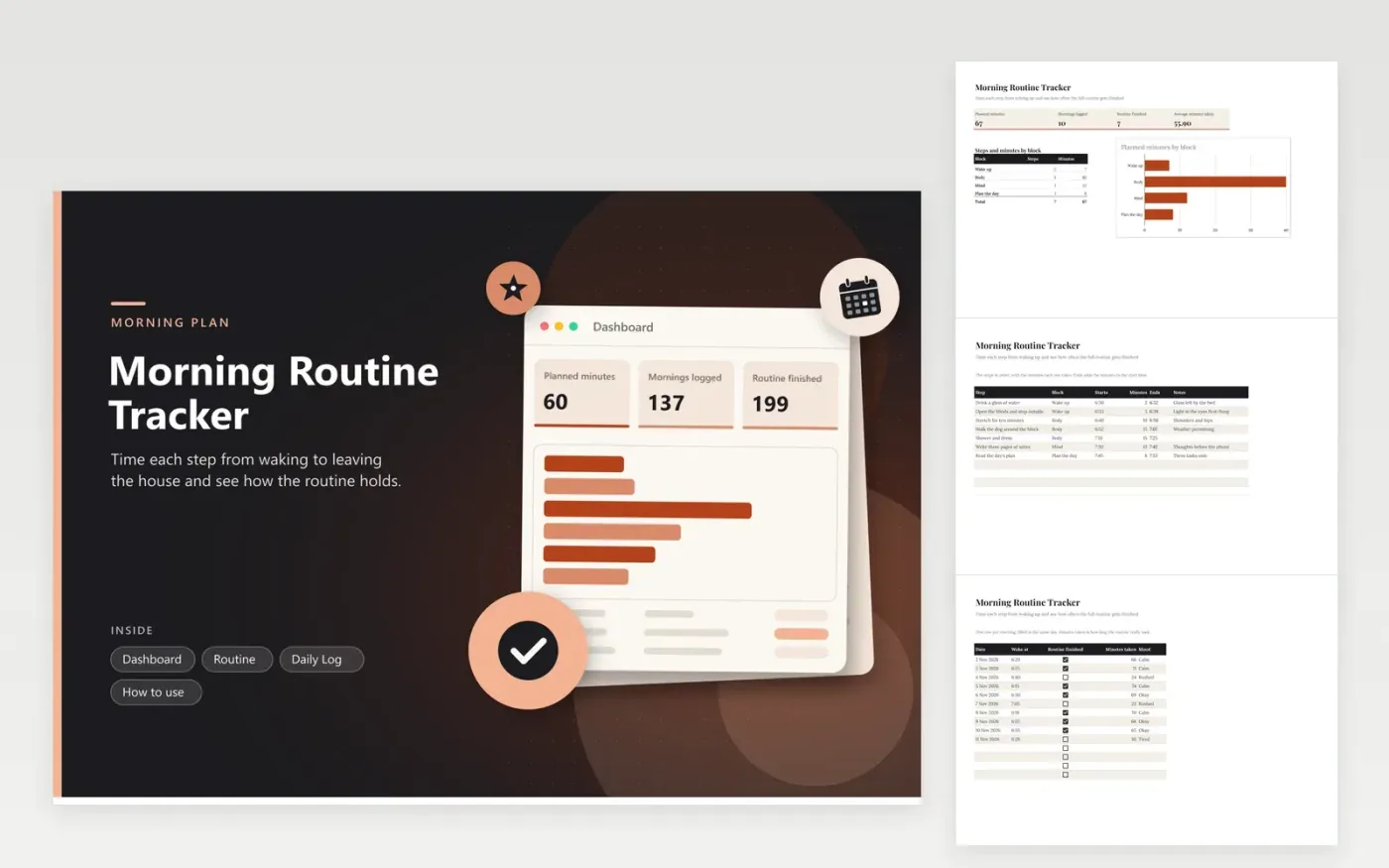
Choose it if you want a calm, repeatable start to the day and a clear picture of how long each part takes. The Routine tab lists each step with its block, start time, minutes and an Ends column that adds the minutes to the start. The Daily Log tab records the time you woke, whether you finished, the minutes taken and your mood. The Dashboard shows planned minutes, mornings logged, how many routines were finished and the average minutes taken.
Start with the steps you already do, then add one new step at a time so the plan stays realistic. Fill in the log the same morning while it is fresh, and do not leave out the rushed days. After two weeks, compare the average minutes taken with the planned minutes and move the start times to match.
Click Make a copy in Google Sheets, then confirm on the Google page. The copy is saved to your own Google Drive.
Start on the Routine tab: replace the sample rows with your own.
Keep the formula columns as they are; they fill in as you type.
Read the How to use tab for tips. For Excel, download the .xlsx file instead.
There is no set answer. Pick a length that fits the time you have to leave, then build the steps to fit it. Compare the planned minutes on the Routine tab with the minutes you log to see the gap.
Each step's minutes are added to its start time, showing when it ends and whether the next step can begin as planned. It is a formula, so changing a start time or the minutes updates it.
Log the time you woke on the Daily Log tab each day, and keep the Routine start times as a plan. Over a few weeks the log shows whether a fixed start time suits your sleep pattern.
More Google Sheets templatesMore business operations templates
Docs + Word2 pages
Free
Docs + Word2 pages
Free
Docs + Word2 pages
Free
Sheets + Excel4 tabs
Free
Sheets + Excel5 tabs
Free
Sheets + Excel5 tabs
Free
Sheets + Excel4 tabs
Free
Sheets + Excel4 tabs
Free
Sheets + Excel4 tabs
Free
Sheets + Excel4 tabs
Free
Sheets + Excel5 tabs
Free
Sheets + Excel5 tabs
Free
Sheets + Excel5 tabs
Free
Sheets + Excel5 tabs
Free
Sheets + Excel4 tabs
Free










