
Access Card Request Letter
Docs + Word2 pages
Free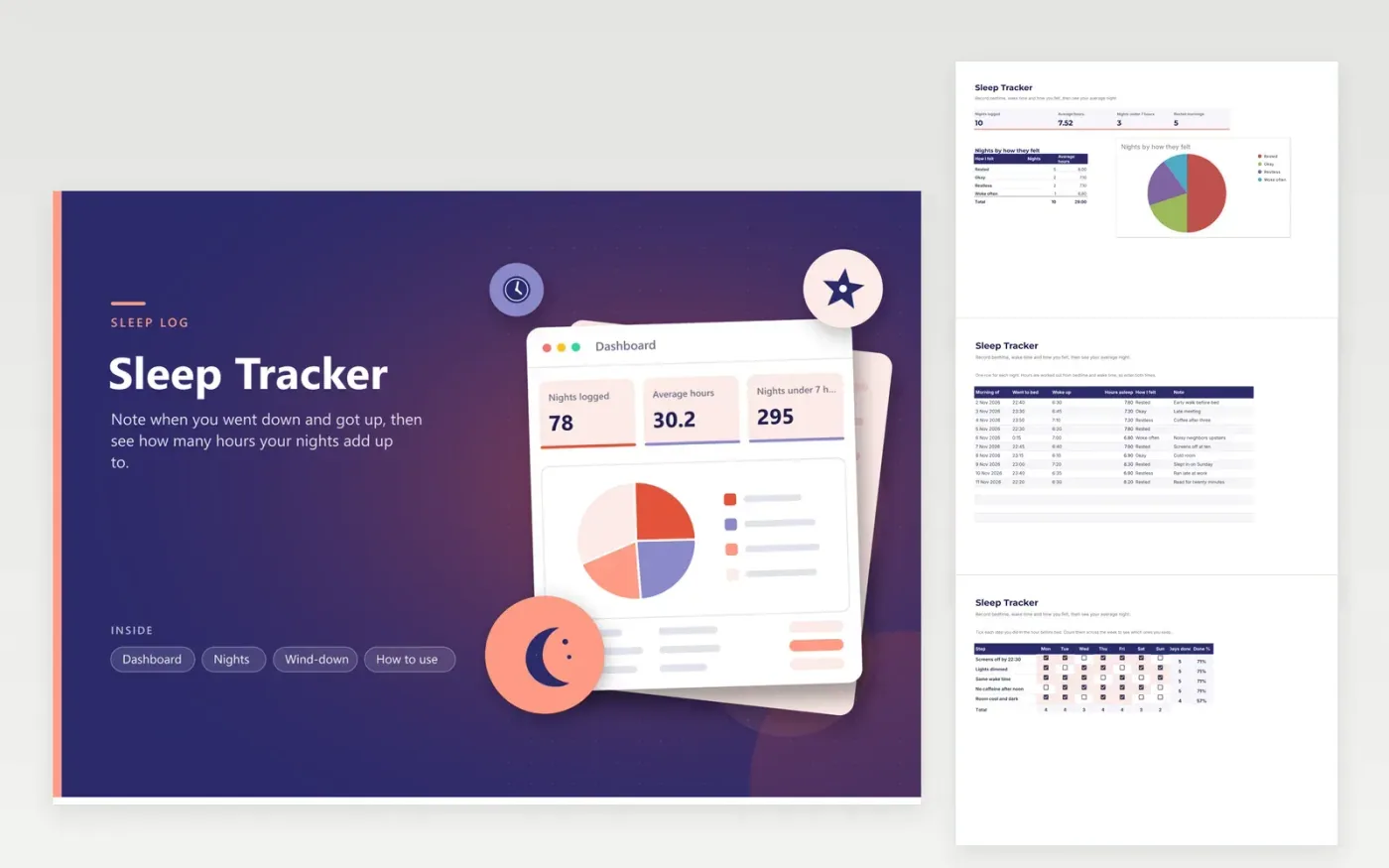
This sleep log suits anyone who wants a clearer picture of their nights, from shift workers to students. The Nights tab gives every night a row holding bedtime, wake time, an automatic Hours asleep figure and a How I felt list. The Dashboard shows nights logged, average hours, nights under seven hours and rested mornings, with a pie chart of nights by how they felt. A Wind-down grid tracks five evening habits across the week.
Hours are calculated from bedtime and wake time, and a night that crosses midnight is handled without extra steps. Start with the sample nights, then clear them and add your own. The Wind-down grid works best when you change a single habit at once and watch over a fortnight which change makes a difference.
Click Make a copy in Google Sheets, then confirm on the Google page. The copy is saved to your own Google Drive.
Start on the Nights tab: replace the sample rows with your own.
Keep the formula columns as they are; they fill in as you type.
Read the How to use tab for tips. For Excel, download the .xlsx file instead.
Health agencies commonly suggest about seven hours or more a night for adults, but individual needs differ. Use the average on the Dashboard as a starting point. Ask your doctor if you feel sleepy during the day or your sleep worries you.
The hours come from the two times, rounded to one decimal place, so a seven-and-a-half-hour night shows as 7.5. A bedtime after midnight also works, because the formula handles the change of day.
Not in the Nights tab, because each row is one night. Keep daytime naps in a separate copy or in the Note column. Leaving naps out of the table stops them from pulling down the average for your nights.
More Google Sheets templatesMore business operations templates
Docs + Word2 pages
Free
Docs + Word2 pages
Free
Docs + Word2 pages
Free
Sheets + Excel4 tabs
Free
Sheets + Excel5 tabs
Free
Sheets + Excel5 tabs
Free
Sheets + Excel4 tabs
Free
Sheets + Excel4 tabs
Free
Sheets + Excel5 tabs
Free
Sheets + Excel4 tabs
Free
Sheets + Excel4 tabs
Free
Sheets + Excel5 tabs
Free
Sheets + Excel5 tabs
Free
Sheets + Excel5 tabs
Free
Sheets + Excel4 tabs
Free










