
Access Card Request Letter
Docs + Word2 pages
Free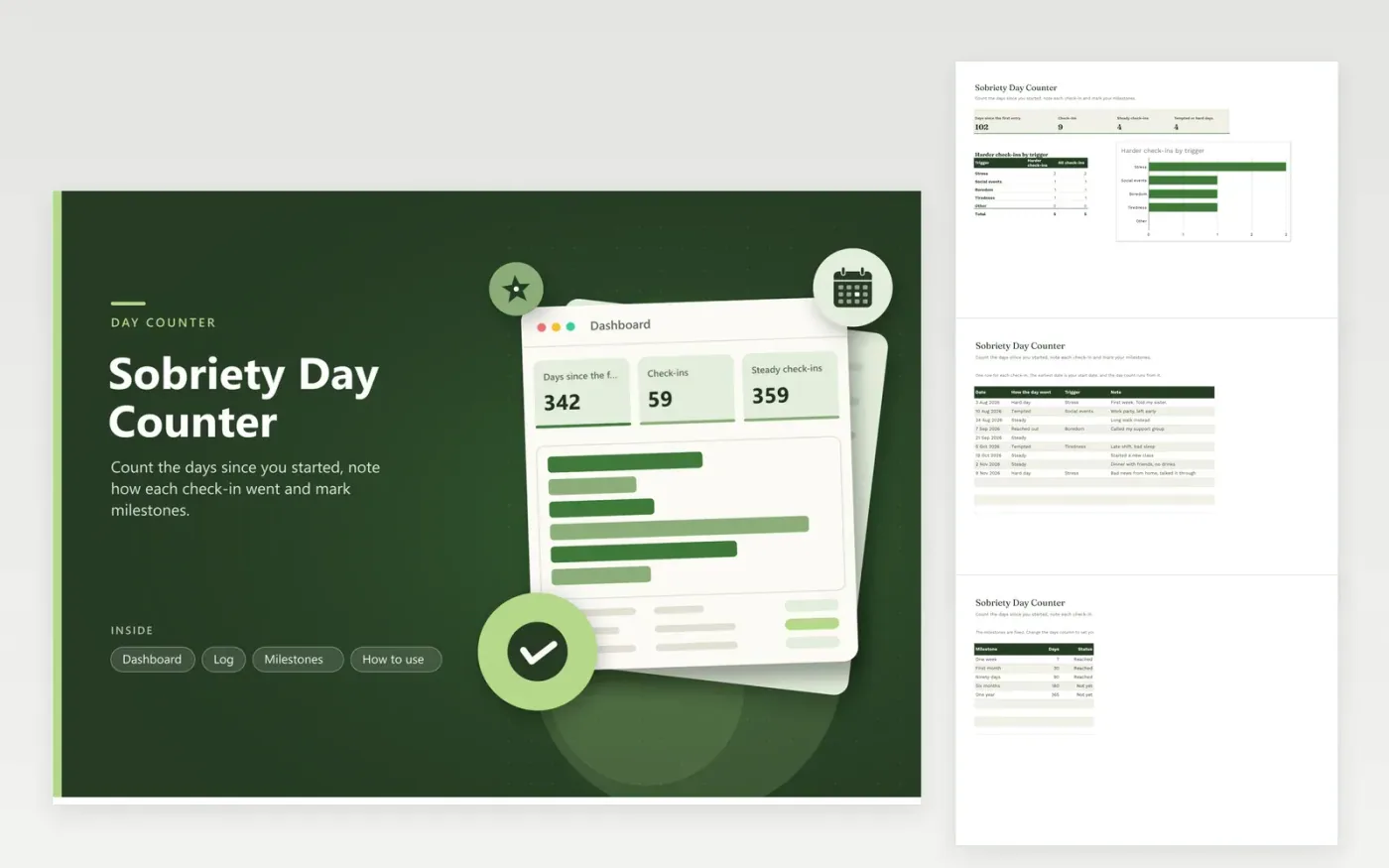
This day counter is for anyone tracking time since they stopped drinking or using a substance. The Log tab keeps a row per check-in, with how the day went, any trigger and a brief note. The Dashboard shows days since the first entry, the number of check-ins, steady check-ins and tempted or hard days, plus a bar chart of harder check-ins by trigger. The Milestones tab marks each goal as Reached or Not yet.
Enter your start date as the first row, because the day count runs from the earliest date in the log. Write notes you would be glad to read on a hard day, and keep the file somewhere private. A harder check-in is information rather than a verdict, and the triggers chart can show where extra support would help most.
Click Make a copy in Google Sheets, then confirm on the Google page. The copy is saved to your own Google Drive.
Start on the Log tab: replace the sample rows with your own.
Keep the formula columns as they are; they fill in as you type.
Read the How to use tab for tips. For Excel, download the .xlsx file instead.
Some people find a visible count motivating, and others find it stressful. Use the counter only if it helps. Support from a doctor, counselor or peer group does the heavy lifting, and this file can only record what you tell it.
Record it honestly, choose the check-in type that fits and note the trigger. The day count runs from the earliest date in the log. If you decide to start again, add a new row and talk it through with your support contact.
Yes, if you choose to. Share a copy with only the Log and Milestones tabs, or send a printed summary, so notes you want to keep private stay private. Keep the original file on your own device.
More Google Sheets templatesMore business operations templates
Docs + Word2 pages
Free
Docs + Word2 pages
Free
Docs + Word2 pages
Free
Sheets + Excel4 tabs
Free
Sheets + Excel5 tabs
Free
Sheets + Excel5 tabs
Free
Sheets + Excel4 tabs
Free
Sheets + Excel4 tabs
Free
Sheets + Excel5 tabs
Free
Sheets + Excel4 tabs
Free
Sheets + Excel4 tabs
Free
Sheets + Excel5 tabs
Free
Sheets + Excel5 tabs
Free
Sheets + Excel5 tabs
Free
Sheets + Excel4 tabs
Free










