
Access Card Request Letter
Docs + Word2 pages
Free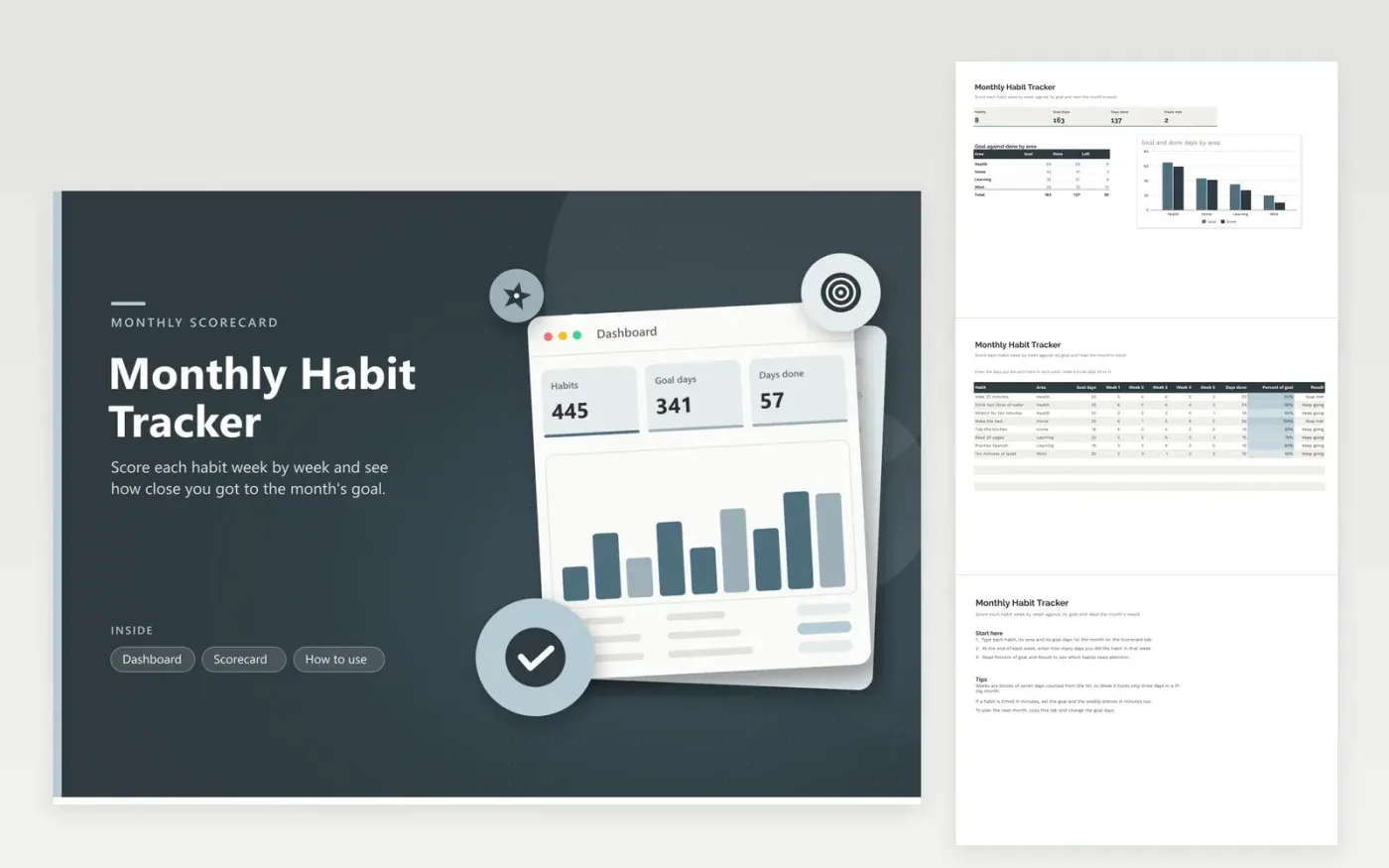
This tracker is for anyone who reviews habits once a month instead of every day. The Scorecard tab names every habit, its life area and goal days, then five week columns for the days done, a total, the percent of goal and a result. The Dashboard shows habits, goal days, days done and goals met, with a chart that sets goal against done for each area.
Fill in each week on its last day so the figures stay accurate and you never have to rebuild a month from memory. Keep goals realistic, and drop a habit that never reaches its goal rather than letting it drag the result down. When a new month begins, duplicate the tab and change the goal days.
Click Make a copy in Google Sheets, then confirm on the Google page. The copy is saved to your own Google Drive.
Start on the Scorecard tab: replace the sample rows with your own.
Keep the formula columns as they are; they fill in as you type.
Read the How to use tab for tips. For Excel, download the .xlsx file instead.
The total days done is divided by the goal days for that habit. A figure over 100 percent means the goal was passed. Blank rows stay empty until you type a habit name and its goal.
Weeks here are blocks of seven days counted from the 1st, so Week 5 holds days 29 to 31 of a 31-day month. Enter only the days you did in those three days, and no more.
Count the times you did it and enter the total in the week column, keeping the goal in the same unit. If a habit is timed in minutes, set its goal and weekly entries in minutes as well.
More Google Sheets templatesMore business operations templates
Docs + Word2 pages
Free
Docs + Word2 pages
Free
Docs + Word2 pages
Free
Sheets + Excel4 tabs
Free
Sheets + Excel5 tabs
Free
Sheets + Excel5 tabs
Free
Sheets + Excel4 tabs
Free
Sheets + Excel5 tabs
Free
Sheets + Excel4 tabs
Free
Sheets + Excel4 tabs
Free
Sheets + Excel5 tabs
Free
Sheets + Excel5 tabs
Free
Sheets + Excel5 tabs
Free
Sheets + Excel5 tabs
Free
Sheets + Excel4 tabs
Free










