
Annual Report
Docs + Word6 pages
FeaturedFree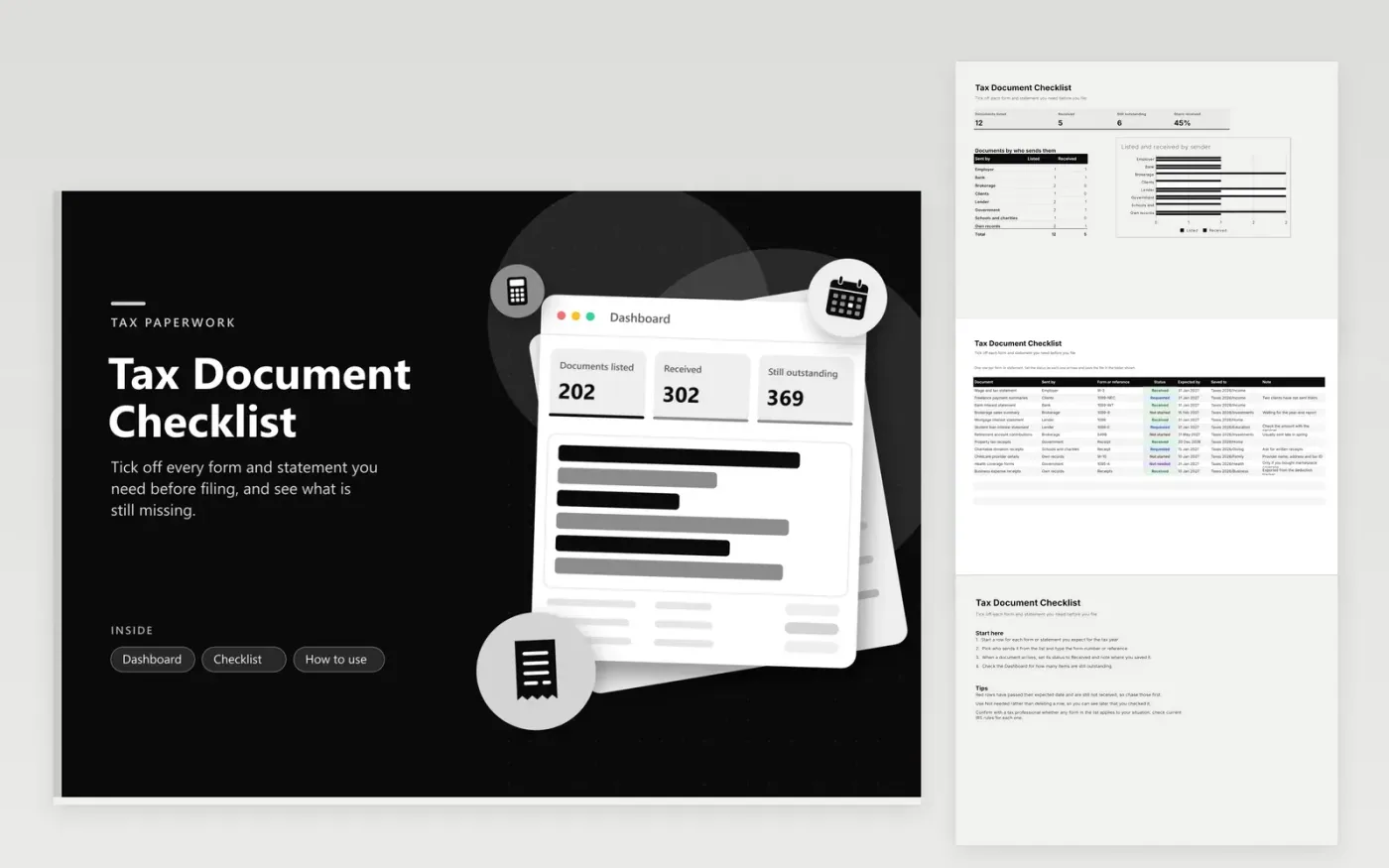
Households, freelancers and self-run businesses use this tax document checklist to gather paperwork before filing. The Checklist tab holds one row per form or statement, with the document name, who sends it, the form number or reference, its status, the expected date, the folder where it is saved and a note. The Dashboard counts documents listed, received and outstanding, shows the share received, and charts the listed and received totals by sender.
Add a row for each source as soon as you open an account, take a job or buy a policy, so nothing is forgotten in January. Save each document into the folder named in its row, using the same tax year label throughout. Mark rows Not needed instead of removing them, and the list also records what you checked and ruled out.
Click Make a copy in Google Sheets, then confirm on the Google page. The copy is saved to your own Google Drive.
Start on the Checklist tab: replace the sample rows with your own.
Keep the formula columns as they are; they fill in as you type.
Read the How to use tab for tips. For Excel, download the .xlsx file instead.
Each number names a standard tax form or statement, such as W-2 for wages or 1099-INT for bank interest. Type the number printed on what you receive so the list matches the paper. If you are unsure what a form is for, look up current IRS guidance or ask your tax preparer.
Keep the row, set its status to Requested, and note the date you asked. Senders usually have a deadline for issuing each form, so contact them soon after it passes. Your tax preparer can advise how to file without the document if it still is not available.
Anyone who receives tax paperwork from several sources, such as an employer, a bank and a client, benefits from one list. A household with a mortgage, a student loan or childcare costs will also collect forms from different senders.
Docs + Word6 pages
FeaturedFree
Excel
FeaturedFree
Sheets + Excel9 tabs
Free
Sheets + Excel5 tabs
Free
Sheets + Excel5 tabs
Free
Sheets + Excel4 tabs
Free
Sheets + Excel4 tabs
Free
Sheets + Excel5 tabs
Free
Sheets + Excel6 tabs
Free
Sheets + Excel6 tabs
Free
Sheets + Excel4 tabs
Free
Sheets + Excel5 tabs
Free








