
Annual Report
Docs + Word6 pages
FeaturedFree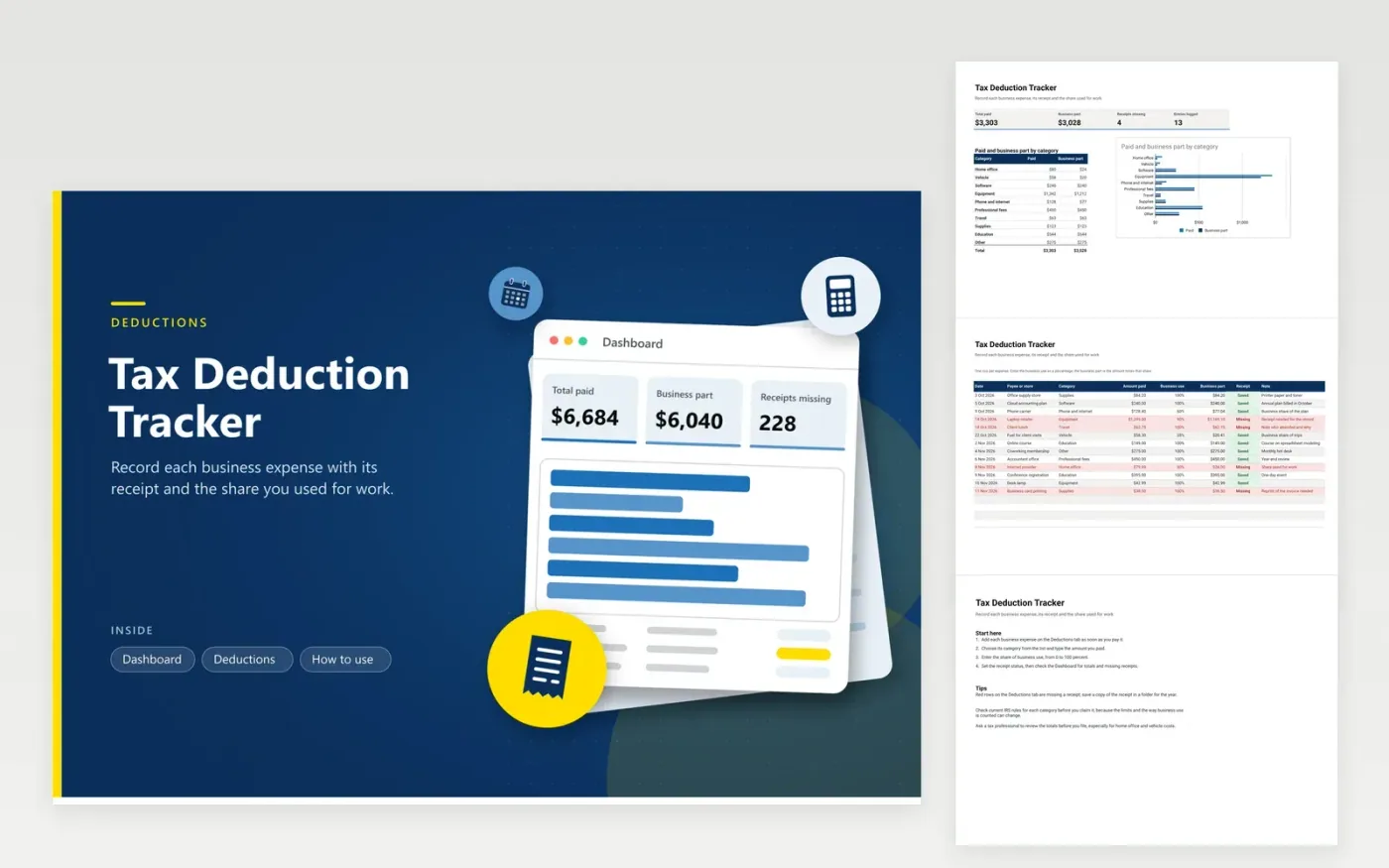
Freelancers, sole traders and owners of one-person firms use this tax deduction tracker to keep business costs organized through the year. The Deductions tab holds one row per expense with the date, payee, category, amount paid, business-use percentage, business part, receipt status and a note. The Dashboard totals what was paid and the business part, counts missing receipts, and compares the two amounts by category in a bar chart.
Enter each cost the moment it is paid, while its receipt is still easy to find. Set a business-use percentage only when you can explain how you reached it, such as hours used for work or the floor area of a home office, and write that basis in the note. Clear the red rows each month, then send the category totals to your tax professional before the appointment.
Click Make a copy in Google Sheets, then confirm on the Google page. The copy is saved to your own Google Drive.
Start on the Deductions tab: replace the sample rows with your own.
Keep the formula columns as they are; they fill in as you type.
Read the How to use tab for tips. For Excel, download the .xlsx file instead.
It is the share of an expense you used for business. A phone plan used sixty percent for work gives a business part of sixty percent of the bill. Pick a figure you can justify with a record, and check current IRS rules for how business use must be shown.
Whether a cost is deductible depends on your type of business, how the item was used and current IRS rules, so this tracker does not decide it. Use the categories to sort your costs, then ask a tax professional which ones qualify before you claim them.
Keep records for as long as the IRS can ask about the return they support, and check current IRS guidance for the period that applies to you. A digital copy of each receipt saved beside its row keeps the paper and the figures together.
Docs + Word6 pages
FeaturedFree
Excel
FeaturedFree
Sheets + Excel9 tabs
Free
Sheets + Excel5 tabs
Free
Sheets + Excel5 tabs
Free
Sheets + Excel4 tabs
Free
Sheets + Excel4 tabs
Free
Sheets + Excel5 tabs
Free
Sheets + Excel6 tabs
Free
Sheets + Excel6 tabs
Free
Sheets + Excel4 tabs
Free
Sheets + Excel5 tabs
Free








