
Annual Report
Docs + Word6 pages
FeaturedFree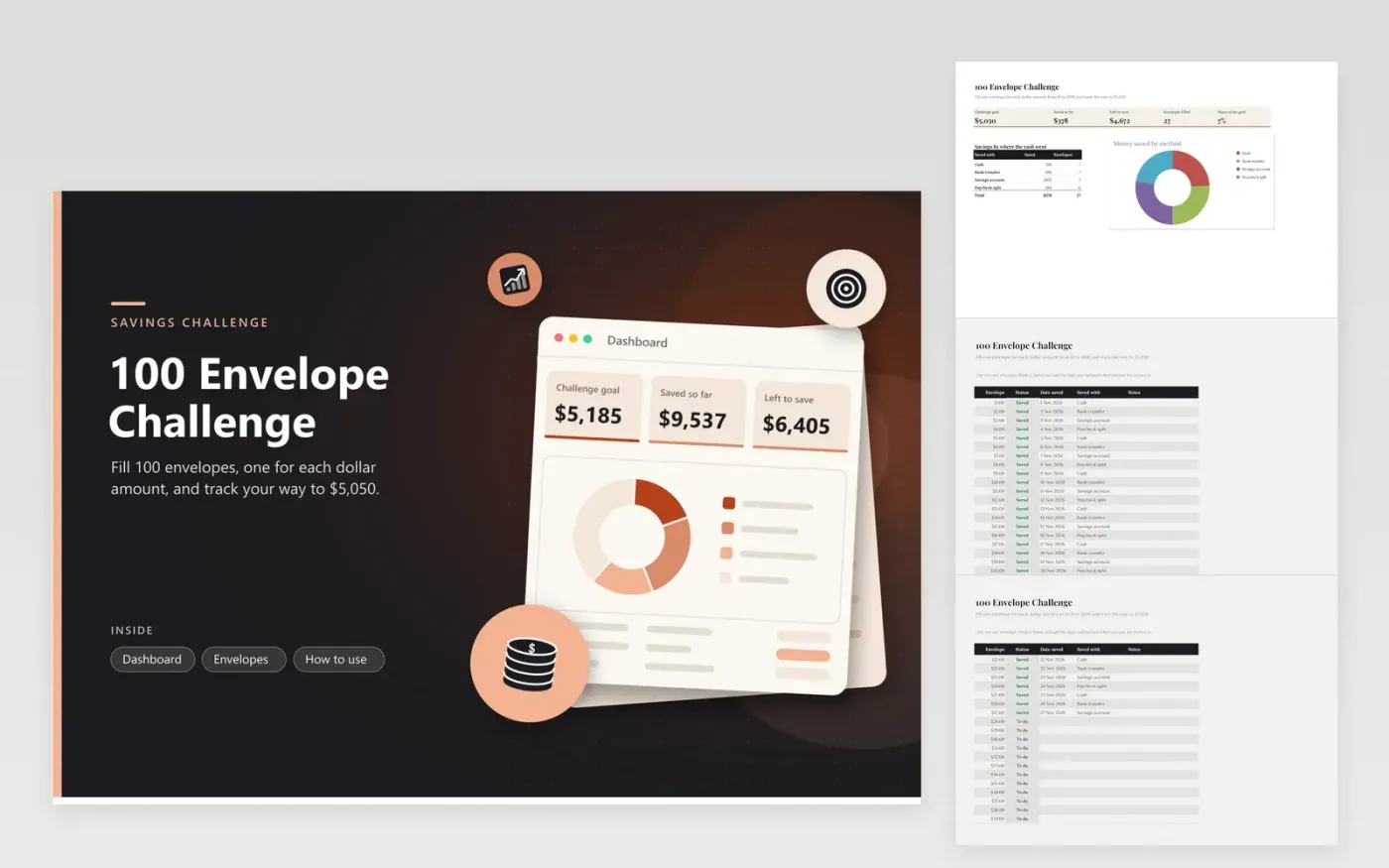
The 100 Envelope Challenge is a year-long savings plan for anyone who wants a clear target. The Envelopes tab lists envelopes numbered $1 to $100, each with a status, the date it was filled, the method used and a notes column. The Dashboard shows the $5,050 goal, the amount saved so far, what is left, how many envelopes are filled and a doughnut chart of savings by method.
The sample sheet marks the first 27 envelopes as saved so you can watch the totals move. Make your own copy and reset each status to To do before you start. Keep one method for the whole challenge where you can, and note any bonus or extra cash in the notes so the record matches what you moved.
Click Make a copy in Google Sheets, then confirm on the Google page. The copy is saved to your own Google Drive.
Start on the Envelopes tab: replace the sample rows with your own.
Keep the formula columns as they are; they fill in as you type.
Read the How to use tab for tips. For Excel, download the .xlsx file instead.
Label 100 envelopes from $1 to $100. Each week, fill the envelope that matches the week number, or fill them in any order you like. Record each one as Saved on the Envelopes tab with the date and the method you used.
Yes. Some people start with the smallest envelopes and others start with the largest. The total at the end is the same either way, but keeping to the numbers makes the Dashboard easier to read.
Fill the envelope when you can and keep the same amount. Jot a line in the Notes column and you will remember how each draw went. A missed week does not change the $5,050 goal, only the date you finish.
Docs + Word6 pages
FeaturedFree
Excel
FeaturedFree
Sheets + Excel5 tabs
Free
Sheets + Excel6 tabs
Free
Sheets + Excel4 tabs
Free
Sheets + Excel4 tabs
Free
Sheets + Excel5 tabs
Free
Sheets + Excel6 tabs
Free
Sheets + Excel4 tabs
Free
Sheets + Excel5 tabs
Free
Sheets + Excel5 tabs
Free
Sheets + Excel4 tabs
Free








