
Annual Report
Docs + Word6 pages
FeaturedFree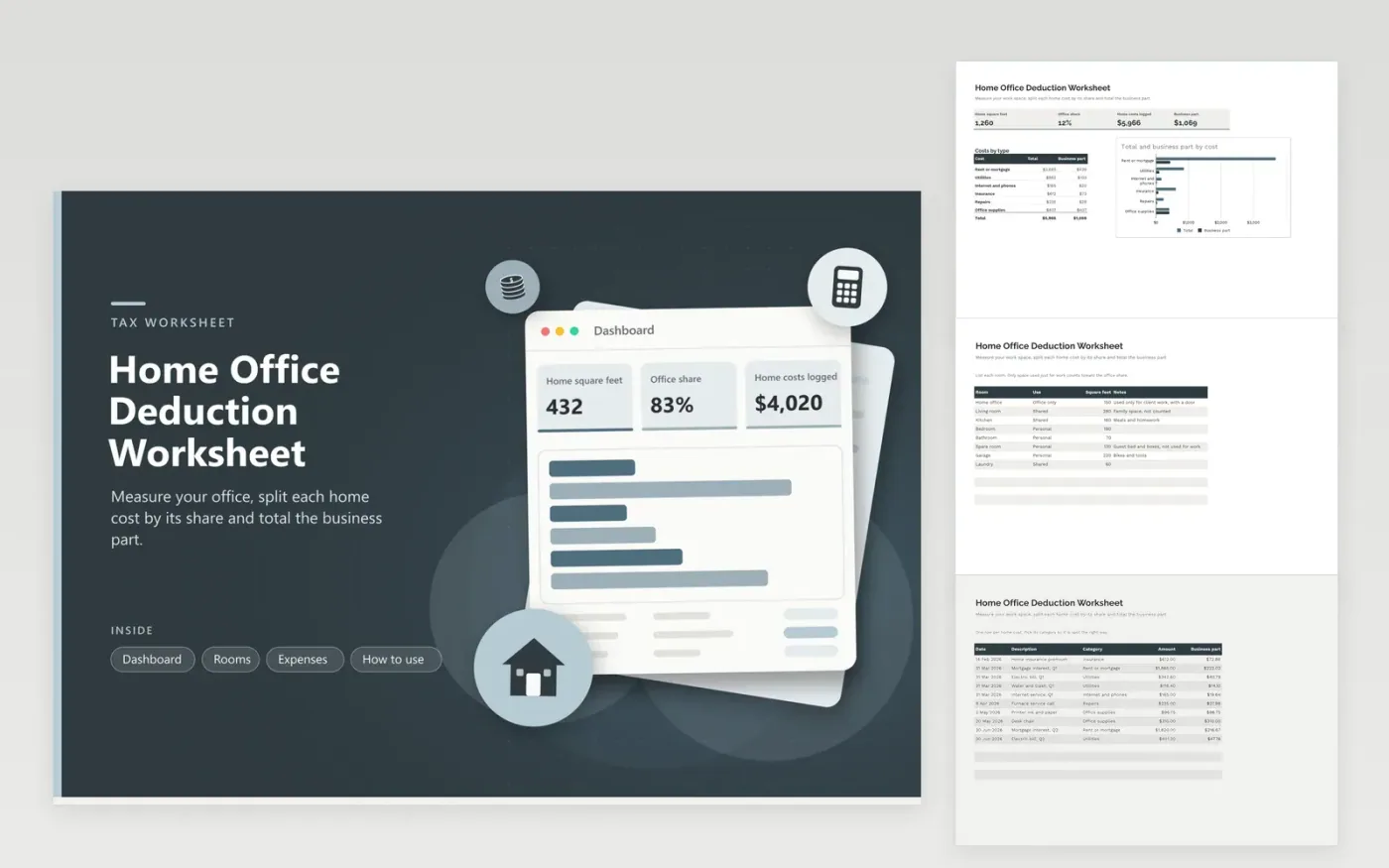
This worksheet suits freelancers and remote workers who use part of their home for paid work. The Rooms tab lists each room with its square feet and a Use column, and only space marked Office only feeds the office share. The Expenses tab logs rent or mortgage interest, utilities, internet, insurance, repairs and office supplies, and the Dashboard shows the office share, the total costs and the business part of each one.
Measure each room once and update the sizes if you move furniture or change rooms. Write down why each space is used for work, because that note is what you will want if the figures are questioned later. Method and limits change over time, so confirm the approach with a tax preparer before you claim anything.
Click Make a copy in Google Sheets, then confirm on the Google page. The copy is saved to your own Google Drive.
Start on the Rooms tab: replace the sample rows with your own.
Keep the formula columns as they are; they fill in as you type.
Read the How to use tab for tips. For Excel, download the .xlsx file instead.
In general, a space used regularly and only for your business, such as a room with a desk that is not used for family life. Shared spaces like kitchens usually do not count. Read the current IRS guidance for the details that apply to your work.
The sheet divides the square feet marked Office only by the total square feet of the home. That share is applied to each home cost. Office supplies are counted in full because they are bought for the work, not for the whole house.
Yes. Print the Dashboard or share the file with your preparer. They can check the room sizes and costs and decide which approach and amounts suit your return.
Docs + Word6 pages
FeaturedFree
Excel
FeaturedFree
Sheets + Excel9 tabs
Free
Sheets + Excel5 tabs
Free
Sheets + Excel4 tabs
Free
Sheets + Excel4 tabs
Free
Sheets + Excel5 tabs
Free
Sheets + Excel6 tabs
Free
Sheets + Excel6 tabs
Free
Sheets + Excel4 tabs
Free
Sheets + Excel4 tabs
Free
Sheets + Excel5 tabs
Free








