
Annual Report
Docs + Word6 pages
FeaturedFree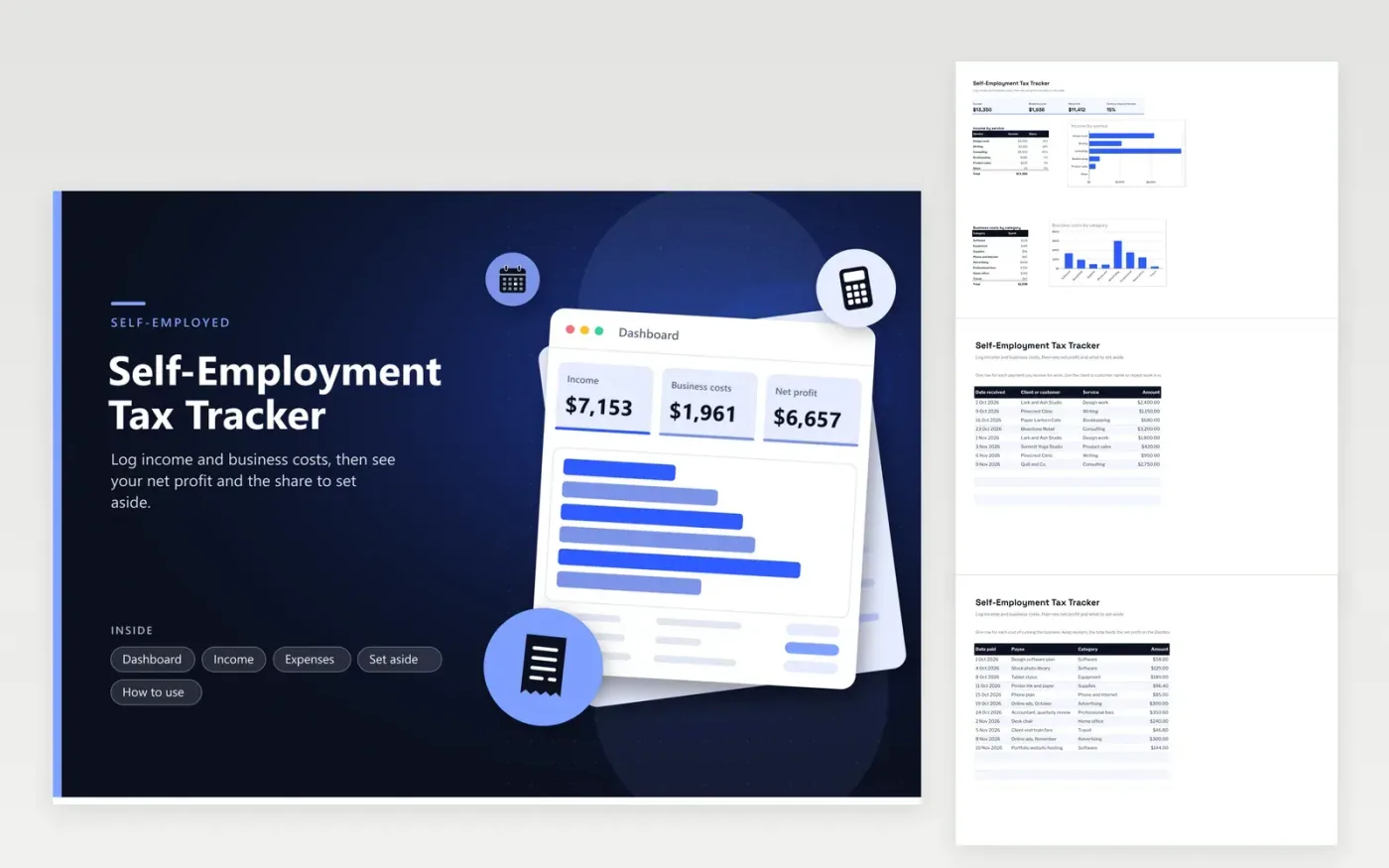
Freelancers, contractors and sole traders use this self-employment tax tracker to see what they earned after costs and how much to keep back. The Income tab logs every payment by date, client, service and amount. The Expenses tab records each business cost by category. The Dashboard totals income, costs and net profit, and charts income by service and costs by category. The Set aside tab takes a percentage you choose and works out the amount to keep.
Enter each payment when it arrives and each cost when you pay it, so the totals stay current. Pick the set-aside percentage with a tax professional, since the correct percentage turns on your full return. Move the set-aside amount into a separate account at each payday instead of waiting until the year ends, when the money is harder to hold back.
Click Make a copy in Google Sheets, then confirm on the Google page. The copy is saved to your own Google Drive.
Start on the Income tab: replace the sample rows with your own.
Keep the formula columns as they are; they fill in as you type.
Read the How to use tab for tips. For Excel, download the .xlsx file instead.
No. It is a saving habit you choose, and it can be higher or lower than the tax you finally owe. The sheet multiplies net profit by the percentage, so it shows a planned amount rather than a calculated bill. Check current IRS rules or a tax professional for the actual figure.
It is a practical estimate: the income you received minus the business costs you logged. Tax returns use their own rules for timing, deductions and adjustments, so the figures can differ. Use the sheet to plan, then rely on your tax professional's calculation.
Enter the costs as they are and the Dashboard shows the lower net figure. The Set aside tab uses zero when net profit is below zero, so a loss sets nothing aside. Keep the loss recorded so the year's totals stay complete.
Docs + Word6 pages
FeaturedFree
Excel
FeaturedFree
Sheets + Excel9 tabs
Free
Sheets + Excel5 tabs
Free
Sheets + Excel5 tabs
Free
Sheets + Excel4 tabs
Free
Sheets + Excel4 tabs
Free
Sheets + Excel5 tabs
Free
Sheets + Excel6 tabs
Free
Sheets + Excel4 tabs
Free
Sheets + Excel4 tabs
Free
Sheets + Excel5 tabs
Free








