
Annual Report
Docs + Word6 pages
FeaturedFree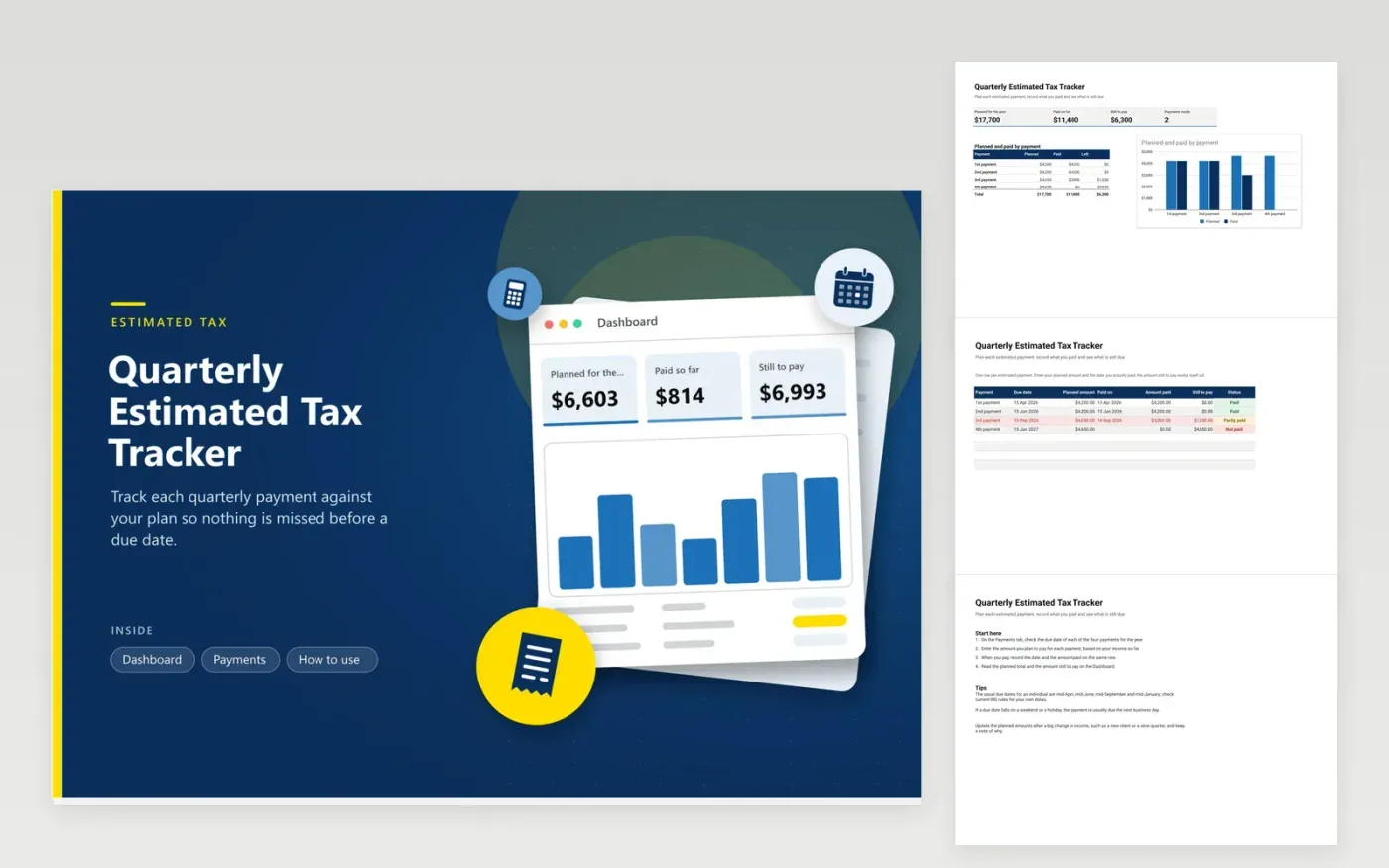
Self-employed workers, landlords and anyone without tax taken from their pay use this quarterly estimated tax tracker to keep up with the four payments in a year. The Payments tab has a line per installment with its due date, planned amount, the date paid, the amount paid, the still-to-pay figure and a status. The Dashboard shows the planned total, the amount paid so far, the amount still to pay and the number of payments made, with a column chart for each payment.
Set each planned amount with a tax professional or from your own estimate, and revise it when your income changes sharply. Record the date you paid even when the payment went out early, so the status and the chart stay accurate. A red row means a payment is past its due date and still not paid, which makes it the first thing to fix.
Click Make a copy in Google Sheets, then confirm on the Google page. The copy is saved to your own Google Drive.
Start on the Payments tab: replace the sample rows with your own.
Keep the formula columns as they are; they fill in as you type.
Read the How to use tab for tips. For Excel, download the .xlsx file instead.
For many individuals the four payments fall in mid-April, mid-June, mid-September and mid-January, but the exact dates change from year to year. The due date column is there so you can enter the dates you confirm under current IRS rules for your return.
Enter the amount you actually paid and the still-to-pay figure shows the gap. Penalties for underpaying depend on your situation, so read the latest IRS instructions or consult a tax professional before the next deadline.
Yes. Put the amount on the row for the payment it covers, record the date you paid, and set the status to Paid. The sheet is built around four payments, so an early payment still belongs on its own row rather than being combined with another.
Docs + Word6 pages
FeaturedFree
Excel
FeaturedFree
Sheets + Excel9 tabs
Free
Sheets + Excel5 tabs
Free
Sheets + Excel5 tabs
Free
Sheets + Excel4 tabs
Free
Sheets + Excel5 tabs
Free
Sheets + Excel6 tabs
Free
Sheets + Excel6 tabs
Free
Sheets + Excel4 tabs
Free
Sheets + Excel4 tabs
Free
Sheets + Excel5 tabs
Free








