
Annual Report
Docs + Word6 pages
FeaturedFree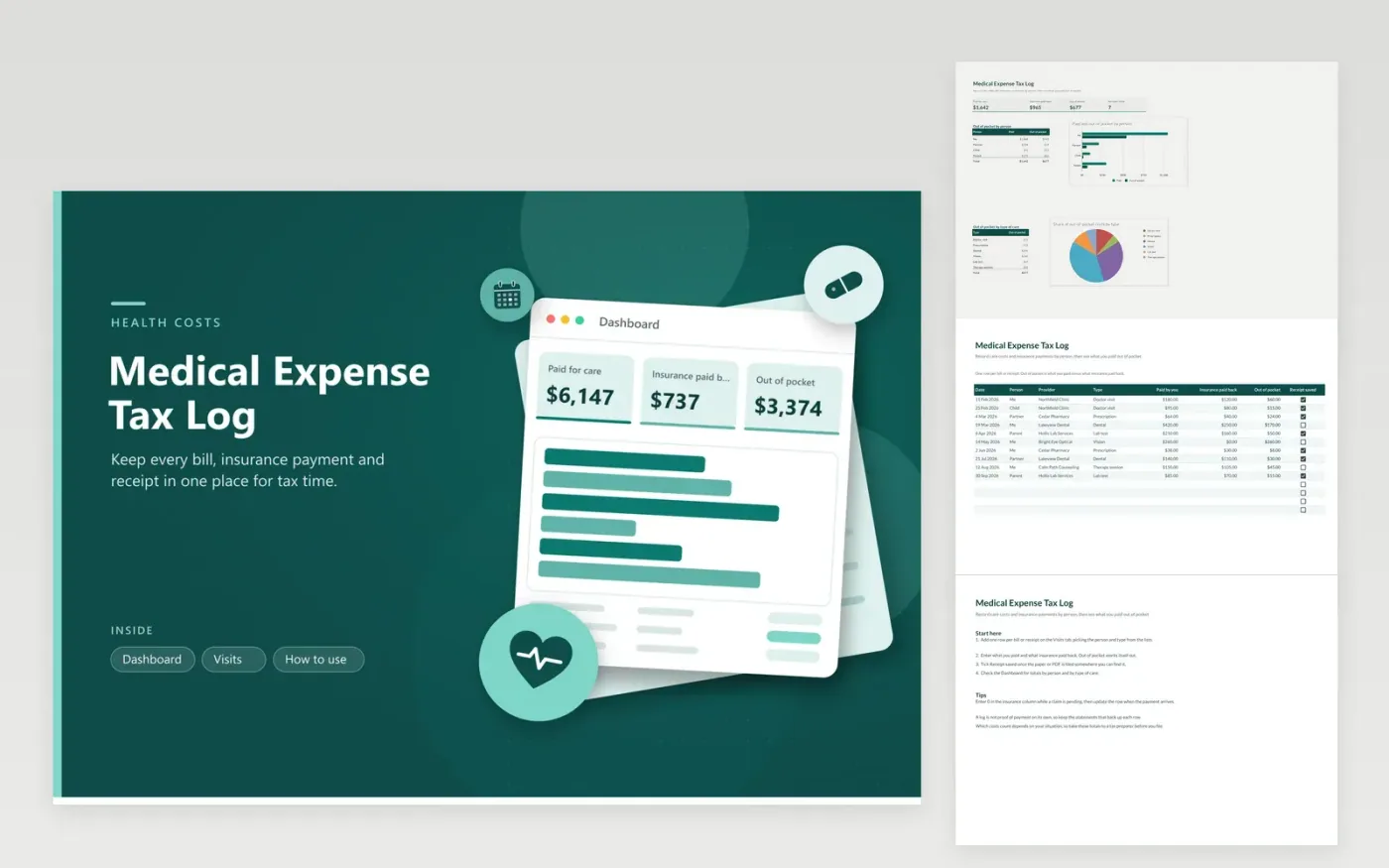
This log is for households that track doctor visits, prescriptions, dental work, vision care, lab tests and therapy sessions. The Visits tab records the person treated, the provider, what you paid, what insurance paid back and whether the receipt is saved. Out of pocket is worked out on each row, and the Dashboard totals those amounts by person and by type of care.
Log each visit when you pay for it, while the bill is still in front of you. Tick Receipt saved only once the paper or PDF is filed somewhere you can find it again. Whether a cost helps on your return depends on your income and on the current rules, so take these totals to a tax preparer rather than relying on the sample figures.
Click Make a copy in Google Sheets, then confirm on the Google page. The copy is saved to your own Google Drive.
Start on the Visits tab: replace the sample rows with your own.
Keep the formula columns as they are; they fill in as you type.
Read the How to use tab for tips. For Excel, download the .xlsx file instead.
Costs you paid for diagnosis, treatment and care for yourself or people you support can be relevant, but the rules set limits. Read the current IRS guidance and ask a tax preparer which ones apply to your return.
Enter 0 in the insurance column for now, and update the row when the payment arrives. The out-of-pocket figure changes to match, so the Dashboard stays current.
Yes. Keep the receipts or statements behind each row, since a log alone does not prove a payment. Note where you filed each one in the provider column or in your own records.
Docs + Word6 pages
FeaturedFree
Excel
FeaturedFree
Sheets + Excel9 tabs
Free
Sheets + Excel5 tabs
Free
Sheets + Excel5 tabs
Free
Sheets + Excel4 tabs
Free
Sheets + Excel5 tabs
Free
Sheets + Excel6 tabs
Free
Sheets + Excel6 tabs
Free
Sheets + Excel4 tabs
Free
Sheets + Excel4 tabs
Free
Sheets + Excel5 tabs
Free








