
Annual Report
Docs + Word6 pages
FeaturedFree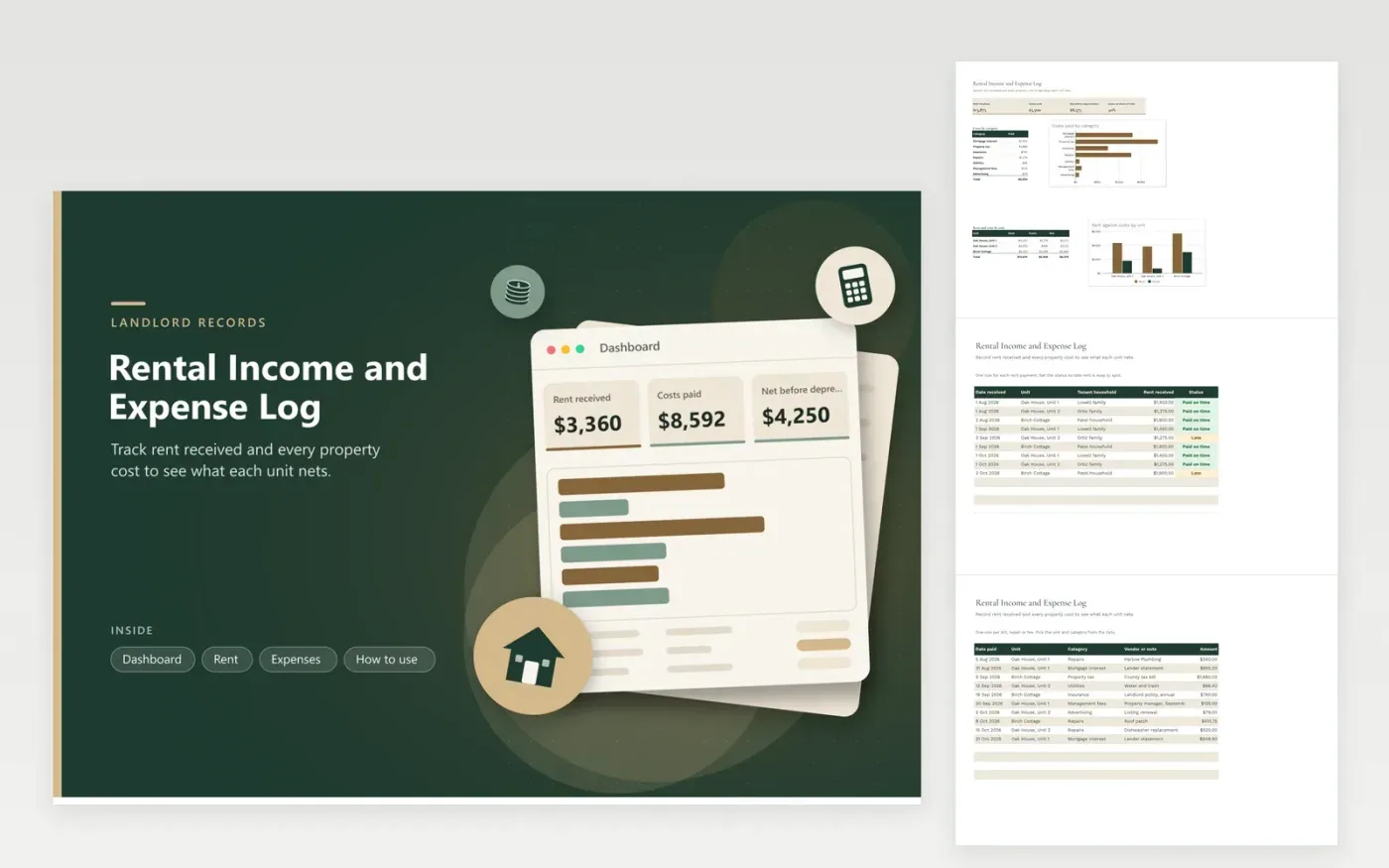
This log is for landlords who rent out one house, several units or a cottage. The Rent tab logs every payment against its unit, tenant household and whether it arrived on time, while the Expenses tab records repairs, utilities, insurance, property tax, management fees, advertising and mortgage interest with a vendor or note. The Dashboard reports rent collected, costs paid, the net before depreciation and two charts, one of costs by category and one of rent against costs by unit.
Add each payment as it arrives rather than at year end, so late rent and large repairs show up early. Keep the invoice or lender statement beside each cost, and use the vendor column to say whose bill it was. Depreciation and the split between repairs and improvements are not worked out on this sheet, so settle those with a tax preparer before filing.
Click Make a copy in Google Sheets, then confirm on the Google page. The copy is saved to your own Google Drive.
Start on the Rent tab: replace the sample rows with your own.
Keep the formula columns as they are; they fill in as you type.
Read the How to use tab for tips. For Excel, download the .xlsx file instead.
No. The sheet shows rent received and costs paid, with the net before depreciation. Depreciation is a separate calculation with its own rules, so look at up-to-date IRS publications or have a tax preparer work it out.
Record the amount when the money actually lands, then mark Status as Late. The rent still counts in the totals, and the Dashboard shows how many payments were late.
Yes. Enter one row for each unit with its share of the amount, and write the split in the vendor or note column. The Dashboard then adds each part to the right unit.
Docs + Word6 pages
FeaturedFree
Excel
FeaturedFree
Sheets + Excel9 tabs
Free
Sheets + Excel5 tabs
Free
Sheets + Excel5 tabs
Free
Sheets + Excel4 tabs
Free
Sheets + Excel4 tabs
Free
Sheets + Excel6 tabs
Free
Sheets + Excel6 tabs
Free
Sheets + Excel4 tabs
Free
Sheets + Excel4 tabs
Free
Sheets + Excel5 tabs
Free








