
Access Card Request Letter
Docs + Word2 pages
Free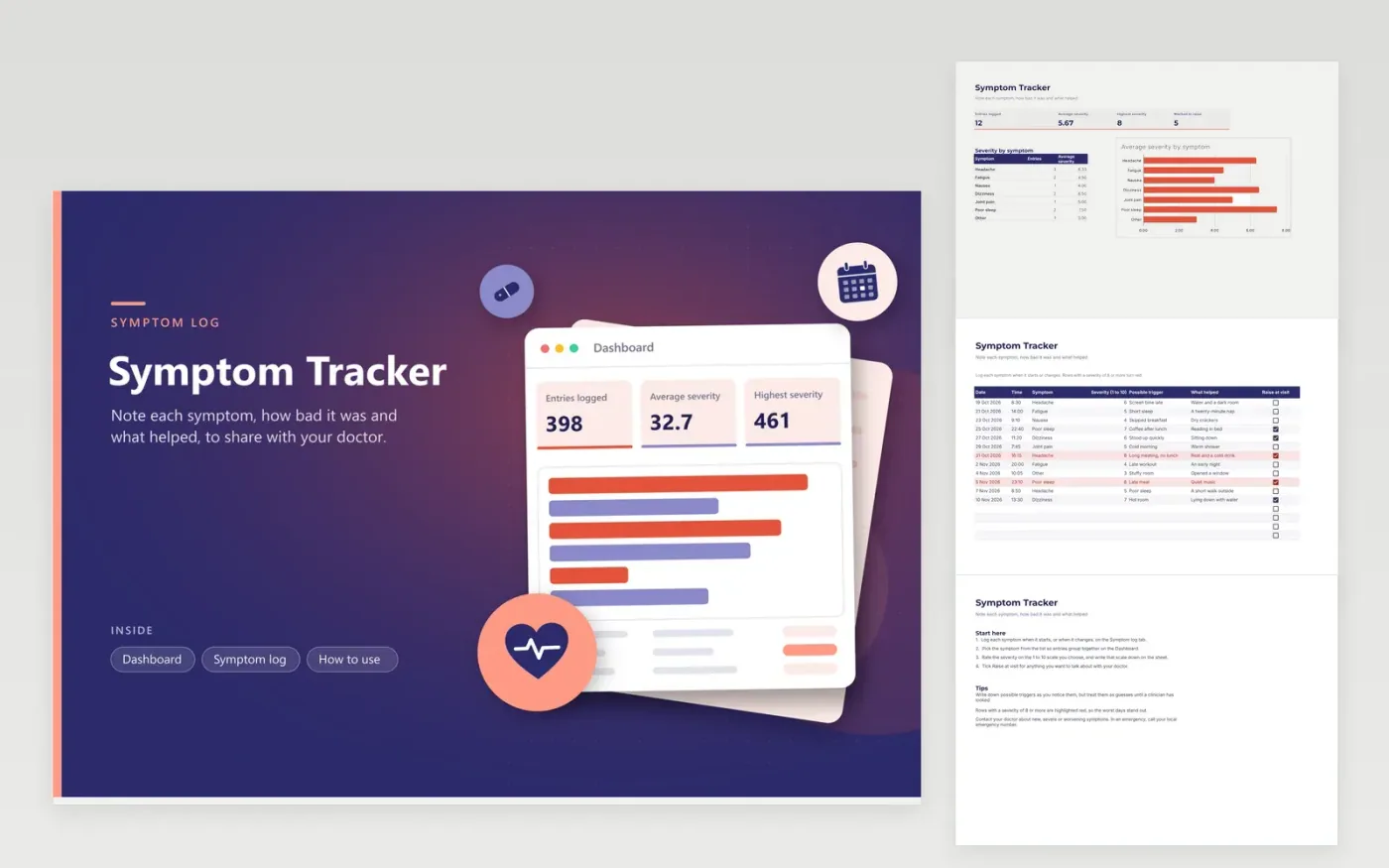
This symptom tracker helps you spot patterns between symptoms, sleep, food and activity, and bring a clear record to a doctor. The Symptom log tab keeps one line per entry, with the date, time, the symptom from a list, a severity from 1 to 10, possible triggers, what helped and a Raise at visit box. The Dashboard counts entries, shows the average and highest severity and charts the average severity for each symptom.
The sample entries cover about four weeks, so the counts and averages are filled in. Use the same symptom name each time so entries group together, and decide on your own severity scale, such as 1 for barely noticeable and 10 for the worst you have felt. Rows with a severity of 8 or more are highlighted red. Note the trigger you suspect, but treat it as a guess until a doctor has looked at the pattern.
Click Make a copy in Google Sheets, then confirm on the Google page. The copy is saved to your own Google Drive.
Start on the Symptom log tab: replace the sample rows with your own.
Keep the formula columns as they are; they fill in as you type.
Read the How to use tab for tips. For Excel, download the .xlsx file instead.
Choose a scale you can apply consistently. A common approach is 1 for barely noticeable, 5 for getting in the way and 10 for the worst you have felt. Write the scale in a note on the sheet so you and your doctor read it the same way.
Do not rely on this tracker for urgent problems. Contact your doctor about symptoms that are new, severe or getting worse. In an emergency, call your local emergency number straight away.
Not necessarily. The trigger column records what you noticed at the time, such as a skipped lunch or a long screen day. Repeated entries can suggest a pattern, but only a clinician can judge the cause.
More Google Sheets templatesMore business operations templates
Docs + Word2 pages
Free
Docs + Word2 pages
Free
Docs + Word2 pages
Free
Sheets + Excel4 tabs
Free
Sheets + Excel4 tabs
Free
Sheets + Excel4 tabs
Free
Sheets + Excel4 tabs
Free
Sheets + Excel4 tabs
Free
Sheets + Excel4 tabs
Free
Sheets + Excel5 tabs
Free
Sheets + Excel5 tabs
Free
Sheets + Excel5 tabs
Free
Sheets + Excel4 tabs
Free
Sheets + Excel5 tabs
Free
Sheets + Excel4 tabs
Free










